crwdns2933423:0crwdne2933423:0
crwdns2947577:0crwdnd2947577:0crwdne2947577:0

Canon PIXMA MP190 Ink Cartridge Replacement

    1. Canon PIXMA MP190 Ink Cartridge  Replacement, Turn printer on.: crwdns2935265:01crwdnd2935265:01crwdnd2935265:01crwdne2935265:0
      • The printer needs to be on in order to change the ink cartridges.

      crwdns2952109:0crwdne2952109:0

      crwdns2917038:0crwdne2917038:0

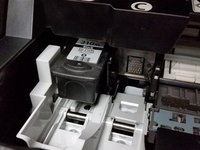
    2. Canon PIXMA MP190 Ink Cartridge  Replacement, Locate Ink Cartridges: crwdns2935265:02crwdnd2935265:01crwdnd2935265:03crwdne2935265:0 Canon PIXMA MP190 Ink Cartridge  Replacement, Locate Ink Cartridges: crwdns2935265:02crwdnd2935265:02crwdnd2935265:03crwdne2935265:0 Canon PIXMA MP190 Ink Cartridge  Replacement, Locate Ink Cartridges: crwdns2935265:02crwdnd2935265:03crwdnd2935265:03crwdne2935265:0
      • To locate the ink cartridges the paper output tray must be in the lowered position.

      • Next lift the scanning unit until the scanning support is vertical.

      • Lower the scanning unit until the scanning unit support seats in the scanning unit support slot.

      crwdns2952109:0crwdne2952109:0

      crwdns2917038:0crwdne2917038:0

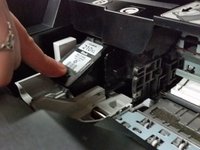
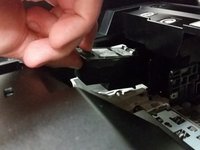
    3. Canon PIXMA MP190 Ink Cartridge  Replacement, Remove Ink Cartridge: crwdns2935265:03crwdnd2935265:01crwdnd2935265:03crwdne2935265:0 Canon PIXMA MP190 Ink Cartridge  Replacement, Remove Ink Cartridge: crwdns2935265:03crwdnd2935265:02crwdnd2935265:03crwdne2935265:0 Canon PIXMA MP190 Ink Cartridge  Replacement, Remove Ink Cartridge: crwdns2935265:03crwdnd2935265:03crwdnd2935265:03crwdne2935265:0
      • Allow the printer to position the ink cartridge carrier into the ink cartridge removal location.

      • Before replacing the ink cartridge ensure the correct ink cartridge is installed.

      • Push down on the front edge of the ink cartridge.

      • Observe the angle at which the ink cartridge is removed.

      • Grasp ink cartridge and pull up and out to remove.

      crwdns2952109:0crwdne2952109:0

      crwdns2917038:0crwdne2917038:0

crwdns2915888:0crwdne2915888:0

To reassemble your device, follow these instructions in reverse order.

crwdns2935221:0crwdne2935221:0

crwdns2935229:04crwdne2935229:0

Garret Wescott

crwdns2935283:010/23/14crwdne2935283:0

597 crwdns2915208:0crwdne2915208:0

crwdns2935297:04crwdne2935297:0

crwdns2935287:0crwdne2935287:0

Michigan Tech, Team 1-5, Lauer Fall 2014 crwdns2935289:0Michigan Tech, Team 1-5, Lauer Fall 2014crwdne2935289:0

MTU-LAUER-F14S1G5

crwdns2931471:03crwdne2931471:0

crwdns2935297:060crwdne2935297:0

crwdns2947412:00crwdne2947412:0

crwdns2917038:0crwdne2917038:0

crwdns2936625:0crwdne2936625:0:

crwdns2936751:024crwdne2936751:0 2

crwdns2936753:07crwdne2936753:0 39

crwdns2936753:030crwdne2936753:0 149

crwdns2942667:0crwdne2942667:0 10,650