crwdns2933423:0crwdne2933423:0
crwdns2947577:0crwdnd2947577:0crwdne2947577:0

Canon EOS Rebel T5 Image Sensor Replacement

crwdns2942213:0crwdne2942213:0

  1. Canon EOS Rebel T5 Image Sensor Replacement, Battery: crwdns2935265:01crwdnd2935265:01crwdnd2935265:01crwdne2935265:0
    • Lay the camera on its back so that the card/battery door is facing you.

    • Using your fingernail, slide the tab on the battery door up to release the battery door latch.

    crwdns2952109:0crwdne2952109:0

    crwdns2917038:0crwdne2917038:0

  2. Canon EOS Rebel T5 Image Sensor Replacement: crwdns2935265:02crwdnd2935265:01crwdnd2935265:01crwdne2935265:0
    • Lift the now free card/battery door to reveal the battery compartment.

    • Push the gray lever to the right side so that the battery can be removed and replaced with a new one.

    crwdns2952109:0crwdne2952109:0

    crwdns2917038:0crwdne2917038:0

  3. Canon EOS Rebel T5 Image Sensor Replacement, Back Cover: crwdns2935265:03crwdnd2935265:01crwdnd2935265:01crwdne2935265:0
    • Turn the camera so that the back is facing to your right.

    • Remove the 5mm JIS #000 screw above the rubber USB port cover.

    crwdns2952109:0crwdne2952109:0

    crwdns2917038:0crwdne2917038:0

  4. Canon EOS Rebel T5 Image Sensor Replacement: crwdns2935265:04crwdnd2935265:01crwdnd2935265:01crwdne2935265:0
    • Remove the rubber piece.

    • Unscrew the two screws under the rubber cover to completely remove the rubber cover piece.

    • It is held in place by a notched tether, but can be easily manipulated to slide out.

    crwdns2952109:0crwdne2952109:0

    crwdns2917038:0crwdne2917038:0

  5. Canon EOS Rebel T5 Image Sensor Replacement: crwdns2935265:05crwdnd2935265:01crwdnd2935265:01crwdne2935265:0
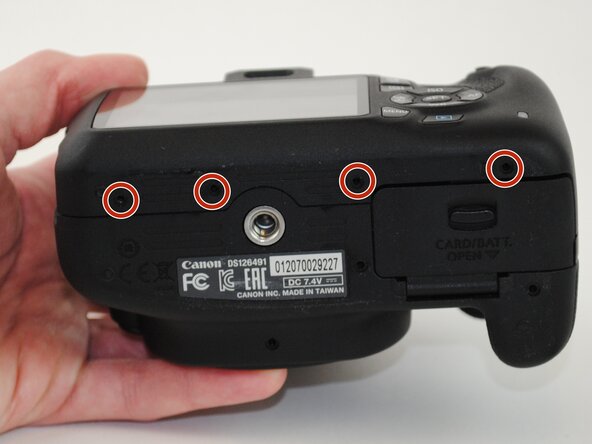
    • Turn your camera so that the bottom is facing you.

    • Remove the four 5mm JIS #000 screws.

    crwdns2952109:0crwdne2952109:0

    crwdns2917038:0crwdne2917038:0

  6. Canon EOS Rebel T5 Image Sensor Replacement: crwdns2935265:06crwdnd2935265:01crwdnd2935265:01crwdne2935265:0
    • Now turn the camera so that the front is facing towards your right.

    • Remove the two remaining 5mm JIS #000 screws.

    crwdns2952109:0crwdne2952109:0

    crwdns2917038:0crwdne2917038:0

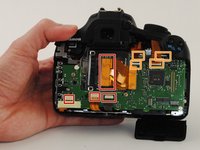
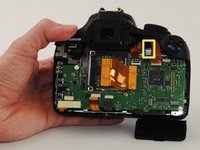
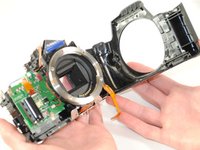
  7. Canon EOS Rebel T5 Image Sensor Replacement: crwdns2935265:07crwdnd2935265:01crwdnd2935265:03crwdne2935265:0 Canon EOS Rebel T5 Image Sensor Replacement: crwdns2935265:07crwdnd2935265:02crwdnd2935265:03crwdne2935265:0 Canon EOS Rebel T5 Image Sensor Replacement: crwdns2935265:07crwdnd2935265:03crwdnd2935265:03crwdne2935265:0
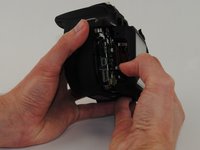
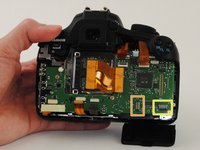
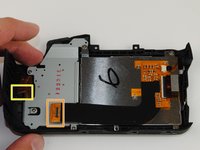
    • Now that all of the exterior screws have been removed, grip the camera firmly on both sides.

    • Gently pry the back panel from the main body of the camera.

    • There are two ribbon cables that need to be removed in order for the back panel to come free from the camera body, as indicated.

    • This back panel contains various control components of the camera as well as the LCD screen.

    crwdns2952109:0crwdne2952109:0

    crwdns2917038:0crwdne2917038:0

  8. Canon EOS Rebel T5 Image Sensor Replacement, Motherboard: crwdns2935265:08crwdnd2935265:01crwdnd2935265:02crwdne2935265:0 Canon EOS Rebel T5 Image Sensor Replacement, Motherboard: crwdns2935265:08crwdnd2935265:02crwdnd2935265:02crwdne2935265:0
    • Remove all ribbon cables with the plastic spudger.

    • Gently pry up the black plastic tabs to slide out the ribbon cables

    • Take note of this black cable and where it connects to the motherboard. This is a fiber optic cable which is used for the camera flash. It will need to be reconnected after replacing the motherboard.

    • When reconnecting the fiber optic cable, simply push the black cable into the hole in the connector and push it all the way in.

    crwdns2952109:0crwdne2952109:0

    crwdns2917038:0crwdne2917038:0

  9. Canon EOS Rebel T5 Image Sensor Replacement: crwdns2935265:09crwdnd2935265:01crwdnd2935265:01crwdne2935265:0
    • Turn your camera so that the top is facing you.

    • Remove the two black 5 mm JIS #000 screws.

    crwdns2952109:0crwdne2952109:0

    crwdns2917038:0crwdne2917038:0

  10. Canon EOS Rebel T5 Image Sensor Replacement: crwdns2935265:010crwdnd2935265:01crwdnd2935265:03crwdne2935265:0 Canon EOS Rebel T5 Image Sensor Replacement: crwdns2935265:010crwdnd2935265:02crwdnd2935265:03crwdne2935265:0 Canon EOS Rebel T5 Image Sensor Replacement: crwdns2935265:010crwdnd2935265:03crwdnd2935265:03crwdne2935265:0
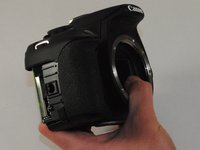
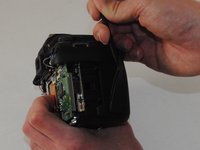
    • Turn the grip side toward you.

    • Remove the rubber grip, using the plastic spudger.

    crwdns2952109:0crwdne2952109:0

    crwdns2917038:0crwdne2917038:0

  11. Canon EOS Rebel T5 Image Sensor Replacement: crwdns2935265:011crwdnd2935265:01crwdnd2935265:01crwdne2935265:0
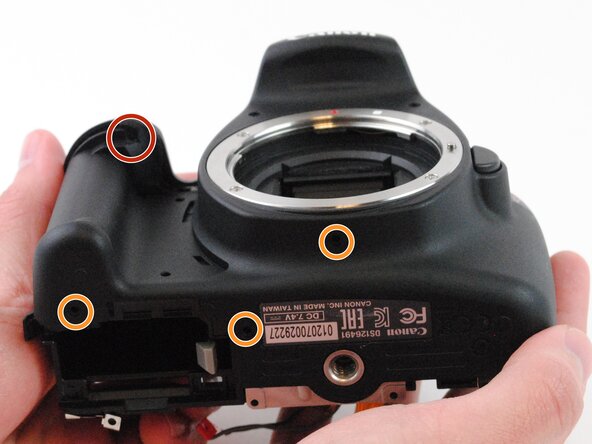
    • Remove the black 5 mm JIS #000 screw, located under the grip.

    • Remove the three 3.5mm JIS #000 screws on the bottom of the case.

    crwdns2952109:0crwdne2952109:0

    crwdns2917038:0crwdne2917038:0

  12. Canon EOS Rebel T5 Image Sensor Replacement: crwdns2935265:012crwdnd2935265:01crwdnd2935265:01crwdne2935265:0
    • Remove the top panel of the device.

    crwdns2952109:0crwdne2952109:0

    crwdns2917038:0crwdne2917038:0

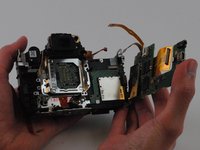
  13. Canon EOS Rebel T5 Image Sensor Replacement: crwdns2935265:013crwdnd2935265:01crwdnd2935265:02crwdne2935265:0 Canon EOS Rebel T5 Image Sensor Replacement: crwdns2935265:013crwdnd2935265:02crwdnd2935265:02crwdne2935265:0
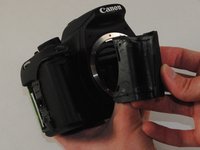
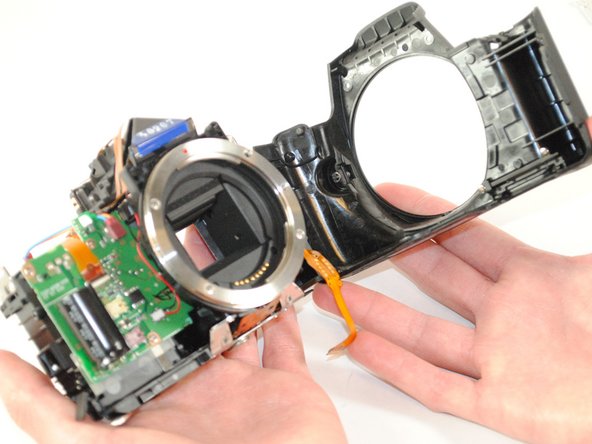
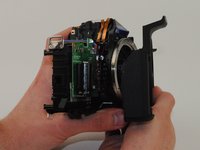
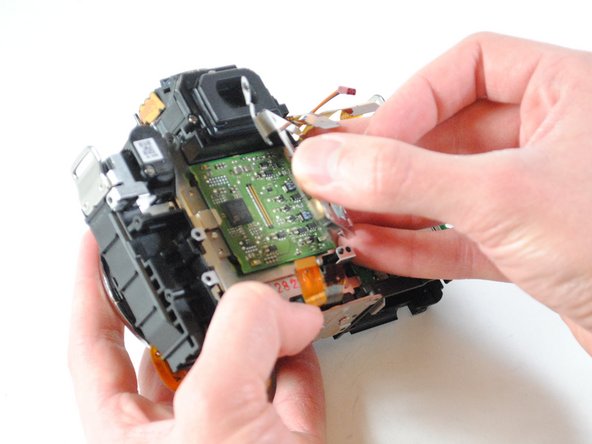
    • Remove the front panel of the camera.

    crwdns2952109:0crwdne2952109:0

    crwdns2917038:0crwdne2917038:0

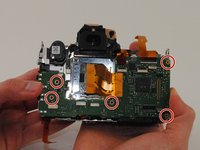
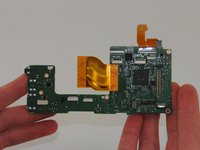
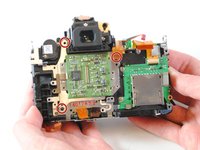
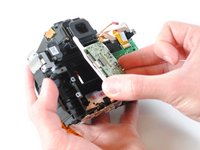
  14. Canon EOS Rebel T5 Image Sensor Replacement: crwdns2935265:014crwdnd2935265:01crwdnd2935265:03crwdne2935265:0 Canon EOS Rebel T5 Image Sensor Replacement: crwdns2935265:014crwdnd2935265:02crwdnd2935265:03crwdne2935265:0 Canon EOS Rebel T5 Image Sensor Replacement: crwdns2935265:014crwdnd2935265:03crwdnd2935265:03crwdne2935265:0
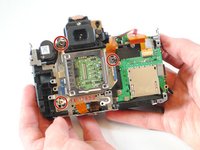
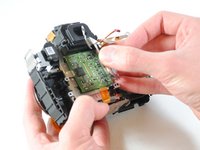
    • Remove the five silver 5mm JIS #000 screws.

    • The motherboard can now be removed.

    crwdns2952109:0crwdne2952109:0

    crwdns2917038:0crwdne2917038:0

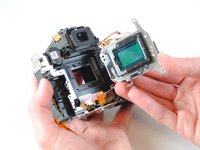
  15. Canon EOS Rebel T5 Image Sensor Replacement, Image Sensor: crwdns2935265:015crwdnd2935265:01crwdnd2935265:02crwdne2935265:0 Canon EOS Rebel T5 Image Sensor Replacement, Image Sensor: crwdns2935265:015crwdnd2935265:02crwdnd2935265:02crwdne2935265:0
    • The screws holding the image sensor in place is set to a very specific height. Unless they are returned to the exact same height after replacement, the camera will no longer be in focus unless the focus is recalibrated.

    • Remove the three silver 3mm JIS #000 screws from the image sensor holder.

    • Remove the image sensor holder.

    crwdns2952109:0crwdne2952109:0

    crwdns2917038:0crwdne2917038:0

  16. Canon EOS Rebel T5 Image Sensor Replacement: crwdns2935265:016crwdnd2935265:01crwdnd2935265:03crwdne2935265:0 Canon EOS Rebel T5 Image Sensor Replacement: crwdns2935265:016crwdnd2935265:02crwdnd2935265:03crwdne2935265:0 Canon EOS Rebel T5 Image Sensor Replacement: crwdns2935265:016crwdnd2935265:03crwdnd2935265:03crwdne2935265:0
    • Remove the three remaining silver 3mm JIS #000 screws from the image sensor.

    • Be careful not lose the springs underneath the screws on the image sensor

    • Using your fingers, lift the image sensor from the device.

    crwdns2952109:0crwdne2952109:0

    crwdns2917038:0crwdne2917038:0

crwdns2915888:0crwdne2915888:0

To reassemble your device, follow these instructions in reverse order.

crwdns2935221:0crwdne2935221:0

crwdns2935229:013crwdne2935229:0

Tyler Brown

crwdns2935283:009/22/14crwdne2935283:0

921 crwdns2915208:0crwdne2915208:0

crwdns2935297:02crwdne2935297:0

crwdns2935287:0crwdne2935287:0

USF Tampa, Team 16-4, Wollert Fall 2015 crwdns2935289:0USF Tampa, Team 16-4, Wollert Fall 2015crwdne2935289:0

USFT-WOLLERT-F15S16G4

crwdns2931471:04crwdne2931471:0

crwdns2935297:018crwdne2935297:0

crwdns2947412:03crwdne2947412:0

Thanks for the post. I was able to take this apart without damage to any of the camera parts. I am wondering if you happen to have the data sheet for the camera sensor, 704f? I cannot seem to find one.

Dawn - crwdns2934203:0crwdne2934203:0 crwdns2950251:0crwdne2950251:0
Hi. I do not see where it explains the calibration of the Sensor. Could you give me some reference about that?

ivanram - crwdns2934203:0crwdne2934203:0 crwdns2950251:0crwdne2950251:0
I reassembled on the camera no longer powers on, i checked disassembled again, checked for loose wires, ribbons, everything looks perfect and still it’s completely dead.

Edward Perkins - crwdns2934203:0crwdne2934203:0 crwdns2950251:0crwdne2950251:0

crwdns2917038:0crwdne2917038:0

crwdns2936625:0crwdne2936625:0:

crwdns2936751:024crwdne2936751:0 0

crwdns2936753:07crwdne2936753:0 14

crwdns2936753:030crwdne2936753:0 82

crwdns2942667:0crwdne2942667:0 9,369