crwdns2933423:0crwdne2933423:0
crwdns2947577:0crwdnd2947577:0crwdne2947577:0

Brother PT-110 Keypad Contacts Replacement

crwdns2942213:0crwdne2942213:0

    1. Brother PT-110 Keypad Contacts Replacement, Batteries: crwdns2935265:01crwdnd2935265:01crwdnd2935265:02crwdne2935265:0 Brother PT-110 Keypad Contacts Replacement, Batteries: crwdns2935265:01crwdnd2935265:02crwdnd2935265:02crwdne2935265:0
      • Push on the side of the cover, and remove it.

      crwdns2952109:0crwdne2952109:0

      crwdns2917038:0crwdne2917038:0

    2. Brother PT-110 Keypad Contacts Replacement: crwdns2935265:02crwdnd2935265:01crwdnd2935265:01crwdne2935265:0
      • Remove the batteries.

      crwdns2952109:0crwdne2952109:0

      crwdns2917038:0crwdne2917038:0

    1. Brother PT-110 Keypad Contacts Replacement, Back Plate: crwdns2935265:03crwdnd2935265:01crwdnd2935265:02crwdne2935265:0 Brother PT-110 Keypad Contacts Replacement, Back Plate: crwdns2935265:03crwdnd2935265:02crwdnd2935265:02crwdne2935265:0
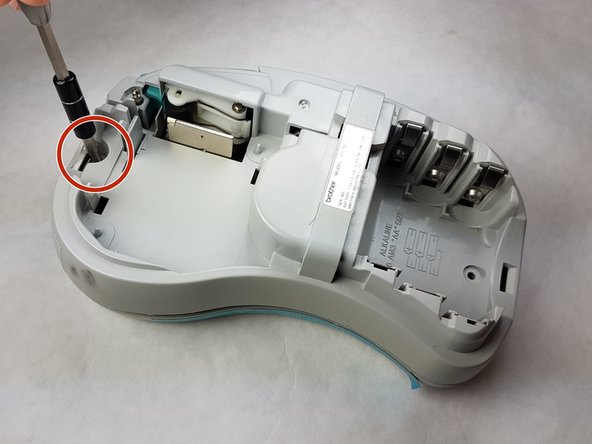
      • Remove the cartridge and the yellow tape cutter.

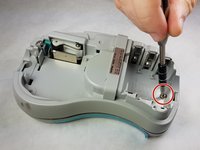
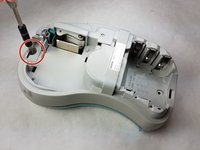
      • Unscrew the two 9 mm Phillips #1 screws from the top and bottom.

      • Total: 2 x Screws

      crwdns2952109:0crwdne2952109:0

      crwdns2917038:0crwdne2917038:0

    2. Brother PT-110 Keypad Contacts Replacement: crwdns2935265:04crwdnd2935265:01crwdnd2935265:01crwdne2935265:0
      • First: To separate the top cover from the body, insert a spudger between the two halves.

      • Gently twist the spudger until the two halves separate. Do this in multiple spots around the perimeter of the cover to distribute the pressure.

      • DO NOT PULL HALVES APART. There are wired connections inside that must be disconnected before halves can be fully separated.

      • A small flat screwdriver works for this step. Use on the left and right sides.

      crwdns2952109:0crwdne2952109:0

      crwdns2917038:0crwdne2917038:0

    3. Brother PT-110 Keypad Contacts Replacement: crwdns2935265:05crwdnd2935265:01crwdnd2935265:01crwdne2935265:0
      • Gently separate the two covers, ensuring wires are not taut.

      crwdns2952109:0crwdne2952109:0

      crwdns2917038:0crwdne2917038:0

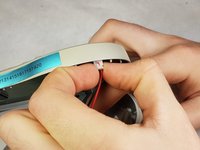
    4. Brother PT-110 Keypad Contacts Replacement: crwdns2935265:06crwdnd2935265:01crwdnd2935265:01crwdne2935265:0
      • Gently grasp the ribbon wire and top cover, then gently pull the ribbon wire out of its connection.

      crwdns2952109:0crwdne2952109:0

      crwdns2917038:0crwdne2917038:0

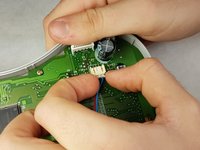
    5. Brother PT-110 Keypad Contacts Replacement: crwdns2935265:07crwdnd2935265:01crwdnd2935265:02crwdne2935265:0 Brother PT-110 Keypad Contacts Replacement: crwdns2935265:07crwdnd2935265:02crwdnd2935265:02crwdne2935265:0
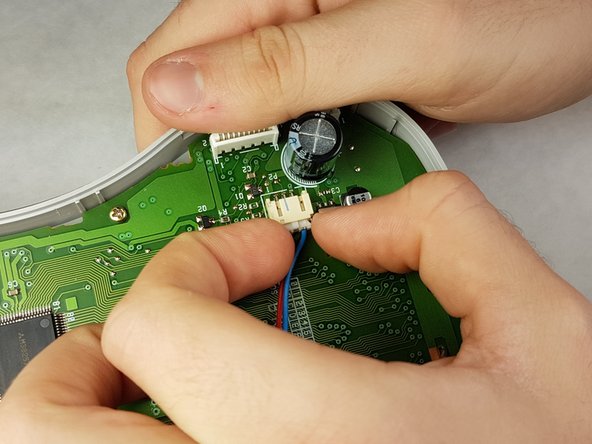
      • Carefully pinch the top of the connector.

      • Pull perpendicular to the device until the wire is disconnected. Remove the other connector by pulling it parallel to the circuit board.

      • It may require more force than expected to disconnect the wires.

      crwdns2952109:0crwdne2952109:0

      crwdns2917038:0crwdne2917038:0

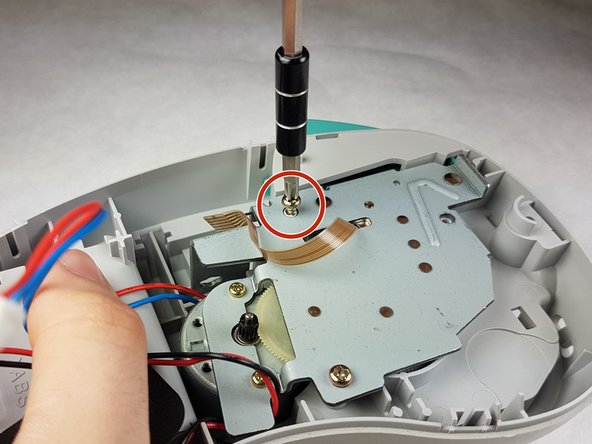
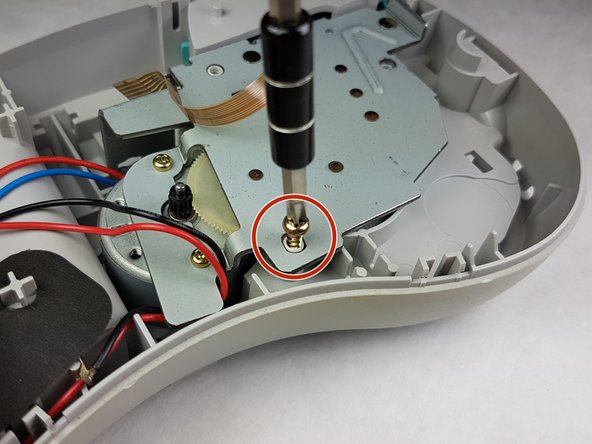
    6. Brother PT-110 Keypad Contacts Replacement: crwdns2935265:08crwdnd2935265:01crwdnd2935265:03crwdne2935265:0 Brother PT-110 Keypad Contacts Replacement: crwdns2935265:08crwdnd2935265:02crwdnd2935265:03crwdne2935265:0 Brother PT-110 Keypad Contacts Replacement: crwdns2935265:08crwdnd2935265:03crwdnd2935265:03crwdne2935265:0
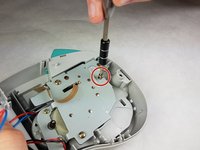
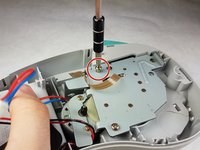
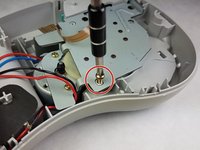
      • Unscrew the three 9 mm Phillips #1 screws shown.

      • Total: 3 x Screws

      • Lift the metal plate upwards, don't unscrew the motor, this will remain attached to the plate. If you didn't remove the yellow tape cutter then it will simply fall out.

      crwdns2952109:0crwdne2952109:0

      crwdns2917038:0crwdne2917038:0

    1. Brother PT-110 Keypad Contacts Replacement, Keypad Contacts: crwdns2935265:09crwdnd2935265:01crwdnd2935265:02crwdne2935265:0 Brother PT-110 Keypad Contacts Replacement, Keypad Contacts: crwdns2935265:09crwdnd2935265:02crwdnd2935265:02crwdne2935265:0
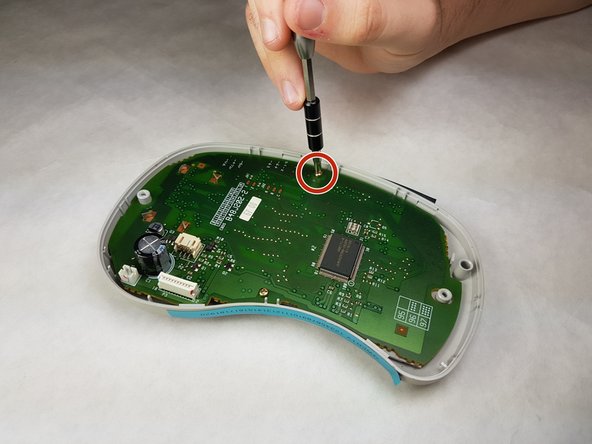
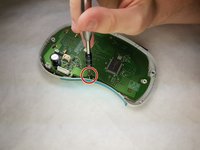
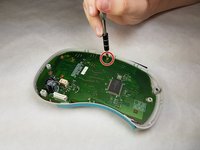
      • Unscrew both 6 mm Phillips #1 screws from the circuit board.

      • Total screws: 2

      crwdns2952109:0crwdne2952109:0

      crwdns2917038:0crwdne2917038:0

    2. Brother PT-110 Keypad Contacts Replacement: crwdns2935265:010crwdnd2935265:01crwdnd2935265:01crwdne2935265:0
      • Gently lift the circuit board out.

      crwdns2952109:0crwdne2952109:0

      crwdns2917038:0crwdne2917038:0

    3. Brother PT-110 Keypad Contacts Replacement: crwdns2935265:011crwdnd2935265:01crwdnd2935265:01crwdne2935265:0
      • Peel the keypad contacts up from the plastic casing.

      crwdns2952109:0crwdne2952109:0

      crwdns2917038:0crwdne2917038:0

crwdns2915888:0crwdne2915888:0

To reassemble your device, follow these instructions in reverse order.

crwdns2935221:0crwdne2935221:0

Kimberly Larsen

crwdns2935283:009/28/16crwdne2935283:0

291 crwdns2915208:0crwdne2915208:0

crwdns2935297:05crwdne2935297:0

crwdns2935287:0crwdne2935287:0

IUPUI, Team 1-1, Harley Fall 2016 crwdns2935289:0IUPUI, Team 1-1, Harley Fall 2016crwdne2935289:0

IUPUI-HARLEY-F16S1G1

crwdns2931471:03crwdne2931471:0

crwdns2935297:084crwdne2935297:0

crwdns2947412:00crwdne2947412:0

crwdns2917038:0crwdne2917038:0

crwdns2936625:0crwdne2936625:0:

crwdns2936751:024crwdne2936751:0 2

crwdns2936753:07crwdne2936753:0 19

crwdns2936753:030crwdne2936753:0 87

crwdns2942667:0crwdne2942667:0 697