crwdns2933423:0crwdne2933423:0
crwdns2947577:0crwdnd2947577:0crwdne2947577:0

Blu Studio 5.5 Back Camera Replacement

crwdns2942213:0crwdne2942213:0

    1. Blu Studio 5.5 Back Camera Replacement, Battery: crwdns2935265:01crwdnd2935265:01crwdnd2935265:03crwdne2935265:0 Blu Studio 5.5 Back Camera Replacement, Battery: crwdns2935265:01crwdnd2935265:02crwdnd2935265:03crwdne2935265:0 Blu Studio 5.5 Back Camera Replacement, Battery: crwdns2935265:01crwdnd2935265:03crwdnd2935265:03crwdne2935265:0
      • Locate the notch to remove the back panel at the lower left corner of the panel.

      • Insert the plastic opening tool or a fingernail into the notch.

      • Apply force upwards until back panel becomes loosened.

      crwdns2952109:0crwdne2952109:0

      crwdns2917038:0crwdne2917038:0

    2. Blu Studio 5.5 Back Camera Replacement: crwdns2935265:02crwdnd2935265:01crwdnd2935265:02crwdne2935265:0 Blu Studio 5.5 Back Camera Replacement: crwdns2935265:02crwdnd2935265:02crwdnd2935265:02crwdne2935265:0
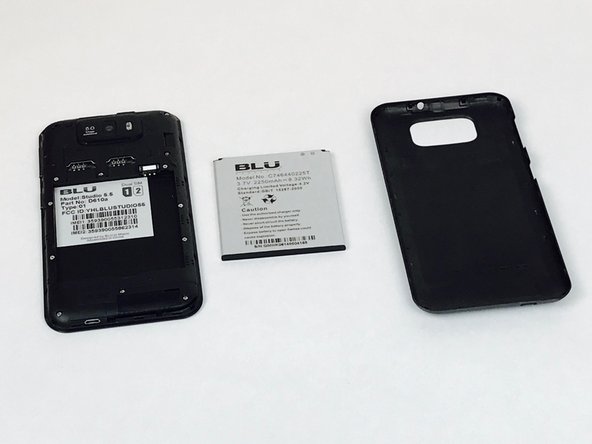
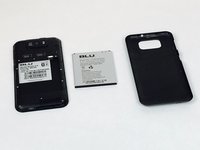
      • Remove the loosened back panel and set aside.

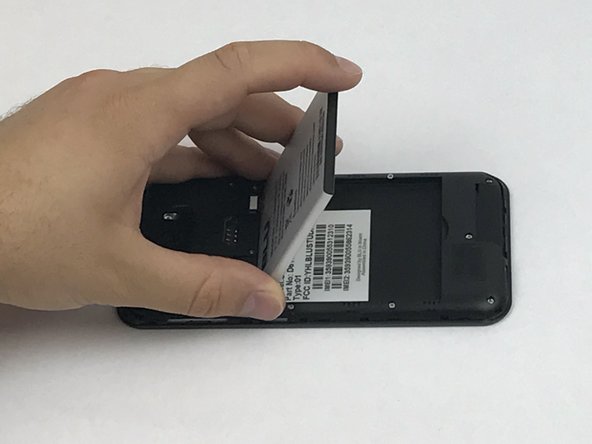
      • Locate the notch to remove the battery.

      crwdns2952109:0crwdne2952109:0

      crwdns2917038:0crwdne2917038:0

    3. Blu Studio 5.5 Back Camera Replacement: crwdns2935265:03crwdnd2935265:01crwdnd2935265:03crwdne2935265:0 Blu Studio 5.5 Back Camera Replacement: crwdns2935265:03crwdnd2935265:02crwdnd2935265:03crwdne2935265:0 Blu Studio 5.5 Back Camera Replacement: crwdns2935265:03crwdnd2935265:03crwdnd2935265:03crwdne2935265:0
      • Insert a plastic opening tool or your fingernail into the notch and apply force upwards until the battery is loosened.

      • Remove the battery and set aside.

      crwdns2952109:0crwdne2952109:0

      crwdns2917038:0crwdne2917038:0

    1. Blu Studio 5.5 Back Camera Replacement, Back Panel Assembly: crwdns2935265:04crwdnd2935265:01crwdnd2935265:02crwdne2935265:0 Blu Studio 5.5 Back Camera Replacement, Back Panel Assembly: crwdns2935265:04crwdnd2935265:02crwdnd2935265:02crwdne2935265:0
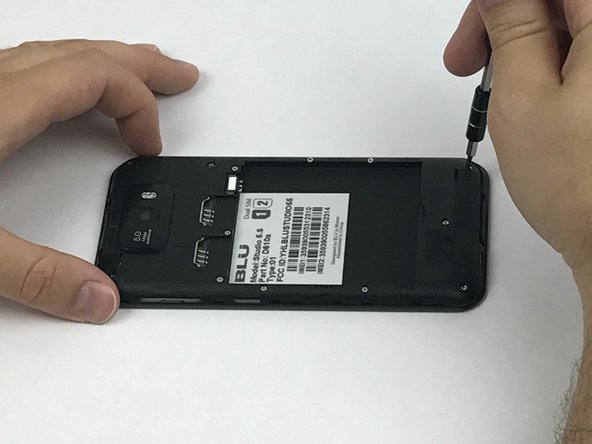
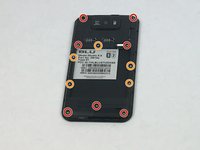
      • Locate all twelve screws along the back panel:

      • Seven 5mm screws.

      • Five 3.5mm screws.

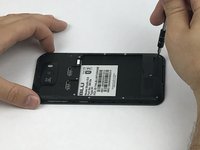
      • Using a Phillips #000 screwdriver, remove all twelve screws.

      crwdns2952109:0crwdne2952109:0

      crwdns2917038:0crwdne2917038:0

    2. Blu Studio 5.5 Back Camera Replacement: crwdns2935265:05crwdnd2935265:01crwdnd2935265:03crwdne2935265:0 Blu Studio 5.5 Back Camera Replacement: crwdns2935265:05crwdnd2935265:02crwdnd2935265:03crwdne2935265:0 Blu Studio 5.5 Back Camera Replacement: crwdns2935265:05crwdnd2935265:03crwdnd2935265:03crwdne2935265:0
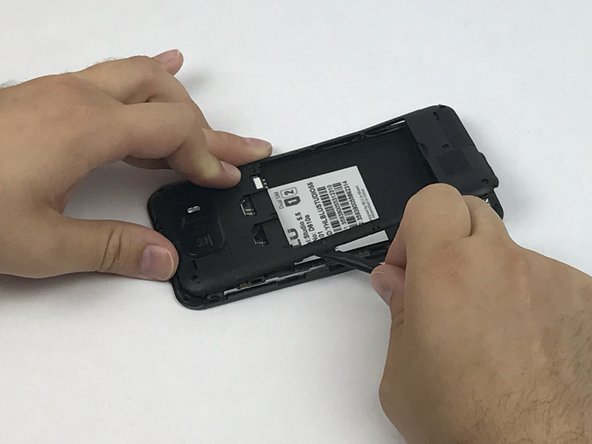
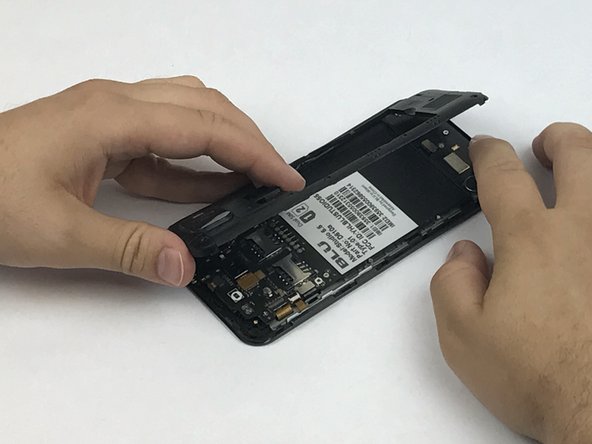
      • Now that all the screws have been removed, use a plastic opening tool to carefully pry at each of the corners until loosened.

      • Be extra careful when prying open as it may damage or snap the thin sides of the panel.

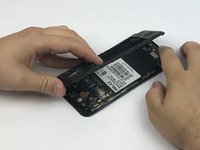
      • Place the plastic opening tool inside the loosened panel and gently push upwards and move along the phone to remove the back panel.

      • Remove the panel as if you were turning the page of a book.

      crwdns2952109:0crwdne2952109:0

      crwdns2917038:0crwdne2917038:0

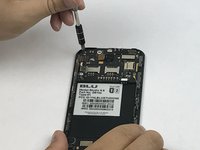
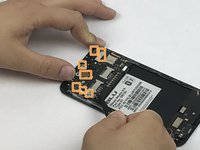
    1. Blu Studio 5.5 Back Camera Replacement, Motherboard: crwdns2935265:06crwdnd2935265:01crwdnd2935265:03crwdne2935265:0 Blu Studio 5.5 Back Camera Replacement, Motherboard: crwdns2935265:06crwdnd2935265:02crwdnd2935265:03crwdne2935265:0 Blu Studio 5.5 Back Camera Replacement, Motherboard: crwdns2935265:06crwdnd2935265:03crwdnd2935265:03crwdne2935265:0
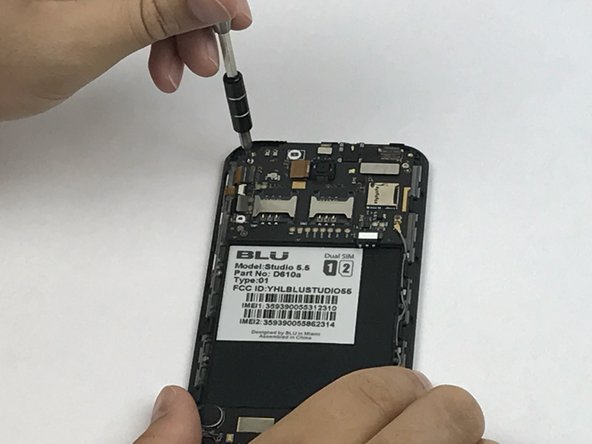
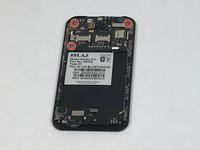
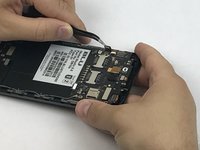
      • Locate the motherboard that is above where the battery was removed.

      • Remove the three screws holding down the motherboard to the phone.

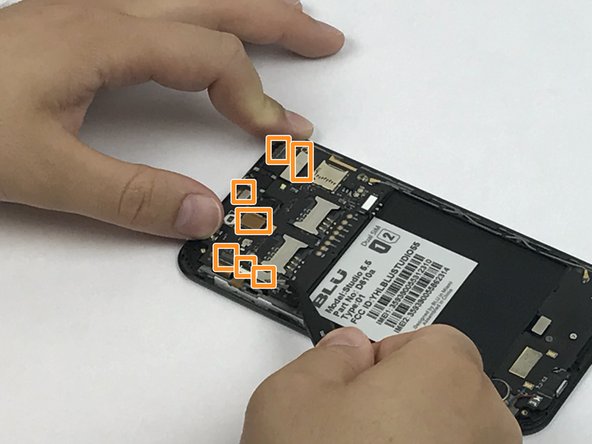
      • Locate all 7 flex cable connectors that are attached to the motherboard.

      crwdns2952109:0crwdne2952109:0

      crwdns2917038:0crwdne2917038:0

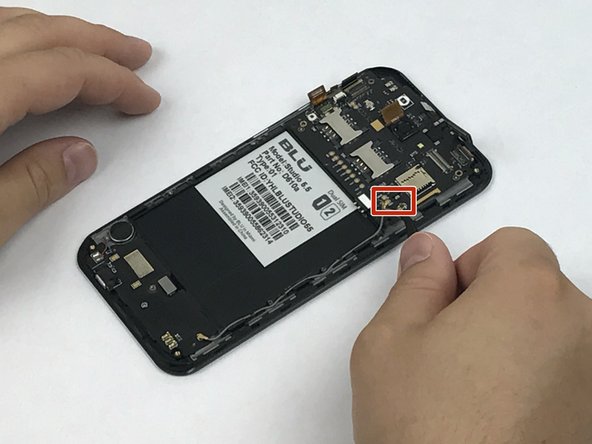
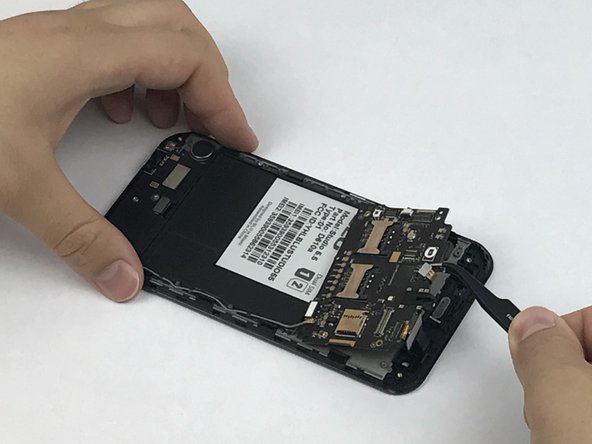
    2. Blu Studio 5.5 Back Camera Replacement: crwdns2935265:07crwdnd2935265:01crwdnd2935265:03crwdne2935265:0 Blu Studio 5.5 Back Camera Replacement: crwdns2935265:07crwdnd2935265:02crwdnd2935265:03crwdne2935265:0 Blu Studio 5.5 Back Camera Replacement: crwdns2935265:07crwdnd2935265:03crwdnd2935265:03crwdne2935265:0
      crwdns2935267:0crwdne2935267:0
      Anti-Static Wrist Strap
      $7.95
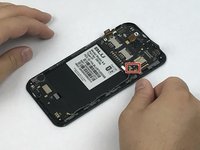
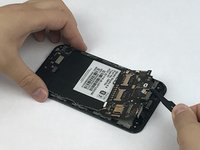
      • Use tweezers to carefully grasp and unhook all 7 flex cable connectors.

      • With the same tweezers, pry off the cable clasp that connects the motherboard to the sub PCBA.

      • Once the motherboard is disconnected from all components, use the tweezers or your fingers to remove it from the phone assembly.

      • Use the Anti-Static Wrist Strap to eliminate the possibility of introducing a static force that may damage the motherboard components.

      crwdns2952109:0crwdne2952109:0

      crwdns2917038:0crwdne2917038:0

    1. Blu Studio 5.5 Back Camera Replacement, Back Camera: crwdns2935265:08crwdnd2935265:01crwdnd2935265:03crwdne2935265:0 Blu Studio 5.5 Back Camera Replacement, Back Camera: crwdns2935265:08crwdnd2935265:02crwdnd2935265:03crwdne2935265:0 Blu Studio 5.5 Back Camera Replacement, Back Camera: crwdns2935265:08crwdnd2935265:03crwdnd2935265:03crwdne2935265:0
      crwdns2935267:0crwdne2935267:0
      Tweezers
      $4.99
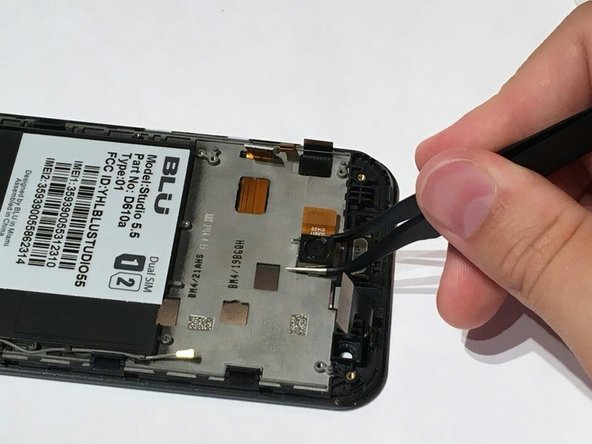
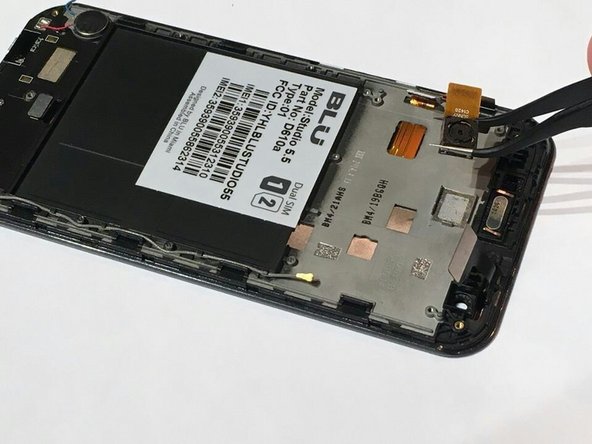
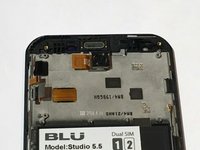
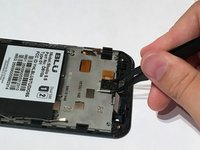
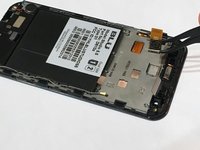
      • After the motherboard has been removed you will see the back camera, which is glued to the phone assembly.

      • Using a pair of tweezers grip onto the sides of the camera and gently pry it off the panel.

      • Make sure that when you put in the replacement it is adhered to the phone panel and the flex cable connector goes in through the motherboard opening.

      crwdns2952109:0crwdne2952109:0

      crwdns2917038:0crwdne2917038:0

crwdns2915888:0crwdne2915888:0

To reassemble your device, follow these instructions in reverse order.

crwdns2935221:0crwdne2935221:0

Luis Gomez-Atehortua

crwdns2935283:002/28/17crwdne2935283:0

452 crwdns2915208:0crwdne2915208:0

crwdns2935297:04crwdne2935297:0

crwdns2935287:0crwdne2935287:0

USF Tampa, Team S1-G6, Nance Spring 2017 crwdns2935289:0USF Tampa, Team S1-G6, Nance Spring 2017crwdne2935289:0

USFT-NANCE-S17S1G6

crwdns2931471:03crwdne2931471:0

crwdns2935297:096crwdne2935297:0

crwdns2947412:00crwdne2947412:0

crwdns2917038:0crwdne2917038:0

crwdns2936625:0crwdne2936625:0:

crwdns2936751:024crwdne2936751:0 2

crwdns2936753:07crwdne2936753:0 29

crwdns2936753:030crwdne2936753:0 48

crwdns2942667:0crwdne2942667:0 612