crwdns2933423:0crwdne2933423:0
crwdns2947577:0crwdnd2947577:0crwdne2947577:0

Blackberry Torch 9810 Cursor Key Replacement

crwdns2942213:0crwdne2942213:0

    1. Blackberry Torch 9810 Cursor Key Replacement, Phone cover: crwdns2935265:01crwdnd2935265:01crwdnd2935265:02crwdne2935265:0 Blackberry Torch 9810 Cursor Key Replacement, Phone cover: crwdns2935265:01crwdnd2935265:02crwdnd2935265:02crwdne2935265:0
      • Remove the back cover of the phone

      crwdns2952109:0crwdne2952109:0

      crwdns2917038:0crwdne2917038:0

    2. Blackberry Torch 9810 Cursor Key Replacement, Battery: crwdns2935265:02crwdnd2935265:01crwdnd2935265:01crwdne2935265:0
      • Remove the battery

      crwdns2952109:0crwdne2952109:0

      crwdns2917038:0crwdne2917038:0

    3. Blackberry Torch 9810 Cursor Key Replacement, Remove screws: crwdns2935265:03crwdnd2935265:01crwdnd2935265:01crwdne2935265:0
      • Unscrew the four screws using the T6 screw driver.

      • If you remove the screw in red, you void the warranty!

      crwdns2952109:0crwdne2952109:0

      crwdns2917038:0crwdne2917038:0

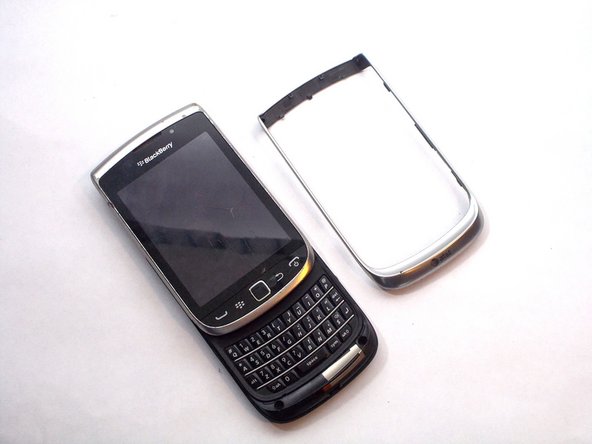
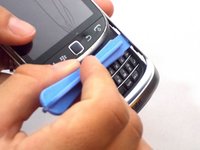
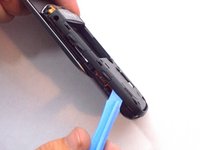
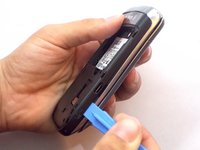
    4. Blackberry Torch 9810 Cursor Key Replacement, Wiggle Wiggle: crwdns2935265:04crwdnd2935265:01crwdnd2935265:02crwdne2935265:0 Blackberry Torch 9810 Cursor Key Replacement, Wiggle Wiggle: crwdns2935265:04crwdnd2935265:02crwdnd2935265:02crwdne2935265:0
      • Slide the screen up.

      • Remove front silver trim by using a plastic opening tools and wiggle it off.

      • This is difficult to remove, but it should come off if you do it with caution.

      crwdns2952109:0crwdne2952109:0

      crwdns2917038:0crwdne2917038:0

    5. Blackberry Torch 9810 Cursor Key Replacement, More screws that need to go: crwdns2935265:05crwdnd2935265:01crwdnd2935265:01crwdne2935265:0
      • Once you remove the rim cover, you should find two more screws on the top. Unscrew them with a T-6 screw driver.

      crwdns2952109:0crwdne2952109:0

      crwdns2917038:0crwdne2917038:0

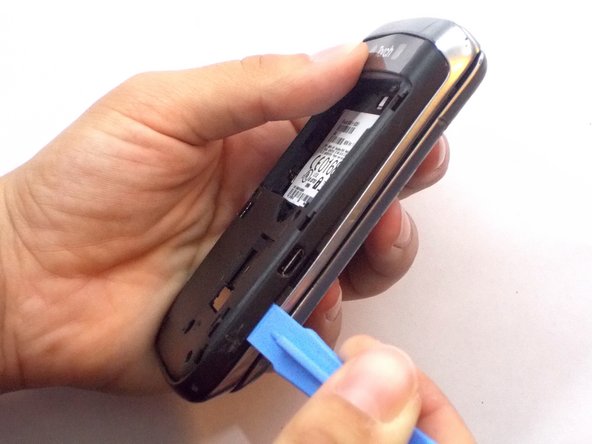
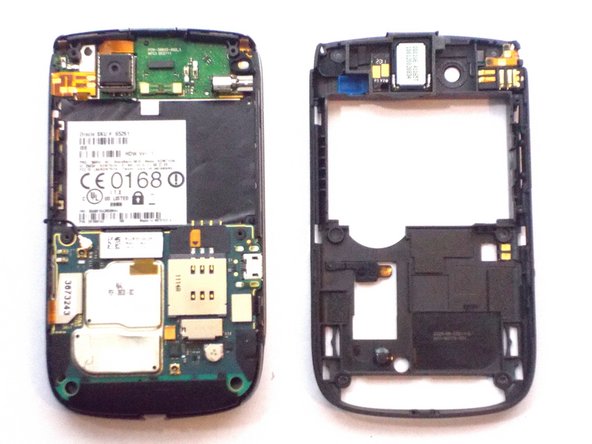
    6. Blackberry Torch 9810 Cursor Key Replacement, Remove the Back: crwdns2935265:06crwdnd2935265:01crwdnd2935265:03crwdne2935265:0 Blackberry Torch 9810 Cursor Key Replacement, Remove the Back: crwdns2935265:06crwdnd2935265:02crwdnd2935265:03crwdne2935265:0 Blackberry Torch 9810 Cursor Key Replacement, Remove the Back: crwdns2935265:06crwdnd2935265:03crwdnd2935265:03crwdne2935265:0
      • Use the plastic opening tools to remove the entire back off the phone.

      crwdns2952109:0crwdne2952109:0

      crwdns2917038:0crwdne2917038:0

    7. Blackberry Torch 9810 Cursor Key Replacement, Remove Ribbon Cables: crwdns2935265:07crwdnd2935265:01crwdnd2935265:01crwdne2935265:0
      • Remove the three ribbon cables and the antenna wire by hand.

      • The cable in red is glued to the metal cap. Peel it upwards towards the battery compartment.

      crwdns2952109:0crwdne2952109:0

      crwdns2917038:0crwdne2917038:0

    8. Blackberry Torch 9810 Cursor Key Replacement, Remove Logic Board: crwdns2935265:08crwdnd2935265:01crwdnd2935265:01crwdne2935265:0
      • The logic board will easily pull straight out.

      crwdns2952109:0crwdne2952109:0

      crwdns2917038:0crwdne2917038:0

    9. Blackberry Torch 9810 Cursor Key Replacement, Remove Informational Sticker: crwdns2935265:09crwdnd2935265:01crwdnd2935265:01crwdne2935265:0
      • Remove the black sticker located above the logic board that contains the phone's serial number

      crwdns2952109:0crwdne2952109:0

      crwdns2917038:0crwdne2917038:0

    10. Blackberry Torch 9810 Cursor Key Replacement, Remove More Screws: crwdns2935265:010crwdnd2935265:01crwdnd2935265:01crwdne2935265:0
      • Behind the black sticker you should find six small yellow screws. Remove them with a T4 torx screwdriver.

      crwdns2952109:0crwdne2952109:0

      crwdns2917038:0crwdne2917038:0

    11. Blackberry Torch 9810 Cursor Key Replacement, Separate the phone: crwdns2935265:011crwdnd2935265:01crwdnd2935265:01crwdne2935265:0
      • Carefully separate the screen from the body.

      • Make sure to be extra careful with the ribbon!

      crwdns2952109:0crwdne2952109:0

      crwdns2917038:0crwdne2917038:0

    12. Blackberry Torch 9810 Cursor Key Replacement: crwdns2935265:012crwdnd2935265:01crwdnd2935265:01crwdne2935265:0
      • Slide the silver plate up and you should find four more screws that need to be removed. Use a T-4 screw driver.

      • They are on a black cover located on the bottom of the phone. The black cover will come off

      crwdns2952109:0crwdne2952109:0

      crwdns2917038:0crwdne2917038:0

    13. Blackberry Torch 9810 Cursor Key Replacement, Carefully Remove a Ribbion: crwdns2935265:013crwdnd2935265:01crwdnd2935265:01crwdne2935265:0
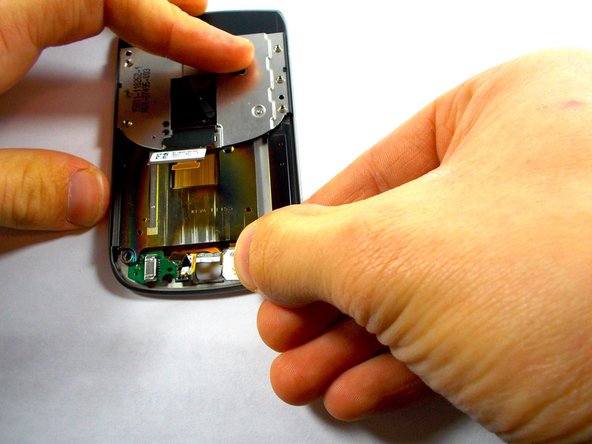
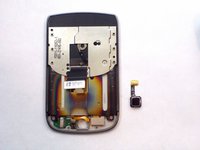
      • There is one last orange ribbon cable that needs to be pulled and behind it is the cursor

      crwdns2952109:0crwdne2952109:0

      crwdns2917038:0crwdne2917038:0

    14. Blackberry Torch 9810 Cursor Key Replacement, Cursor Key: crwdns2935265:014crwdnd2935265:01crwdnd2935265:03crwdne2935265:0 Blackberry Torch 9810 Cursor Key Replacement, Cursor Key: crwdns2935265:014crwdnd2935265:02crwdnd2935265:03crwdne2935265:0 Blackberry Torch 9810 Cursor Key Replacement, Cursor Key: crwdns2935265:014crwdnd2935265:03crwdnd2935265:03crwdne2935265:0
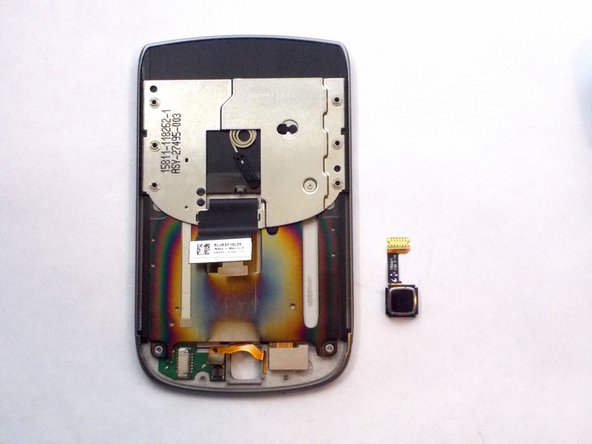
      • Push the cursor upwards and out of the socket.

      • Gently pull out the white box by pulling straight out of the socket to the right. This is your cursor

      crwdns2952109:0crwdne2952109:0

      crwdns2917038:0crwdne2917038:0

crwdns2915888:0crwdne2915888:0

To reassemble your device, follow these instructions in reverse order.

crwdns2935221:0crwdne2935221:0

crwdns2935229:02crwdne2935229:0

Jocelyn Adorno

crwdns2935283:010/16/14crwdne2935283:0

314 crwdns2915208:0crwdne2915208:0

crwdns2935297:04crwdne2935297:0

crwdns2935287:0crwdne2935287:0

UMass Dartmouth, Team 6-6, Vijaybhaskar Fall 2014 crwdns2935289:0UMass Dartmouth, Team 6-6, Vijaybhaskar Fall 2014crwdne2935289:0

UMASSD-VIJAYBHASKAR-F14S6G6

crwdns2931471:03crwdne2931471:0

crwdns2935297:048crwdne2935297:0

crwdns2947412:00crwdne2947412:0

crwdns2917038:0crwdne2917038:0

crwdns2936625:0crwdne2936625:0:

crwdns2936751:024crwdne2936751:0 3

crwdns2936753:07crwdne2936753:0 23

crwdns2936753:030crwdne2936753:0 93

crwdns2942667:0crwdne2942667:0 1,919