crwdns2933423:0crwdne2933423:0
crwdns2947577:0crwdnd2947577:0crwdne2947577:0

Blackberry Storm 9530 Front Buttons Replacement

crwdns2942213:0crwdne2942213:0

  1. Blackberry Storm 9530 Front Buttons Replacement, Back Cover Removal: crwdns2935265:01crwdnd2935265:01crwdnd2935265:03crwdne2935265:0 Blackberry Storm 9530 Front Buttons Replacement, Back Cover Removal: crwdns2935265:01crwdnd2935265:02crwdnd2935265:03crwdne2935265:0 Blackberry Storm 9530 Front Buttons Replacement, Back Cover Removal: crwdns2935265:01crwdnd2935265:03crwdnd2935265:03crwdne2935265:0
    • Locate the two switches toward the bottom corners of the device's back cover.

    • Use your thumbs or fingers to push the two switches forward at the same time and detach the back cover from the device.

    • Check to make sure the back cover has fully detached from the device. You should be left with two separate pieces: the back cover, and the device with exposed internal hardware.

    crwdns2952109:0crwdne2952109:0
  2. Blackberry Storm 9530 Front Buttons Replacement: crwdns2935265:02crwdnd2935265:01crwdnd2935265:01crwdne2935265:0
    • Identify that the battery is visible once the back cover has been removed, and locate the battery in the rectangular-shaped top half of the device.

    • Pry apart the battery and back of the device using the flat end of your spudger tool or using your finger if you do not have a spudger.

    • Your battery has a specific orientation resembling a horizontal rectangle. Make sure the gold colored leads are aligned with the gold colored strips on your battery before reassembling.

    crwdns2952109:0crwdne2952109:0
  3. Blackberry Storm 9530 Front Buttons Replacement, SIM Card: crwdns2935265:03crwdnd2935265:01crwdnd2935265:01crwdne2935265:0
    • Locate the SIM card once the battery has been removed. The SIM card is typically located in the center of the phone, and it is secured by a metal tray.

    crwdns2952109:0crwdne2952109:0
  4. Blackberry Storm 9530 Front Buttons Replacement: crwdns2935265:04crwdnd2935265:01crwdnd2935265:01crwdne2935265:0
    • Remove the SIM card carefully by sliding it upwards out of the metal tray. No tools are needed for this step.

    • Your SIM card has a specific orientation to follow when it is replaced. Make sure the gold colored leads are aligned with the gold colored strips in the SIM card tray before reassembling.

    crwdns2952109:0crwdne2952109:0
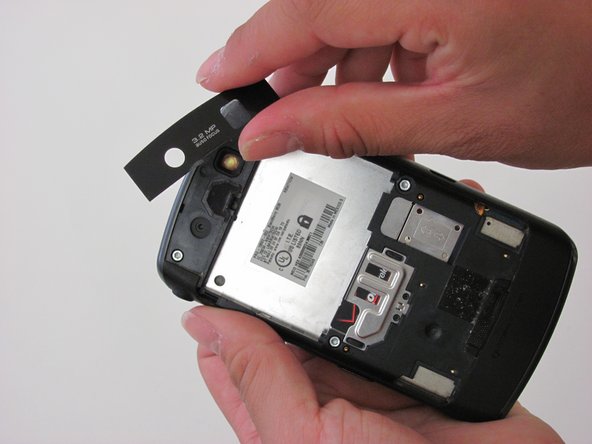
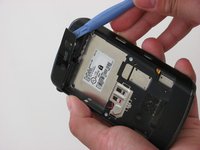
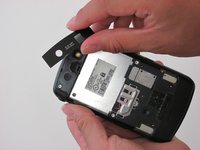
  5. Blackberry Storm 9530 Front Buttons Replacement, Back Speaker: crwdns2935265:05crwdnd2935265:01crwdnd2935265:02crwdne2935265:0 Blackberry Storm 9530 Front Buttons Replacement, Back Speaker: crwdns2935265:05crwdnd2935265:02crwdnd2935265:02crwdne2935265:0
    • Place the opening tool underneath the camera lens' protective plastic cover and pry them apart with gentle force.

    • Make sure the plastic cover has been fully removed by carefully lifting it away from the device with your fingers.

    crwdns2952109:0crwdne2952109:0
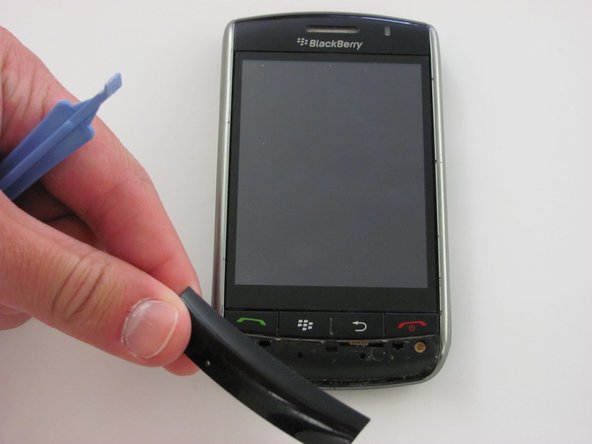
  6. Blackberry Storm 9530 Front Buttons Replacement: crwdns2935265:06crwdnd2935265:01crwdnd2935265:02crwdne2935265:0 Blackberry Storm 9530 Front Buttons Replacement: crwdns2935265:06crwdnd2935265:02crwdnd2935265:02crwdne2935265:0
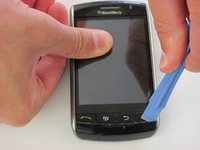
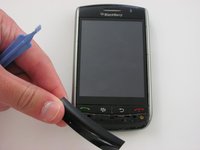
    • Flip the device so that the touchscreen and Blackberry logo is facing you.

    • Place the opening tool underneath the front plastic cover located below the buttons with red and green phone symbols.

    • Lift and remove the plastic cover once the opening tool is in place. Make sure the plastic cover can be fully detached from the rest of the device.

    crwdns2952109:0crwdne2952109:0
  7. Blackberry Storm 9530 Front Buttons Replacement: crwdns2935265:07crwdnd2935265:01crwdnd2935265:02crwdne2935265:0 Blackberry Storm 9530 Front Buttons Replacement: crwdns2935265:07crwdnd2935265:02crwdnd2935265:02crwdne2935265:0
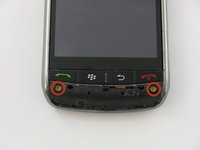
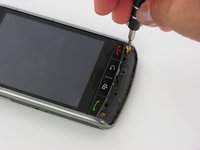
    • Remove the two bronze Torx T6 3 mm screws below the red and green phone symbols.

    crwdns2952109:0crwdne2952109:0
  8. Blackberry Storm 9530 Front Buttons Replacement: crwdns2935265:08crwdnd2935265:01crwdnd2935265:02crwdne2935265:0 Blackberry Storm 9530 Front Buttons Replacement: crwdns2935265:08crwdnd2935265:02crwdnd2935265:02crwdne2935265:0
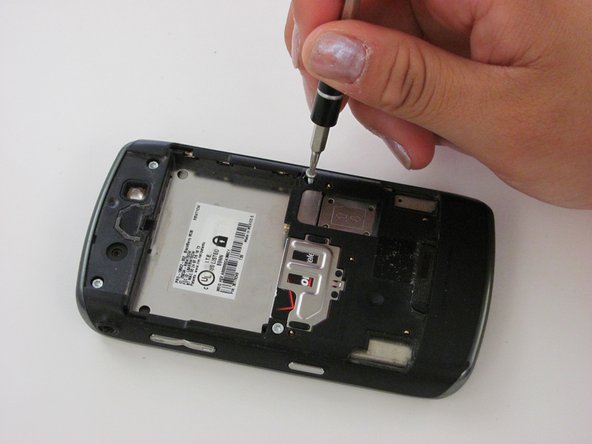
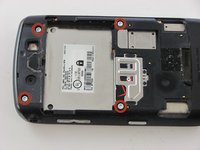
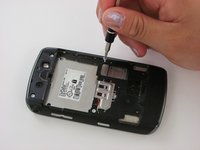
    • Remove the four silver Torx T6 3 mm screws on the back of the device.

    crwdns2952109:0crwdne2952109:0
  9. Blackberry Storm 9530 Front Buttons Replacement: crwdns2935265:09crwdnd2935265:01crwdnd2935265:02crwdne2935265:0 Blackberry Storm 9530 Front Buttons Replacement: crwdns2935265:09crwdnd2935265:02crwdnd2935265:02crwdne2935265:0
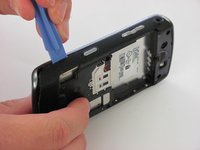
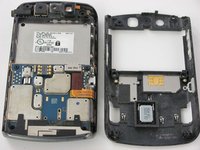
    • Pry the opening tool into the slit between the two plastic sides of the device to separate the back panel from the front panel.

    • Slide the opening tool across the slit until you are left with two, separated front and back panels.

    crwdns2952109:0crwdne2952109:0
  10. Blackberry Storm 9530 Front Buttons Replacement: crwdns2935265:010crwdnd2935265:01crwdnd2935265:01crwdne2935265:0
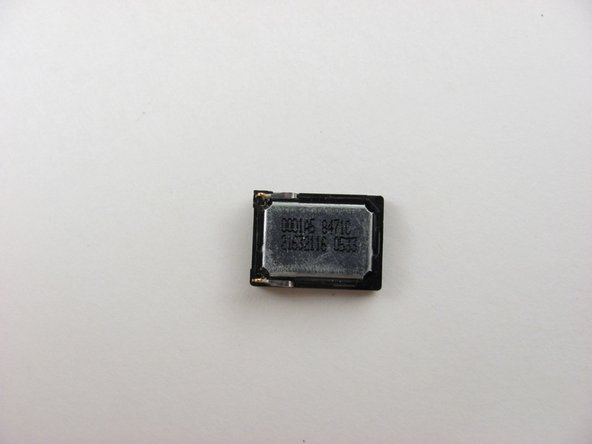
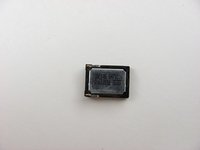
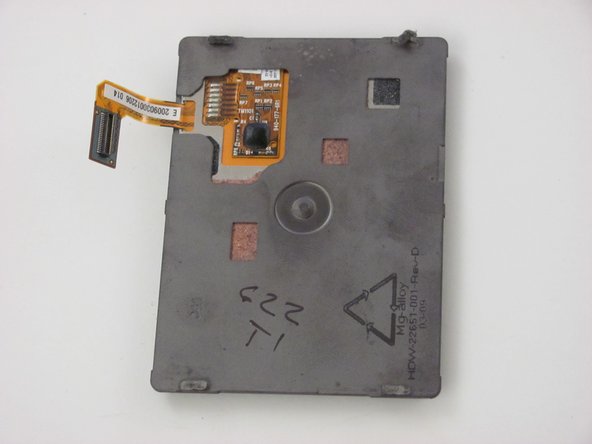
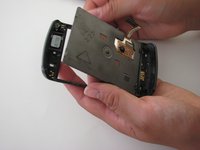
    • Locate the silver speaker marked with numbers and letters on the back panel of the device.

    crwdns2952109:0crwdne2952109:0
  11. Blackberry Storm 9530 Front Buttons Replacement: crwdns2935265:011crwdnd2935265:01crwdnd2935265:03crwdne2935265:0 Blackberry Storm 9530 Front Buttons Replacement: crwdns2935265:011crwdnd2935265:02crwdnd2935265:03crwdne2935265:0 Blackberry Storm 9530 Front Buttons Replacement: crwdns2935265:011crwdnd2935265:03crwdnd2935265:03crwdne2935265:0
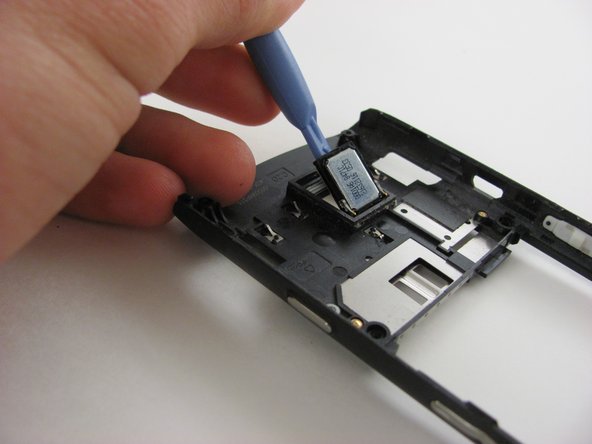
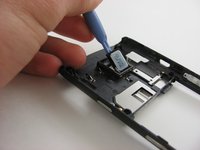
    • Place the opening tool underneath the silver speaker component.

    • Use the opening tool to lift the speaker off of the panel with light force.

    • Set the speaker aside once it has been fully removed.

    • When removing speakers, replacing or re-inserting them may result in looseness. This means that during re-assembly they may fall out or shift. An adhesive may be necessary to keep the speaker in place.

    crwdns2952109:0crwdne2952109:0
  12. Blackberry Storm 9530 Front Buttons Replacement, Motherboard: crwdns2935265:012crwdnd2935265:01crwdnd2935265:02crwdne2935265:0 Blackberry Storm 9530 Front Buttons Replacement, Motherboard: crwdns2935265:012crwdnd2935265:02crwdnd2935265:02crwdne2935265:0
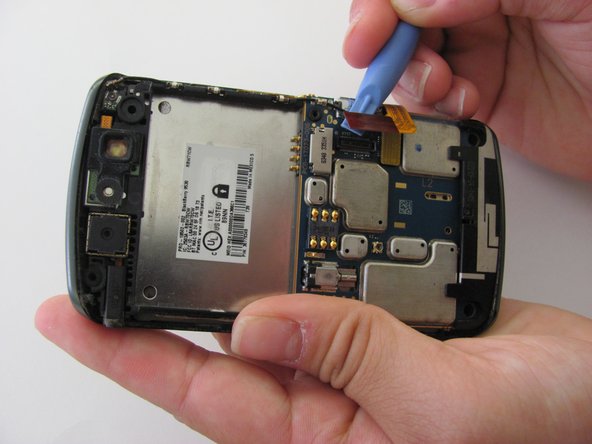
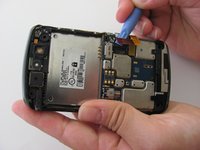
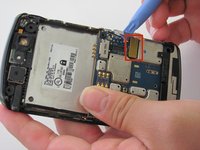
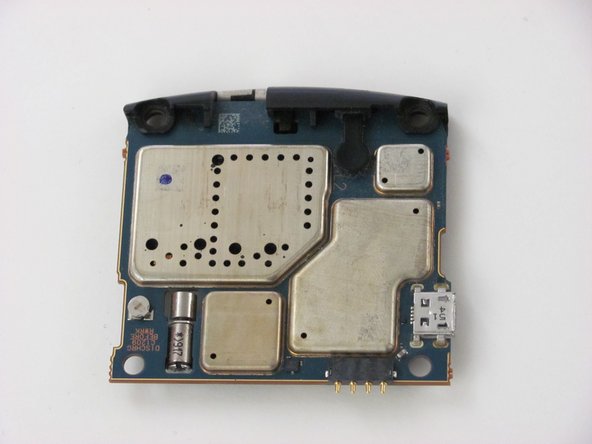
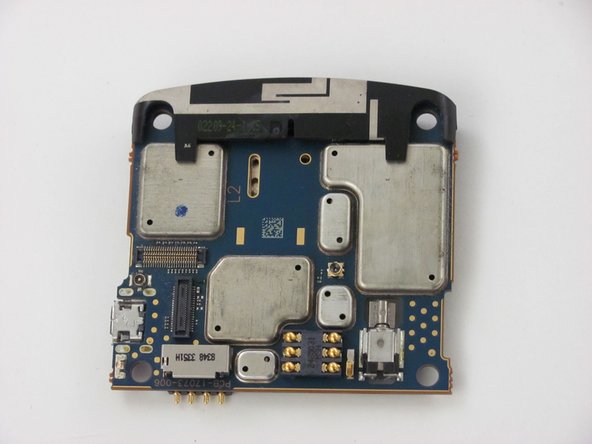
    • Locate the red tabbed pin strip connected to the motherboard. The red tabbed pin strip is located on the right-hand side of the back of the phone.

    • Disconnect the red tabbed pin strip from the motherboard by inserting the opening tool under the side of the tab and gently pulling upwards toward you.

    crwdns2952109:0crwdne2952109:0
  13. Blackberry Storm 9530 Front Buttons Replacement: crwdns2935265:013crwdnd2935265:01crwdnd2935265:03crwdne2935265:0 Blackberry Storm 9530 Front Buttons Replacement: crwdns2935265:013crwdnd2935265:02crwdnd2935265:03crwdne2935265:0 Blackberry Storm 9530 Front Buttons Replacement: crwdns2935265:013crwdnd2935265:03crwdnd2935265:03crwdne2935265:0
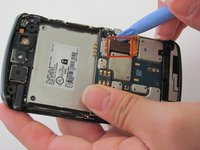
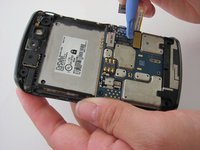
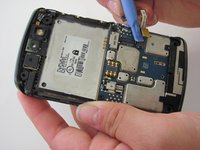
    • Locate the yellow tabbed pin strip which is directly next to the original location of the red tabbed pin strip.

    • Disconnect the yellow tabbed pin strip from the motherboard using the same technique used to disconnect the red tabbed pin strip in the previous step.

    crwdns2952109:0crwdne2952109:0
  14. Blackberry Storm 9530 Front Buttons Replacement: crwdns2935265:014crwdnd2935265:01crwdnd2935265:02crwdne2935265:0 Blackberry Storm 9530 Front Buttons Replacement: crwdns2935265:014crwdnd2935265:02crwdnd2935265:02crwdne2935265:0
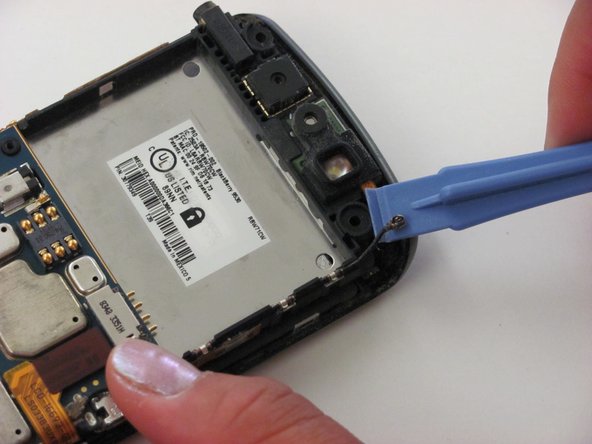
    • Disconnect the antenna cable located at the top right corner of the black panel using the opening tool.

    • Insert the opening tool underneath the side of the antenna connection, and gently pull upwards to disconnect the cable.

    crwdns2952109:0crwdne2952109:0
  15. Blackberry Storm 9530 Front Buttons Replacement: crwdns2935265:015crwdnd2935265:01crwdnd2935265:03crwdne2935265:0 Blackberry Storm 9530 Front Buttons Replacement: crwdns2935265:015crwdnd2935265:02crwdnd2935265:03crwdne2935265:0 Blackberry Storm 9530 Front Buttons Replacement: crwdns2935265:015crwdnd2935265:03crwdnd2935265:03crwdne2935265:0
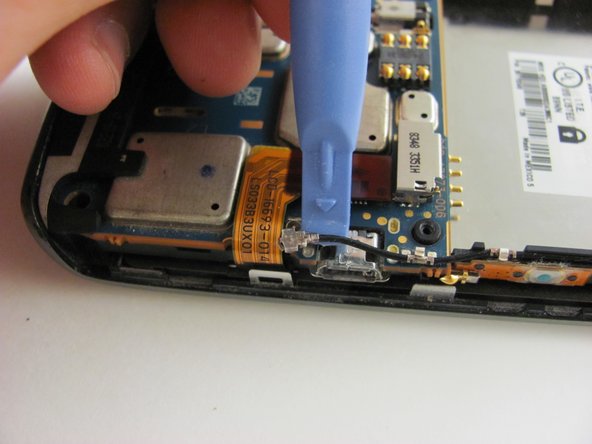
    • Locate the second antenna connection toward the middle right area of the back panel. It is found in the corner where the red and yellow tabbed pin strips met.

    • Remove the antenna connection using the same method done in the previous, top antenna removal step.

    • Loosen the bottom metal cable grip (which pins down the cable) to separate the antenna from the motherboard entirely.

    crwdns2952109:0crwdne2952109:0
  16. Blackberry Storm 9530 Front Buttons Replacement: crwdns2935265:016crwdnd2935265:01crwdnd2935265:03crwdne2935265:0 Blackberry Storm 9530 Front Buttons Replacement: crwdns2935265:016crwdnd2935265:02crwdnd2935265:03crwdne2935265:0 Blackberry Storm 9530 Front Buttons Replacement: crwdns2935265:016crwdnd2935265:03crwdnd2935265:03crwdne2935265:0
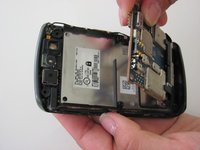
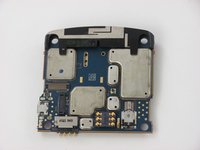
    • Remove the entire motherboard now that all the components holding it down have been removed or disconnected.

    • Grip the top right edge of the motherboard with your fingers and remove it by pulling it out gently.

    crwdns2952109:0crwdne2952109:0
  17. Blackberry Storm 9530 Front Buttons Replacement, Volume Control and Convenience Key Buttons: crwdns2935265:017crwdnd2935265:01crwdnd2935265:02crwdne2935265:0 Blackberry Storm 9530 Front Buttons Replacement, Volume Control and Convenience Key Buttons: crwdns2935265:017crwdnd2935265:02crwdnd2935265:02crwdne2935265:0
    • Replace the volume control and convenience key buttons by replacing the entire middle panel.

    • Contact your plan provider or the phone manufacturer for details on obtaining a new panel.

    crwdns2952109:0crwdne2952109:0
  18. Blackberry Storm 9530 Front Buttons Replacement, LCD/Touchscreen: crwdns2935265:018crwdnd2935265:01crwdnd2935265:03crwdne2935265:0 Blackberry Storm 9530 Front Buttons Replacement, LCD/Touchscreen: crwdns2935265:018crwdnd2935265:02crwdnd2935265:03crwdne2935265:0 Blackberry Storm 9530 Front Buttons Replacement, LCD/Touchscreen: crwdns2935265:018crwdnd2935265:03crwdnd2935265:03crwdne2935265:0
    • Notice that the LCD/touchscreen is placed directly beneath the side button panel.

    • Prepare to remove the The LCD/touchscreen which rests directly on top of the front panel of the phone.

    • Remove the LCD/touchscreen by pulling it off of the front panel once you have located it. No tools are necessary.

    crwdns2952109:0crwdne2952109:0
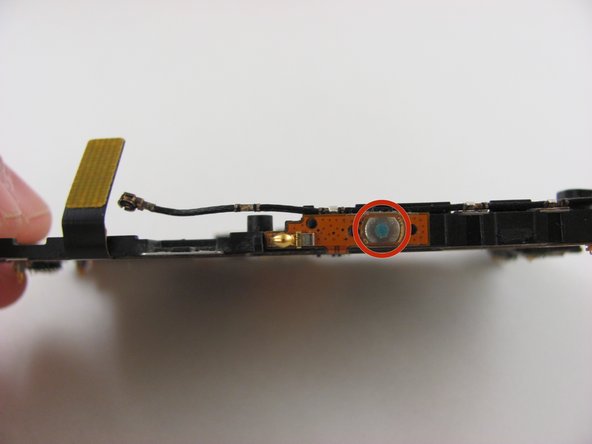
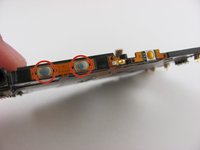
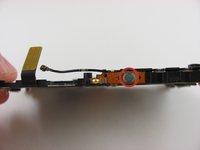
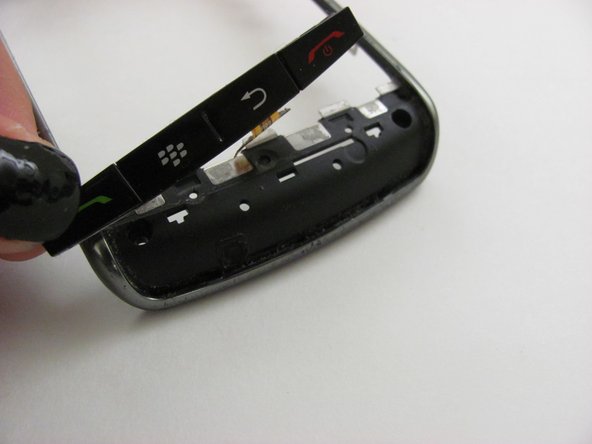
  19. Blackberry Storm 9530 Front Buttons Replacement, Front Buttons: crwdns2935265:019crwdnd2935265:01crwdnd2935265:01crwdne2935265:0
    • If any one of these buttons is broken or needs replacement, then it is possible to replace the whole button strip.

    crwdns2952109:0crwdne2952109:0
  20. Blackberry Storm 9530 Front Buttons Replacement: crwdns2935265:020crwdnd2935265:01crwdnd2935265:02crwdne2935265:0 Blackberry Storm 9530 Front Buttons Replacement: crwdns2935265:020crwdnd2935265:02crwdnd2935265:02crwdne2935265:0
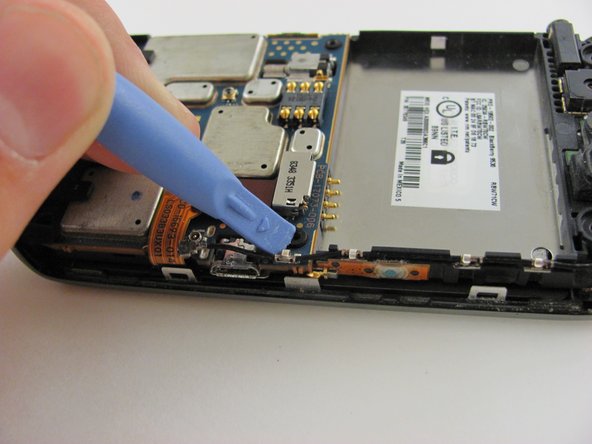
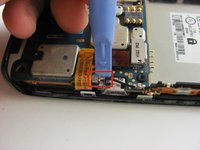
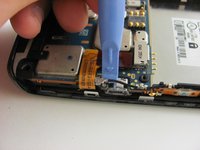
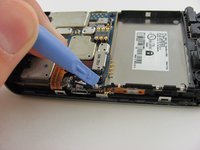
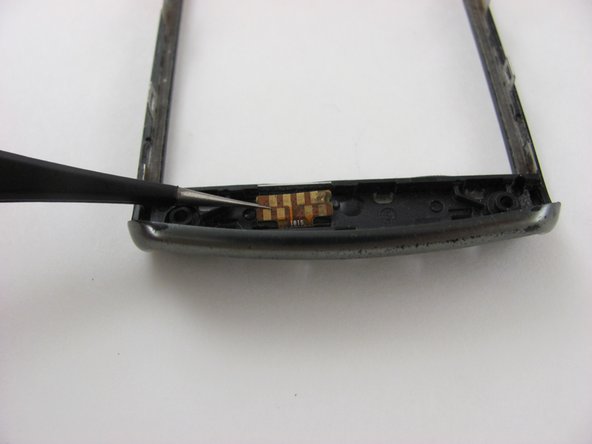
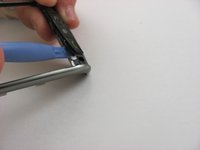
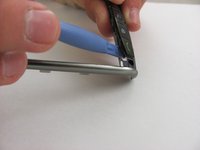
    • First, the flexible chip on the inside of the frame needs to be detached by using the prying tool.

    crwdns2952109:0crwdne2952109:0
  21. Blackberry Storm 9530 Front Buttons Replacement: crwdns2935265:021crwdnd2935265:01crwdnd2935265:03crwdne2935265:0 Blackberry Storm 9530 Front Buttons Replacement: crwdns2935265:021crwdnd2935265:02crwdnd2935265:03crwdne2935265:0 Blackberry Storm 9530 Front Buttons Replacement: crwdns2935265:021crwdnd2935265:03crwdnd2935265:03crwdne2935265:0
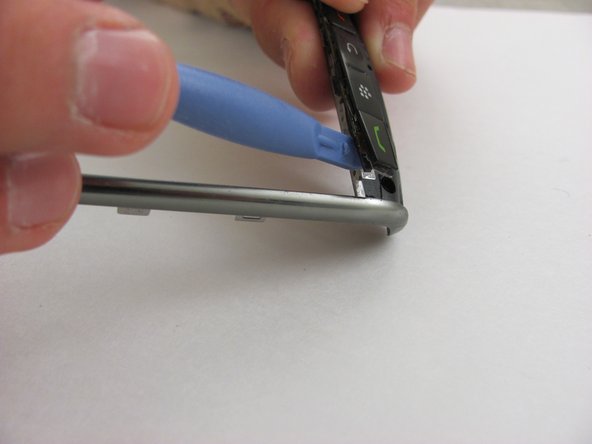
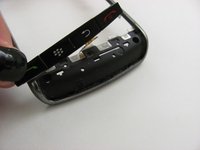
    • Next, the buttons need to be pried from the front panel

    crwdns2952109:0crwdne2952109:0
crwdns2915888:0crwdne2915888:0

To reassemble your device, follow these instructions in reverse order.

melanie lim

crwdns2935283:004/22/14crwdne2935283:0

607 crwdns2915208:0crwdne2915208:0

crwdns2935297:06crwdne2935297:0

crwdns2935287:0crwdne2935287:0

Cal Poly, Team 9-16, Regan Spring 2014 crwdns2935289:0Cal Poly, Team 9-16, Regan Spring 2014crwdne2935289:0

CPSU-REGAN-S14S9G16

crwdns2931471:04crwdne2931471:0

crwdns2935297:010crwdne2935297:0

crwdns2947412:00crwdne2947412:0

crwdns2917038:0crwdne2917038:0

crwdns2936625:0crwdne2936625:0:

crwdns2936751:024crwdne2936751:0 3

crwdns2936753:07crwdne2936753:0 18

crwdns2936753:030crwdne2936753:0 114

crwdns2942667:0crwdne2942667:0 870