crwdns2933423:0crwdne2933423:0
crwdns2947577:0crwdnd2947577:0crwdne2947577:0

Belkin NetCam HD Lens Piece Replacement

crwdns2942213:0crwdne2942213:0

  1. Belkin NetCam HD Lens Piece  Replacement, Case: crwdns2935265:01crwdnd2935265:01crwdnd2935265:01crwdne2935265:0
    • Use a wrench to loosen up the stand from the back in order to hold the NetCam more comfortably.

    crwdns2952109:0crwdne2952109:0

    crwdns2917038:0crwdne2917038:0

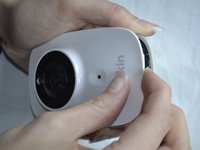
  2. Belkin NetCam HD Lens Piece  Replacement: crwdns2935265:02crwdnd2935265:01crwdnd2935265:01crwdne2935265:0
    • Work a plastic opening tool into the seam and pry the face plate away from the back panel.

    crwdns2952109:0crwdne2952109:0

    crwdns2917038:0crwdne2917038:0

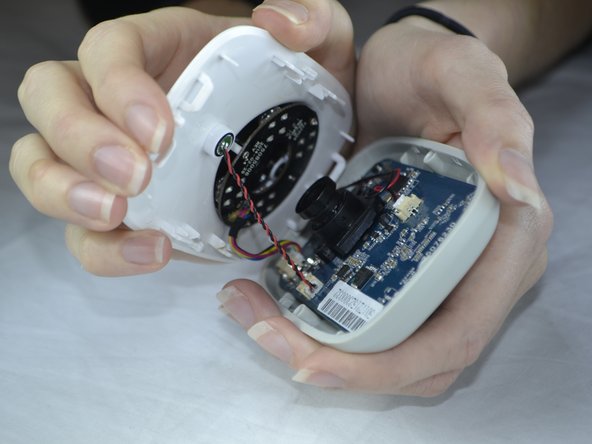
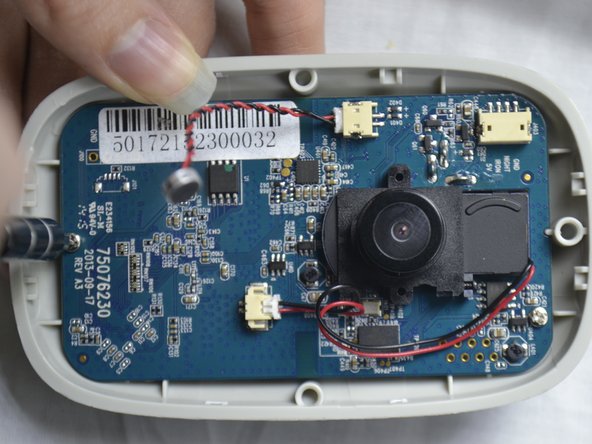
  3. Belkin NetCam HD Lens Piece  Replacement: crwdns2935265:03crwdnd2935265:01crwdnd2935265:02crwdne2935265:0 Belkin NetCam HD Lens Piece  Replacement: crwdns2935265:03crwdnd2935265:02crwdnd2935265:02crwdne2935265:0
    • Use pressure to separate the covers.

    • When pulling the device apart, separate from the bottom up in order to avoid pulling the wiring at the top apart.

    crwdns2952109:0crwdne2952109:0

    crwdns2917038:0crwdne2917038:0

  4. Belkin NetCam HD Lens Piece  Replacement, Front Casing: crwdns2935265:04crwdnd2935265:01crwdnd2935265:01crwdne2935265:0
    • Carefully use your fingers to gently pull out the white attachment from the tan colored part.

    crwdns2952109:0crwdne2952109:0

    crwdns2917038:0crwdne2917038:0

  5. Belkin NetCam HD Lens Piece  Replacement, Speaker: crwdns2935265:05crwdnd2935265:01crwdnd2935265:02crwdne2935265:0 Belkin NetCam HD Lens Piece  Replacement, Speaker: crwdns2935265:05crwdnd2935265:02crwdnd2935265:02crwdne2935265:0
    • Use a Phillips #0 screwdriver to take out the two 1.2 mm screws on the board.

    crwdns2952109:0crwdne2952109:0

    crwdns2917038:0crwdne2917038:0

  6. Belkin NetCam HD Lens Piece  Replacement: crwdns2935265:06crwdnd2935265:01crwdnd2935265:03crwdne2935265:0 Belkin NetCam HD Lens Piece  Replacement: crwdns2935265:06crwdnd2935265:02crwdnd2935265:03crwdne2935265:0 Belkin NetCam HD Lens Piece  Replacement: crwdns2935265:06crwdnd2935265:03crwdnd2935265:03crwdne2935265:0
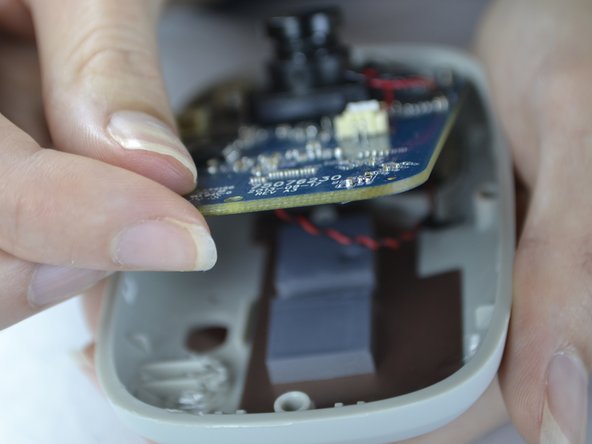
    • With your fingers, pull the circuit board out of the back casing.

    • When pulling the board up be sure to do so carefully so you do not break the cord which is attached on the back side.

    crwdns2952109:0crwdne2952109:0

    crwdns2917038:0crwdne2917038:0

  7. Belkin NetCam HD Lens Piece  Replacement: crwdns2935265:07crwdnd2935265:01crwdnd2935265:02crwdne2935265:0 Belkin NetCam HD Lens Piece  Replacement: crwdns2935265:07crwdnd2935265:02crwdnd2935265:02crwdne2935265:0
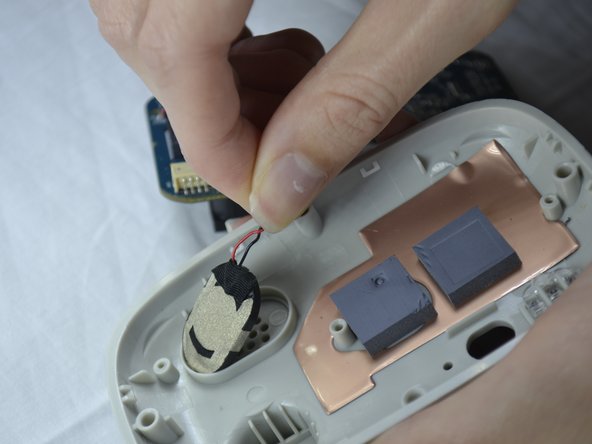
    • Gently pull the speaker out of the holder from the back of the cover.

    crwdns2952109:0crwdne2952109:0

    crwdns2917038:0crwdne2917038:0

  8. Belkin NetCam HD Lens Piece  Replacement: crwdns2935265:08crwdnd2935265:01crwdnd2935265:01crwdne2935265:0
    • The speaker wires are attached with the board. It can be unattached gently by pulling out the white attachment from the port.

    crwdns2952109:0crwdne2952109:0

    crwdns2917038:0crwdne2917038:0

  9. Belkin NetCam HD Lens Piece  Replacement, Lens Piece: crwdns2935265:09crwdnd2935265:01crwdnd2935265:02crwdne2935265:0 Belkin NetCam HD Lens Piece  Replacement, Lens Piece: crwdns2935265:09crwdnd2935265:02crwdnd2935265:02crwdne2935265:0
    • Flip the circuit board to the back side.

    • Fold down the tape with your finger.

    • With the Phillips #0 screwdriver, unscrew the two 1.2 mm screws.

    crwdns2952109:0crwdne2952109:0

    crwdns2917038:0crwdne2917038:0

  10. Belkin NetCam HD Lens Piece  Replacement: crwdns2935265:010crwdnd2935265:01crwdnd2935265:02crwdne2935265:0 Belkin NetCam HD Lens Piece  Replacement: crwdns2935265:010crwdnd2935265:02crwdnd2935265:02crwdne2935265:0
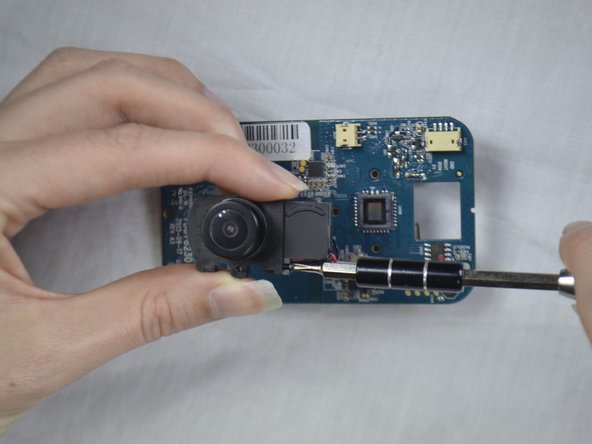
    • Flip the circuit board back to the other side.

    • Unscrew the screw with a Phillips #0 screw driver.

    crwdns2952109:0crwdne2952109:0

    crwdns2917038:0crwdne2917038:0

  11. Belkin NetCam HD Lens Piece  Replacement: crwdns2935265:011crwdnd2935265:01crwdnd2935265:01crwdne2935265:0
    • Slide the attached piece from the lens holder device.

    crwdns2952109:0crwdne2952109:0

    crwdns2917038:0crwdne2917038:0

  12. Belkin NetCam HD Lens Piece  Replacement: crwdns2935265:012crwdnd2935265:01crwdnd2935265:02crwdne2935265:0 Belkin NetCam HD Lens Piece  Replacement: crwdns2935265:012crwdnd2935265:02crwdnd2935265:02crwdne2935265:0
    crwdns2935267:0crwdne2935267:0
    Tweezers
    $4.99
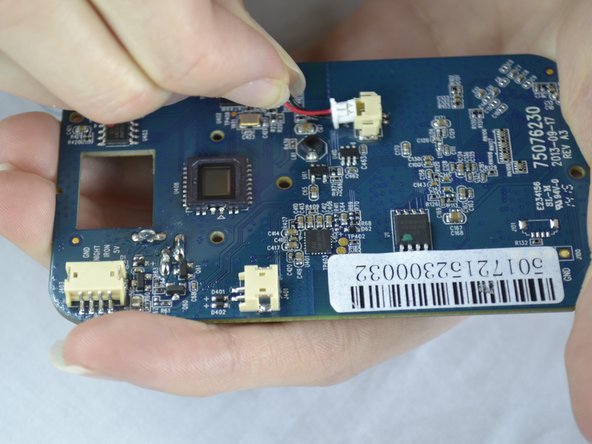
    • Use the tweezers to pull the white attachment out from the port a little.

    • Then, take your fingers and gently pull the white attachment out from the tan port.

    crwdns2952109:0crwdne2952109:0

    crwdns2917038:0crwdne2917038:0

crwdns2915888:0crwdne2915888:0

To reassemble your device, follow these instructions in reverse order.

crwdns2935221:0crwdne2935221:0

Destinie DiazVerdejo

crwdns2935283:010/04/16crwdne2935283:0

805 crwdns2915208:0crwdne2915208:0

crwdns2935297:07crwdne2935297:0

crwdns2935287:0crwdne2935287:0

USF Tampa, Team 3-5, Sullivan Fall 2016 crwdns2935289:0USF Tampa, Team 3-5, Sullivan Fall 2016crwdne2935289:0

USFT-SULLIVAN-F16S3G5

crwdns2931471:04crwdne2931471:0

crwdns2935297:014crwdne2935297:0

crwdns2947412:00crwdne2947412:0

crwdns2917038:0crwdne2917038:0

crwdns2936625:0crwdne2936625:0:

crwdns2936751:024crwdne2936751:0 1

crwdns2936753:07crwdne2936753:0 5

crwdns2936753:030crwdne2936753:0 57

crwdns2942667:0crwdne2942667:0 1,336