crwdns2915892:0crwdne2915892:0
Follow this guide to remove the back cover on the Asus ROG Ally.
crwdns2942213:0crwdne2942213:0
-
-
Completely power off your device and unplug all cables.
-
-
crwdns2935267:0crwdne2935267:0FixMat$36.95
-
Use a Phillips #0 screwdriver to remove the five 17.2 mm‑long screws securing the top edge and bottom corners of the back cover.
-
Use a Phillips #0 screwdriver to fully loosen the remaining captive screw at the center of the bottom edge. This should create a small gap between the back cover and chassis.
-
-
-
-
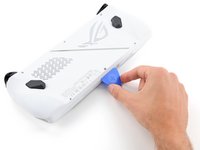
Insert the flat edge of an opening pick between the bottom edge of the back cover and chassis, near the captive screw.
-
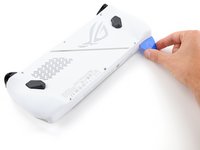
Angle the pick upward and push it under the back cover.
-
-
-
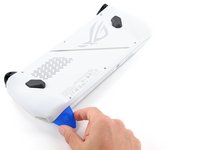
Slide the opening pick along the bottom edge and around the corners of the back cover to release the clips securing it.
-
-
-
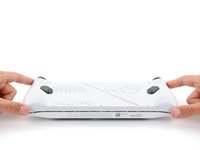
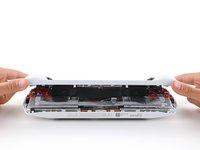
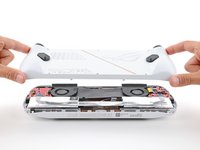
Lift the bottom edge of the back cover off the chassis to release the remaining clips.
-
Remove the back cover.
-




To reassemble your device, follow these instructions in reverse order.
Repair didn’t go as planned? Try some basic troubleshooting, or ask our Answers community for help.



