
BLU Studio 5.0 II SIM Card Replacement

crwdns2959934:0crwdnd2959934:0Ricardo Sarabiacrwdnd2959934:0crwdnd2959934:0crwdne2959934:0
crwdns2959936:0Mud 9, 2016crwdne2959936:0
crwdns2869540:0crwdne2869540:0: 2 B
crwdns2959988:0crwdne2959988:0
- crwdns2959990:0crwdne2959990:0
- 9
- crwdns2959992:0crwdne2959992:0
- 34
- crwdns2959994:0crwdne2959994:0
- 118
- crwdns2959996:0crwdne2959996:0
- 2.008
crwdns2955950:0crwdne2955950:0: 5
crwdns2960004:02crwdne2960004:0, crwdns2960008:03crwdne2960008:0
crwdns2960000:0crwdne2960000:0crwdns2959984:0crwdne2959984:0: 2 3
crwdns2959974:02crwdne2959974:0
crwdns2959970:03crwdne2959970:0
crwdns2959986:0crwdne2959986:0: 1 2
crwdns2959980:01crwdne2959980:0
crwdns2959978:02crwdne2959978:0
crwdns2915892:0crwdne2915892:0
crwdns2959928:0crwdne2959928:0 ↓Use this guide in order to replace a SIM card in your BLU Studio 5.0 II. This phone can store up to two SIM cards.
-
-
-
Locate the small opening on the bottom corner of the back case.
 crwdns2952109:0crwdne2952109:0
-
-
-
Use your finger to open the back case by slowly pulling it on the open slot.
-
Once the case is lifted on the corner, slide your finger along the edge of the phone to remove the rest of the case.
-
-
-
-
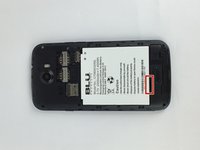
Locate the opening slot at the bottom of the battery.
-
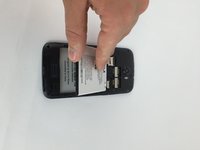
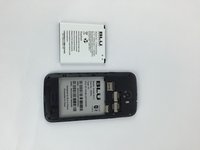
Use your finger to lift the battery and remove it from the case.
-
-
-
-
-
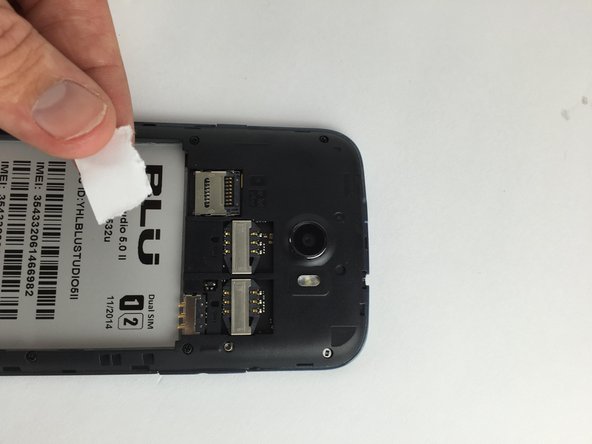
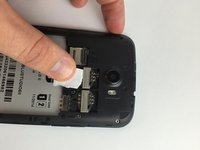
Locate the SIM Card above the battery.
-
-
-
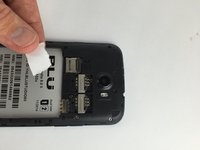
Use your finger to apply a small pressure on the SIM Card.
-
Slide your finger downwards in order to remove the SIM Card from the slot.
-
-




To reassemble your device, follow these instructions in reverse order.
crwdns2935221:0crwdne2935221:0
crwdns2935229:02crwdne2935229:0

crwdns2935287:0crwdne2935287:0

USF Tampa, Team 7-5, Cheng Spring 2016 crwdns2935289:0USF Tampa, Team 7-5, Cheng Spring 2016crwdne2935289:0
USFT-CHENG-S16S7G5
crwdns2931471:03crwdne2931471:0
crwdns2935297:084crwdne2935297:0
crwdns2947412:03crwdne2947412:0
it seems i have problem geting the phone working through trac phone they its working but cant call out it blu xtreme 2.5 whats up?
anthony - crwdns2934203:0crwdne2934203:0 crwdns2950251:0crwdne2950251:0
my phone wont call out tracphone say its working but no its a BLU xtreme 2.5 any answers?
anthony - crwdns2934203:0crwdne2934203:0 crwdns2950251:0crwdne2950251:0
