crwdns2933423:0crwdne2933423:0
crwdns2947577:0crwdnd2947577:0crwdne2947577:0

BLU Studio 5.0 II Power Button Replacement

crwdns2869540:0crwdne2869540:0: 1550

crwdns2959988:0crwdne2959988:0

crwdns2959990:0crwdne2959990:0
8
crwdns2959992:0crwdne2959992:0
29
crwdns2959994:0crwdne2959994:0
95
crwdns2959996:0crwdne2959996:0
1.550
crwdns2955950:0crwdne2955950:0: 0

crwdns2959998:0crwdne2959998:0

crwdns2960000:0crwdne2960000:0
crwdns2959984:0crwdne2959984:0: 2

crwdns2959974:02crwdne2959974:0

crwdns2959986:0crwdne2959986:0: 1

crwdns2959980:01crwdne2959980:0

crwdns2955944:0crwdne2955944:0: 10 - 20 crwdns2931279:0crwdne2931279:0
crwdns2955970:0crwdne2955970:0: crwdns2937801:0crwdne2937801:0
BLU Studio 5.0 II Power Button Replacement

crwdns2915892:0crwdne2915892:0

crwdns2959928:0crwdne2959928:0 ↓

This guide will teach you how to replace the power button on your BLU Studio 5.0 II phone.

crwdns2959930:0crwdne2959930:0

crwdns2943215:0crwdne2943215:0

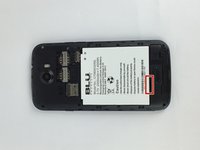
    1. BLU Studio 5.0 II Power Button Replacement, Battery: crwdns2935265:01crwdnd2935265:01crwdnd2935265:01crwdne2935265:0
      • Turn off your phone before disassembling the device.

      • Locate the small opening on the bottom corner of the back case.

      crwdns2952109:0crwdne2952109:0

      crwdns2917038:0crwdne2917038:0

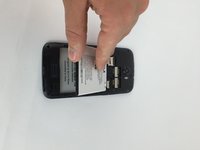
    2. BLU Studio 5.0 II Power Button Replacement: crwdns2935265:02crwdnd2935265:01crwdnd2935265:02crwdne2935265:0 BLU Studio 5.0 II Power Button Replacement: crwdns2935265:02crwdnd2935265:02crwdnd2935265:02crwdne2935265:0
      • Use your finger to open the back case by slowly pulling it on the open slot.

      • Once the case is lifted on the corner, slide your finger along the edge of the phone to remove the rest of the case.

      crwdns2952109:0crwdne2952109:0

      crwdns2917038:0crwdne2917038:0

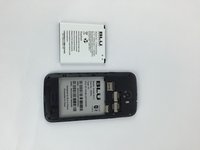
    3. BLU Studio 5.0 II Power Button Replacement: crwdns2935265:03crwdnd2935265:01crwdnd2935265:03crwdne2935265:0 BLU Studio 5.0 II Power Button Replacement: crwdns2935265:03crwdnd2935265:02crwdnd2935265:03crwdne2935265:0 BLU Studio 5.0 II Power Button Replacement: crwdns2935265:03crwdnd2935265:03crwdnd2935265:03crwdne2935265:0
      • Locate the opening slot at the bottom of the battery.

      • Use your finger to lift the battery and remove it from the case.

      crwdns2952109:0crwdne2952109:0

      crwdns2917038:0crwdne2917038:0

    1. BLU Studio 5.0 II Power Button Replacement, Back Case: crwdns2935265:04crwdnd2935265:01crwdnd2935265:01crwdne2935265:0
      • Locate the four 3mm screws on each side of the back panel.

      • Use a Phillips #00 screwdriver to remove the eight screws.

      crwdns2952109:0crwdne2952109:0

      crwdns2917038:0crwdne2917038:0

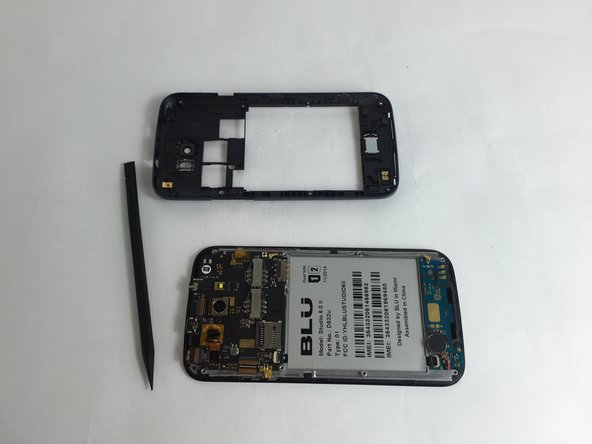
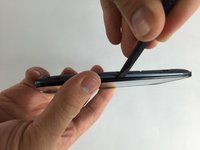
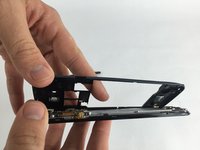
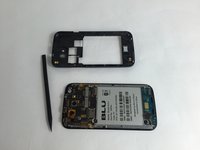
    2. BLU Studio 5.0 II Power Button Replacement: crwdns2935265:05crwdnd2935265:01crwdnd2935265:03crwdne2935265:0 BLU Studio 5.0 II Power Button Replacement: crwdns2935265:05crwdnd2935265:02crwdnd2935265:03crwdne2935265:0 BLU Studio 5.0 II Power Button Replacement: crwdns2935265:05crwdnd2935265:03crwdnd2935265:03crwdne2935265:0
      • Carefully use a spudger to start opening the back case by inserting it between the black and blue lines on the side of the phone.

      • With the help of your fingers, continue to remove the back case by sliding it through the opening.

      crwdns2952109:0crwdne2952109:0

      crwdns2917038:0crwdne2917038:0

    1. BLU Studio 5.0 II Power Button Replacement, Power Button: crwdns2935265:06crwdnd2935265:01crwdnd2935265:03crwdne2935265:0 BLU Studio 5.0 II Power Button Replacement, Power Button: crwdns2935265:06crwdnd2935265:02crwdnd2935265:03crwdne2935265:0 BLU Studio 5.0 II Power Button Replacement, Power Button: crwdns2935265:06crwdnd2935265:03crwdnd2935265:03crwdne2935265:0
      crwdns2935267:0crwdne2935267:0
      Tweezers
      $4.99
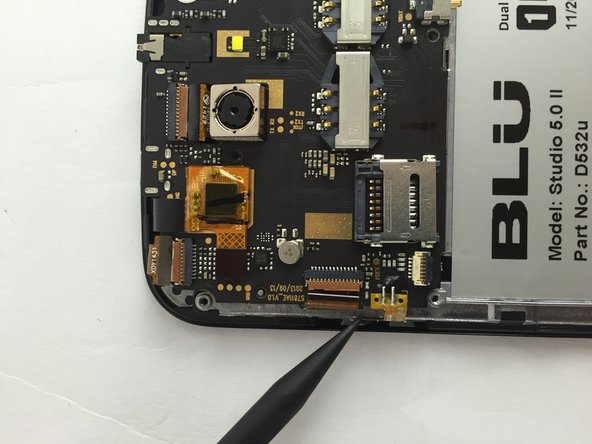
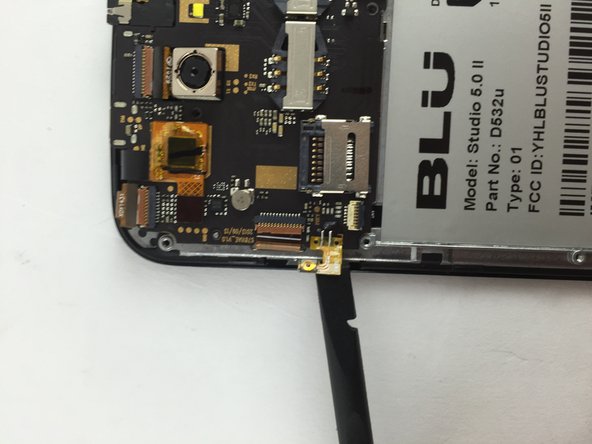
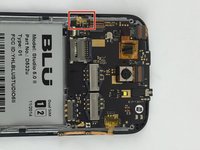
      • Locate the power button on the left side of the motherboard.

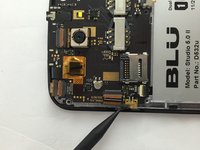
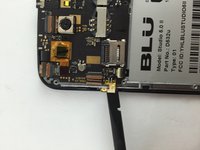
      • Using a spudger or a pair of tweezers, carefully remove the power button yellow film attached to the motherboard.

      crwdns2952109:0crwdne2952109:0

      crwdns2917038:0crwdne2917038:0

crwdns2915888:0crwdne2915888:0

To reassemble your device, follow these instructions in reverse order.

crwdns2935221:0crwdne2935221:0

crwdns2935229:02crwdne2935229:0

crwdns2862417:0crwdne2862417:0

crwdns2935293:0crwdne2935293:0

Ricardo Sarabia

crwdns2935283:002/09/16crwdne2935283:0

1.069 crwdns2915208:0crwdne2915208:0

crwdns2935297:06crwdne2935297:0

crwdns2935287:0crwdne2935287:0

USF Tampa, Team 7-5, Cheng Spring 2016 crwdns2935289:0USF Tampa, Team 7-5, Cheng Spring 2016crwdne2935289:0

USFT-CHENG-S16S7G5

crwdns2931471:03crwdne2931471:0

crwdns2935297:084crwdne2935297:0

crwdns2947412:00crwdne2947412:0

crwdns2917038:0crwdne2917038:0

crwdns2936625:0crwdne2936625:0:

crwdns2936751:024crwdne2936751:0 8

crwdns2936753:07crwdne2936753:0 29

crwdns2936753:030crwdne2936753:0 95

crwdns2959996:0crwdne2959996:0 1,550