crwdns2933423:0crwdne2933423:0
crwdns2947577:0crwdnd2947577:0crwdne2947577:0

Azpen A720 Battery Replacement

crwdns2869540:0crwdne2869540:0: 2.9K

crwdns2959988:0crwdne2959988:0

crwdns2959990:0crwdne2959990:0
5
crwdns2959992:0crwdne2959992:0
23
crwdns2959994:0crwdne2959994:0
86
crwdns2959996:0crwdne2959996:0
2,855
crwdns2955950:0crwdne2955950:0: 2

crwdns2960004:02crwdne2960004:0.

crwdns2959984:0crwdne2959984:0: 1

crwdns2959972:01crwdne2959972:0

crwdns2959986:0crwdne2959986:0: 0

crwdns2959958:0crwdne2959958:0

crwdns2955944:0crwdne2955944:0: crwdns2931273:0crwdne2931273:0
crwdns2955970:0crwdne2955970:0: crwdns2937801:0crwdne2937801:0
Azpen A720 Battery Replacement

crwdns2915892:0crwdne2915892:0

crwdns2959928:0crwdne2959928:0 ↓

The battery is important for all tablet functions. If the battery is malfunctioning you will want to replace it. Replacing your battery is a relatively simple task and following this guide will help you fix your battery related problems.

crwdns2959930:0crwdne2959930:0

crwdns2943215:0crwdne2943215:0

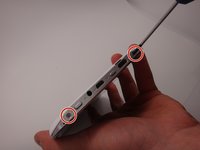
    1. Azpen A720 Battery Replacement, Back Cover: crwdns2935265:01crwdnd2935265:01crwdnd2935265:02crwdne2935265:0 Azpen A720 Battery Replacement, Back Cover: crwdns2935265:01crwdnd2935265:02crwdnd2935265:02crwdne2935265:0
      • Use a Phillips #00 screwdriver to remove the two 4mm screws found on the top edge of the tablet near the power button.

      crwdns2952109:0crwdne2952109:0

      crwdns2917038:0crwdne2917038:0

    2. Azpen A720 Battery Replacement: crwdns2935265:02crwdnd2935265:01crwdnd2935265:03crwdne2935265:0 Azpen A720 Battery Replacement: crwdns2935265:02crwdnd2935265:02crwdnd2935265:03crwdne2935265:0 Azpen A720 Battery Replacement: crwdns2935265:02crwdnd2935265:03crwdnd2935265:03crwdne2935265:0
      • Use the plastic opening tool to pry the white back from the silver frame. Start near the micro SD slot.

      • Slide the plastic opening tool around the perimeter of the casing until the back is disconnected.

      crwdns2952109:0crwdne2952109:0

      crwdns2917038:0crwdne2917038:0

    3. Azpen A720 Battery Replacement: crwdns2935265:03crwdnd2935265:01crwdnd2935265:01crwdne2935265:0
      • Remove the rear casing.

      crwdns2952109:0crwdne2952109:0

      crwdns2917038:0crwdne2917038:0

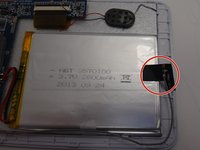
    1. Azpen A720 Battery Replacement, Battery: crwdns2935265:04crwdnd2935265:01crwdnd2935265:01crwdne2935265:0
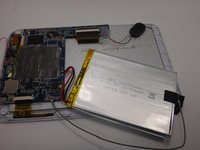
      • Locate the batteries' connection points.

      crwdns2952109:0crwdne2952109:0

      crwdns2917038:0crwdne2917038:0

    2. Azpen A720 Battery Replacement: crwdns2935265:05crwdnd2935265:01crwdnd2935265:01crwdne2935265:0
      crwdns2935267:0crwdne2935267:0
      Tweezers
      $4.99
      • A soldering iron can reach 600˚ F, which will cause serious burns. Learn how to solder properly here. Using tweezers to hold the wires will reduce the risk of burns.

      • Use a soldering iron to melt the connections which attach the battery to the motherboard.

      • Disconnect the red and black wires from the motherboard.

      crwdns2952109:0crwdne2952109:0

      crwdns2917038:0crwdne2917038:0

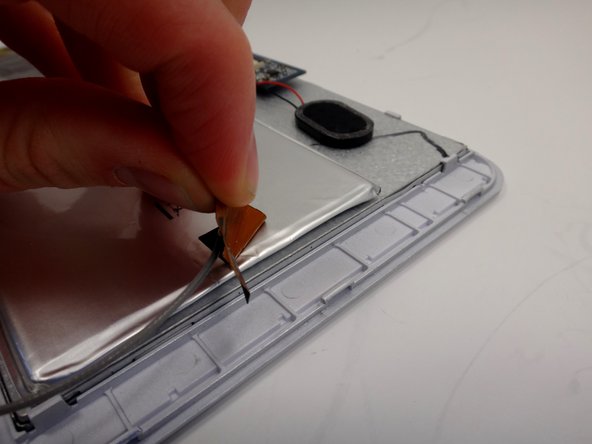
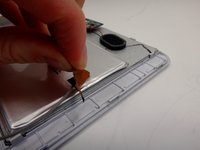
    3. Azpen A720 Battery Replacement: crwdns2935265:06crwdnd2935265:01crwdnd2935265:02crwdne2935265:0 Azpen A720 Battery Replacement: crwdns2935265:06crwdnd2935265:02crwdnd2935265:02crwdne2935265:0
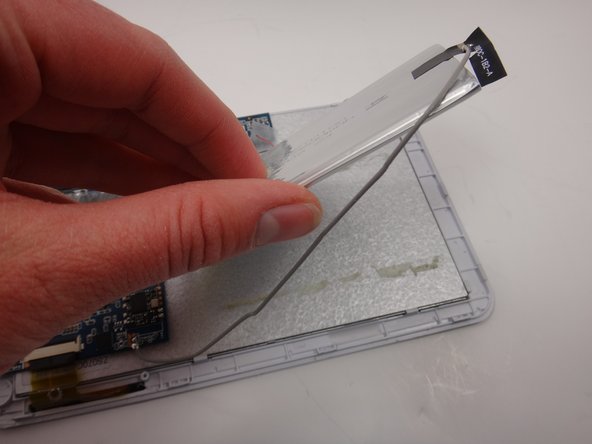
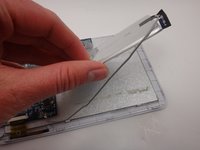
      • Peel the black sticker off the battery to disconnect the wifi antennae.

      crwdns2952109:0crwdne2952109:0

      crwdns2917038:0crwdne2917038:0

    4. Azpen A720 Battery Replacement: crwdns2935265:07crwdnd2935265:01crwdnd2935265:03crwdne2935265:0 Azpen A720 Battery Replacement: crwdns2935265:07crwdnd2935265:02crwdnd2935265:03crwdne2935265:0 Azpen A720 Battery Replacement: crwdns2935265:07crwdnd2935265:03crwdnd2935265:03crwdne2935265:0
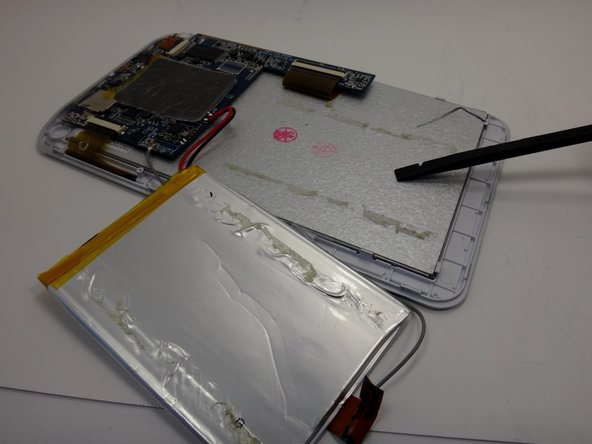
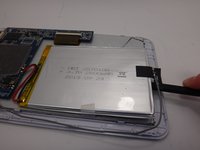
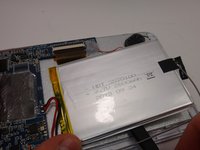
      • Slide the spudger between the battery and the metal backing. Move the spudger back and forth in a sawing motion to break the adhesive seal between the battery and the backing.

      • When the spudger is underneath the battery avoid prying. A prying motion could damage the battery.

      crwdns2952109:0crwdne2952109:0

      crwdns2917038:0crwdne2917038:0

    5. Azpen A720 Battery Replacement: crwdns2935265:08crwdnd2935265:01crwdnd2935265:02crwdne2935265:0 Azpen A720 Battery Replacement: crwdns2935265:08crwdnd2935265:02crwdnd2935265:02crwdne2935265:0
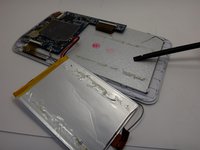
      • Remove the old battery and replace it with the new battery.

      crwdns2952109:0crwdne2952109:0

      crwdns2917038:0crwdne2917038:0

crwdns2935217:0crwdne2935217:0

crwdns2935221:0crwdne2935221:0

crwdns2935227:0crwdne2935227:0

crwdns2862417:0crwdne2862417:0

crwdns2935293:0crwdne2935293:0

Ben

crwdns2935283:003/18/15crwdne2935283:0

280 crwdns2915208:0crwdne2915208:0

crwdns2935297:02crwdne2935297:0

crwdns2935287:0crwdne2935287:0

Michigan Tech, Team 1-3, Lauer Spring 2015 crwdns2935289:0Michigan Tech, Team 1-3, Lauer Spring 2015crwdne2935289:0

MTU-LAUER-S15S1G3

crwdns2931471:02crwdne2931471:0

crwdns2935297:060crwdne2935297:0

crwdns2947412:00crwdne2947412:0

crwdns2917038:0crwdne2917038:0

crwdns2936625:0crwdne2936625:0:

crwdns2936751:024crwdne2936751:0 5

crwdns2936753:07crwdne2936753:0 23

crwdns2936753:030crwdne2936753:0 86

crwdns2959996:0crwdne2959996:0 2,855