crwdns2933423:0crwdne2933423:0
crwdns2947577:0crwdnd2947577:0crwdne2947577:0

Asus Padfone 2 Camera Replacement

crwdns2869540:0crwdne2869540:0: 2,6K

crwdns2959988:0crwdne2959988:0

crwdns2959990:0crwdne2959990:0
2
crwdns2959992:0crwdne2959992:0
27
crwdns2959994:0crwdne2959994:0
91
crwdns2959996:0crwdne2959996:0
2.591
crwdns2955950:0crwdne2955950:0: 0

crwdns2959998:0crwdne2959998:0

crwdns2960000:0crwdne2960000:0
crwdns2959984:0crwdne2959984:0: 3

crwdns2959974:03crwdne2959974:0

crwdns2959986:0crwdne2959986:0: 0

crwdns2959958:0crwdne2959958:0

crwdns2955944:0crwdne2955944:0: crwdns2931287:020crwdne2931287:0
crwdns2955970:0crwdne2955970:0: crwdns2937801:0crwdne2937801:0
crwdns2862625:0crwdne2862625:0

crwdns2862626:0crwdne2862626:0

crwdns2862633:0crwdne2862633:0

crwdns2862634:0crwdne2862634:0

Asus Padfone 2 Camera  Replacement

crwdns2959930:0crwdne2959930:0

crwdns2943215:0crwdne2943215:0

    1. Asus Padfone 2 Camera  Replacement, Power Down Device: crwdns2935265:01crwdnd2935265:01crwdnd2935265:01crwdne2935265:0
      • Hold down the power button.

      crwdns2952109:0crwdne2952109:0

      crwdns2917038:0crwdne2917038:0

    2. Asus Padfone 2 Camera  Replacement, Remove Back Plate: crwdns2935265:02crwdnd2935265:01crwdnd2935265:03crwdne2935265:0 Asus Padfone 2 Camera  Replacement, Remove Back Plate: crwdns2935265:02crwdnd2935265:02crwdnd2935265:03crwdne2935265:0 Asus Padfone 2 Camera  Replacement, Remove Back Plate: crwdns2935265:02crwdnd2935265:03crwdnd2935265:03crwdne2935265:0
      • Use plastic opening tool to pry off the back cover of the phone.

      crwdns2952109:0crwdne2952109:0

      crwdns2917038:0crwdne2917038:0

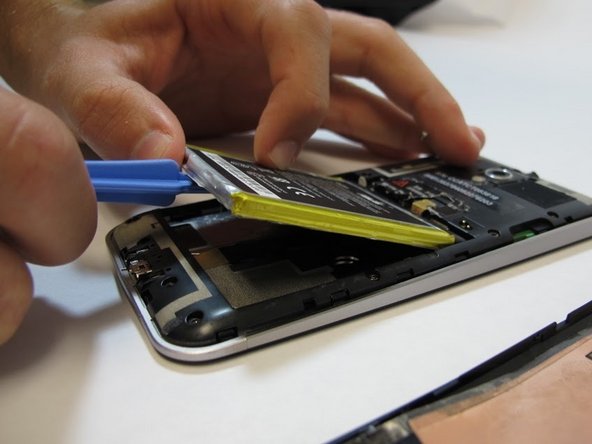
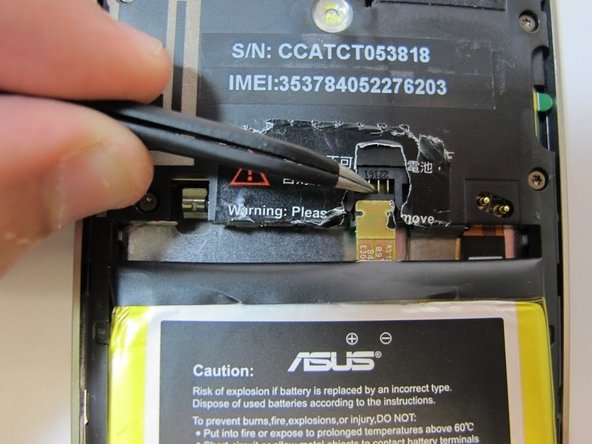
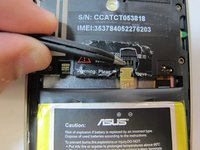
    3. Asus Padfone 2 Camera  Replacement, Battery Removal: crwdns2935265:03crwdnd2935265:01crwdnd2935265:03crwdne2935265:0 Asus Padfone 2 Camera  Replacement, Battery Removal: crwdns2935265:03crwdnd2935265:02crwdnd2935265:03crwdne2935265:0 Asus Padfone 2 Camera  Replacement, Battery Removal: crwdns2935265:03crwdnd2935265:03crwdnd2935265:03crwdne2935265:0
      crwdns2935267:0crwdne2935267:0
      Tweezers
      $4.99
      • Remove the warning sticker that covers the battery plug and connecting cord.

      • Look for the widest gap on either side of the battery. Using the plastic opening tool carefully lift battery out.

      • The battery is held down with adhesive. Be careful not to damage battery or connecting cord.

      • Disconnect battery connecting cord using tweezers.

      crwdns2952109:0crwdne2952109:0

      crwdns2917038:0crwdne2917038:0

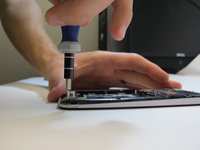
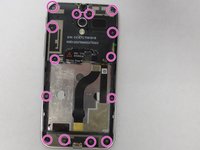
    4. Asus Padfone 2 Camera  Replacement, Remove Internal Back Plate: crwdns2935265:04crwdnd2935265:01crwdnd2935265:03crwdne2935265:0 Asus Padfone 2 Camera  Replacement, Remove Internal Back Plate: crwdns2935265:04crwdnd2935265:02crwdnd2935265:03crwdne2935265:0 Asus Padfone 2 Camera  Replacement, Remove Internal Back Plate: crwdns2935265:04crwdnd2935265:03crwdnd2935265:03crwdne2935265:0
      • Use T5 Torx screwdriver to remove 14 screws from internal back plate.

      • Use of magnetic pad will help with keeping track of screws.

      • Once screws are out, remove the plate.

      crwdns2952109:0crwdne2952109:0

      crwdns2917038:0crwdne2917038:0

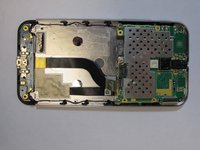
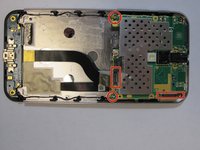
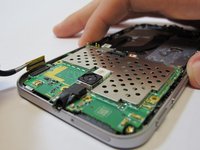
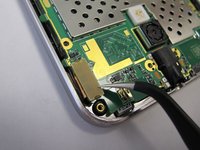
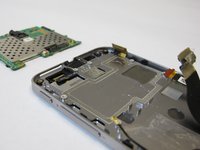
    5. Asus Padfone 2 Camera  Replacement, Disconnect Motherboard: crwdns2935265:05crwdnd2935265:01crwdnd2935265:03crwdne2935265:0 Asus Padfone 2 Camera  Replacement, Disconnect Motherboard: crwdns2935265:05crwdnd2935265:02crwdnd2935265:03crwdne2935265:0 Asus Padfone 2 Camera  Replacement, Disconnect Motherboard: crwdns2935265:05crwdnd2935265:03crwdnd2935265:03crwdne2935265:0
      • Disconnect four plugs to the motherboard using tweezers.

      • Lift up green motherboard.

      crwdns2952109:0crwdne2952109:0

      crwdns2917038:0crwdne2917038:0

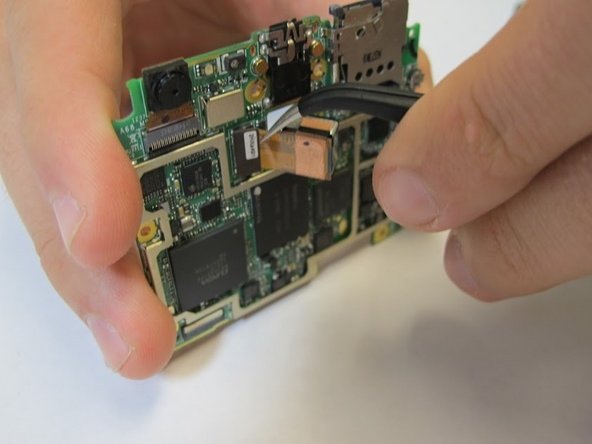
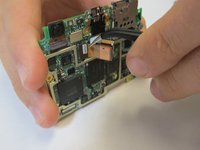
    6. Asus Padfone 2 Camera  Replacement, Removing Camera: crwdns2935265:06crwdnd2935265:01crwdnd2935265:02crwdne2935265:0 Asus Padfone 2 Camera  Replacement, Removing Camera: crwdns2935265:06crwdnd2935265:02crwdnd2935265:02crwdne2935265:0
      • Remove camera from back of the motherboard with tweezers.

      crwdns2952109:0crwdne2952109:0

      crwdns2917038:0crwdne2917038:0

crwdns2915888:0crwdne2915888:0

To reassemble your device, follow these instructions in reverse order.

crwdns2935221:0crwdne2935221:0

crwdns2935229:03crwdne2935229:0

crwdns2862417:0crwdne2862417:0

crwdns2935293:0crwdne2935293:0

Erica

crwdns2935283:009/25/14crwdne2935283:0

482 crwdns2915208:0crwdne2915208:0

crwdns2935297:02crwdne2935297:0

crwdns2935287:0crwdne2935287:0

USF Tampa, Team 5-4, Mcgee Fall 2014 crwdns2935289:0USF Tampa, Team 5-4, Mcgee Fall 2014crwdne2935289:0

USFT-MCGEE-F14S5G4

crwdns2931471:04crwdne2931471:0

crwdns2935297:048crwdne2935297:0

crwdns2947412:00crwdne2947412:0

crwdns2917038:0crwdne2917038:0

crwdns2936625:0crwdne2936625:0:

crwdns2936751:024crwdne2936751:0 2

crwdns2936753:07crwdne2936753:0 27

crwdns2936753:030crwdne2936753:0 91

crwdns2959996:0crwdne2959996:0 2,591