crwdns2933423:0crwdne2933423:0
crwdns2947577:0crwdnd2947577:0crwdne2947577:0

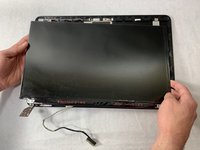
Asus GL551JW-AH71 Display Assembly Replacement

crwdns2942213:0crwdne2942213:0

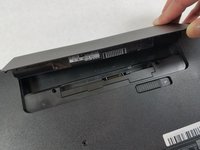
    1. Asus GL551JW-AH71 Display Assembly Replacement, Battery: crwdns2935265:01crwdnd2935265:01crwdnd2935265:01crwdne2935265:0
      • Close the device and lay it upside down.

      • Unplug the device and make sure the device is powered off before removing the battery.

      crwdns2952109:0crwdne2952109:0

      crwdns2917038:0crwdne2917038:0

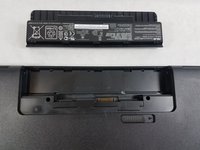
    2. Asus GL551JW-AH71 Display Assembly Replacement: crwdns2935265:02crwdnd2935265:01crwdnd2935265:02crwdne2935265:0 Asus GL551JW-AH71 Display Assembly Replacement: crwdns2935265:02crwdnd2935265:02crwdnd2935265:02crwdne2935265:0
      • Move the battery eject button to the right. The battery will be ejected.

      crwdns2952109:0crwdne2952109:0

      crwdns2917038:0crwdne2917038:0

    3. Asus GL551JW-AH71 Display Assembly Replacement: crwdns2935265:03crwdnd2935265:01crwdnd2935265:02crwdne2935265:0 Asus GL551JW-AH71 Display Assembly Replacement: crwdns2935265:03crwdnd2935265:02crwdnd2935265:02crwdne2935265:0
      • Grab the battery and remove it from the device.

      crwdns2952109:0crwdne2952109:0

      crwdns2917038:0crwdne2917038:0

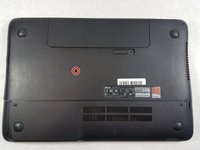
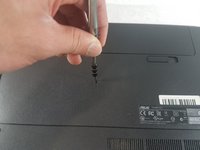
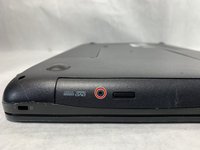
    1. Asus GL551JW-AH71 Display Assembly Replacement, Optical Drive: crwdns2935265:04crwdnd2935265:01crwdnd2935265:02crwdne2935265:0 Asus GL551JW-AH71 Display Assembly Replacement, Optical Drive: crwdns2935265:04crwdnd2935265:02crwdnd2935265:02crwdne2935265:0
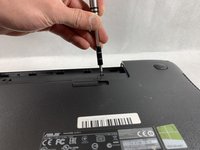
      • Use a Phillips #000 screwdriver to remove the single 10mm optical drive screw.

      crwdns2952109:0crwdne2952109:0

      crwdns2917038:0crwdne2917038:0

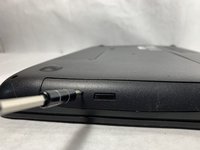
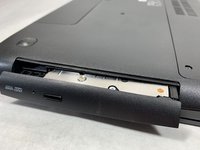
    2. Asus GL551JW-AH71 Display Assembly Replacement: crwdns2935265:05crwdnd2935265:01crwdnd2935265:03crwdne2935265:0 Asus GL551JW-AH71 Display Assembly Replacement: crwdns2935265:05crwdnd2935265:02crwdnd2935265:03crwdne2935265:0 Asus GL551JW-AH71 Display Assembly Replacement: crwdns2935265:05crwdnd2935265:03crwdnd2935265:03crwdne2935265:0
      • Insert a probe or paperclip gently into the eject pin hole to eject the optical drive tray.

      crwdns2952109:0crwdne2952109:0

      crwdns2917038:0crwdne2917038:0

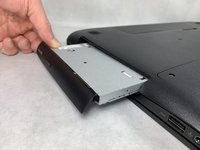
    3. Asus GL551JW-AH71 Display Assembly Replacement: crwdns2935265:06crwdnd2935265:01crwdnd2935265:02crwdne2935265:0 Asus GL551JW-AH71 Display Assembly Replacement: crwdns2935265:06crwdnd2935265:02crwdnd2935265:02crwdne2935265:0
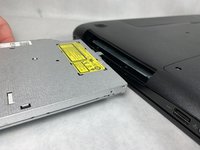
      • Gently grasp the optical drive assembly and slide it out of the laptop body.

      crwdns2952109:0crwdne2952109:0

      crwdns2917038:0crwdne2917038:0

    1. Asus GL551JW-AH71 Display Assembly Replacement, Upper Assembly: crwdns2935265:07crwdnd2935265:01crwdnd2935265:02crwdne2935265:0 Asus GL551JW-AH71 Display Assembly Replacement, Upper Assembly: crwdns2935265:07crwdnd2935265:02crwdnd2935265:02crwdne2935265:0
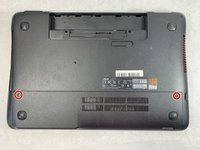
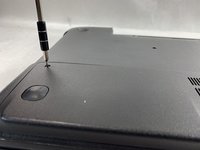
      • Using a Phillips #000 screwdriver, remove the two 11mm screws that hold the access panel in place.

      crwdns2952109:0crwdne2952109:0

      crwdns2917038:0crwdne2917038:0

    2. Asus GL551JW-AH71 Display Assembly Replacement: crwdns2935265:08crwdnd2935265:01crwdnd2935265:02crwdne2935265:0 Asus GL551JW-AH71 Display Assembly Replacement: crwdns2935265:08crwdnd2935265:02crwdnd2935265:02crwdne2935265:0
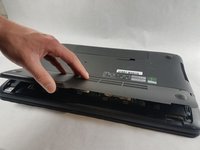
      • Carefully remove the access panel.

      crwdns2952109:0crwdne2952109:0

      crwdns2917038:0crwdne2917038:0

    3. Asus GL551JW-AH71 Display Assembly Replacement: crwdns2935265:09crwdnd2935265:01crwdnd2935265:02crwdne2935265:0 Asus GL551JW-AH71 Display Assembly Replacement: crwdns2935265:09crwdnd2935265:02crwdnd2935265:02crwdne2935265:0
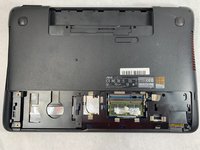
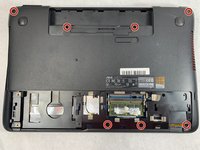
      • Using a Phillips #000 screwdriver, remove the seven 11mm screws holding lower case to the laptop.

      crwdns2952109:0crwdne2952109:0

      crwdns2917038:0crwdne2917038:0

    4. Asus GL551JW-AH71 Display Assembly Replacement: crwdns2935265:010crwdnd2935265:01crwdnd2935265:01crwdne2935265:0
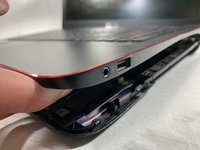
      • Turn the laptop over and open the screen.

      crwdns2952109:0crwdne2952109:0

      crwdns2917038:0crwdne2917038:0

    5. Asus GL551JW-AH71 Display Assembly Replacement: crwdns2935265:011crwdnd2935265:01crwdnd2935265:03crwdne2935265:0 Asus GL551JW-AH71 Display Assembly Replacement: crwdns2935265:011crwdnd2935265:02crwdnd2935265:03crwdne2935265:0 Asus GL551JW-AH71 Display Assembly Replacement: crwdns2935265:011crwdnd2935265:03crwdnd2935265:03crwdne2935265:0
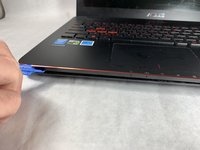
      • Gently pry open the case with an iFixit opening tool.

      • The upper and lower assembly are connected with a display cable that will be removed in the next step. Do not pull the parts apart more than a few inches.

      crwdns2952109:0crwdne2952109:0

      crwdns2917038:0crwdne2917038:0

    6. Asus GL551JW-AH71 Display Assembly Replacement: crwdns2935265:012crwdnd2935265:01crwdnd2935265:03crwdne2935265:0 Asus GL551JW-AH71 Display Assembly Replacement: crwdns2935265:012crwdnd2935265:02crwdnd2935265:03crwdne2935265:0 Asus GL551JW-AH71 Display Assembly Replacement: crwdns2935265:012crwdnd2935265:03crwdnd2935265:03crwdne2935265:0
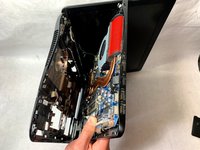
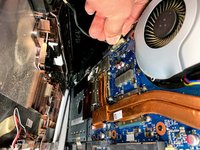
      • Flip the laptop on the right side while still holding the upper and lower assemblies close together.

      • Unplug the display connector from the motherboard.

      • Remove the upper assembly.

      crwdns2952109:0crwdne2952109:0

      crwdns2917038:0crwdne2917038:0

    1. Asus GL551JW-AH71 Display Assembly Replacement, Display Assembly: crwdns2935265:013crwdnd2935265:01crwdnd2935265:02crwdne2935265:0 Asus GL551JW-AH71 Display Assembly Replacement, Display Assembly: crwdns2935265:013crwdnd2935265:02crwdnd2935265:02crwdne2935265:0
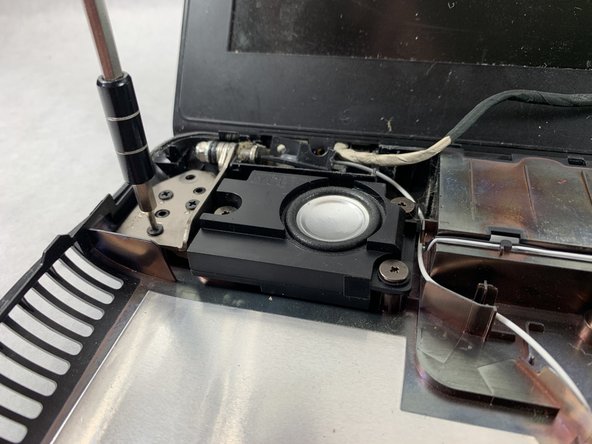
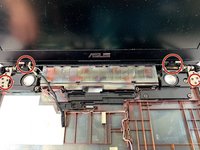
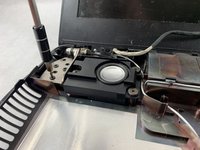
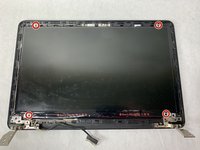
      • Remove the three 5mm screws located in each circle with a Phillips #000 screwdriver.

      • A total of twelve 5mm screw should be removed in order to free the display assembly from the base.

      crwdns2952109:0crwdne2952109:0

      crwdns2917038:0crwdne2917038:0

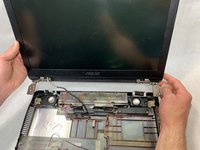
    2. Asus GL551JW-AH71 Display Assembly Replacement: crwdns2935265:014crwdnd2935265:01crwdnd2935265:02crwdne2935265:0 Asus GL551JW-AH71 Display Assembly Replacement: crwdns2935265:014crwdnd2935265:02crwdnd2935265:02crwdne2935265:0
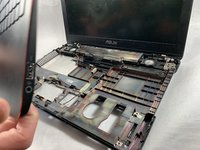
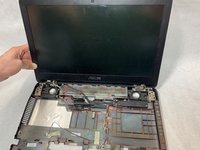
      • Lift the display assembly up, separating it from the base of the device.

      crwdns2952109:0crwdne2952109:0

      crwdns2917038:0crwdne2917038:0

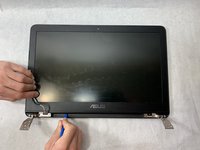
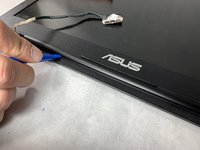
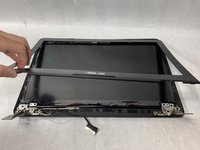
    3. Asus GL551JW-AH71 Display Assembly Replacement: crwdns2935265:015crwdnd2935265:01crwdnd2935265:03crwdne2935265:0 Asus GL551JW-AH71 Display Assembly Replacement: crwdns2935265:015crwdnd2935265:02crwdnd2935265:03crwdne2935265:0 Asus GL551JW-AH71 Display Assembly Replacement: crwdns2935265:015crwdnd2935265:03crwdnd2935265:03crwdne2935265:0
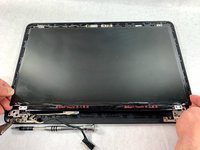
      • Using a plastic opening tool, separate the bezel from the screen.

      • Insert the tool and slide it right to left to release the bezel from the screen.

      crwdns2952109:0crwdne2952109:0

      crwdns2917038:0crwdne2917038:0

    4. Asus GL551JW-AH71 Display Assembly Replacement: crwdns2935265:016crwdnd2935265:01crwdnd2935265:02crwdne2935265:0 Asus GL551JW-AH71 Display Assembly Replacement: crwdns2935265:016crwdnd2935265:02crwdnd2935265:02crwdne2935265:0
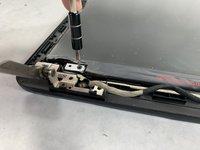
      • Remove the four screws using a Phillips #0 screwdriver.

      crwdns2952109:0crwdne2952109:0

      crwdns2917038:0crwdne2917038:0

    5. Asus GL551JW-AH71 Display Assembly Replacement: crwdns2935265:017crwdnd2935265:01crwdnd2935265:02crwdne2935265:0 Asus GL551JW-AH71 Display Assembly Replacement: crwdns2935265:017crwdnd2935265:02crwdnd2935265:02crwdne2935265:0
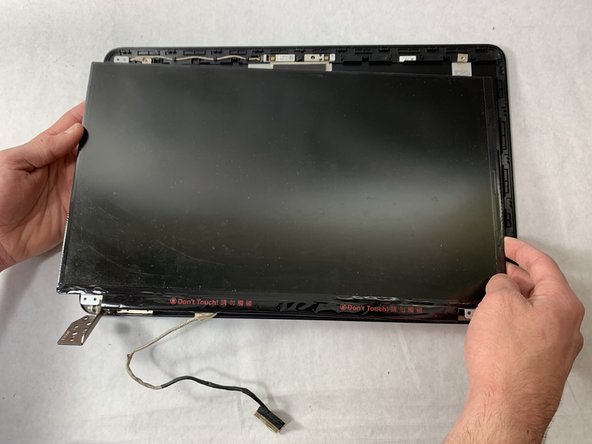
      • Grab the screen in the corners and lift up to remove it.

      crwdns2952109:0crwdne2952109:0

      crwdns2917038:0crwdne2917038:0

crwdns2915888:0crwdne2915888:0

To reassemble your device, follow these instructions in reverse order.

crwdns2935221:0crwdne2935221:0

crwdns2935229:03crwdne2935229:0

Alec Pimentel

crwdns2935283:003/21/19crwdne2935283:0

258 crwdns2915208:0crwdne2915208:0

crwdns2935295:0crwdne2935295:0

crwdns2935287:0crwdne2935287:0

UMass Dartmouth, Team S8-G3, Bailey Spring 2019 crwdns2935289:0UMass Dartmouth, Team S8-G3, Bailey Spring 2019crwdne2935289:0

UMASSD-BAILEY-S19S8G3

crwdns2931471:04crwdne2931471:0

crwdns2935297:072crwdne2935297:0

crwdns2947412:00crwdne2947412:0

crwdns2917038:0crwdne2917038:0

crwdns2936625:0crwdne2936625:0:

crwdns2936751:024crwdne2936751:0 1

crwdns2936753:07crwdne2936753:0 3

crwdns2936753:030crwdne2936753:0 15

crwdns2942667:0crwdne2942667:0 1,156