
Astro A20 Speaker Replacement

crwdns2959932:0crwdnd2959932:0Jasmine Yarbroughcrwdnd2959932:0crwdnd2959932:0crwdnd2959932:02crwdnd2959932:0crwdne2959932:0
crwdns2959936:0Sun 4, 2019crwdne2959936:0
crwdns2869540:0crwdne2869540:0: 9.7K
crwdns2959988:0crwdne2959988:0
- crwdns2959990:0crwdne2959990:0
- 2
- crwdns2959992:0crwdne2959992:0
- 23
- crwdns2959994:0crwdne2959994:0
- 98
- crwdns2959996:0crwdne2959996:0
- 9,659
crwdns2955950:0crwdne2955950:0: 4
crwdns2960004:04crwdne2960004:0.
crwdns2959984:0crwdne2959984:0: 3 4
crwdns2959974:03crwdne2959974:0
crwdns2959970:04crwdne2959970:0
crwdns2959986:0crwdne2959986:0: 0 1
crwdns2959958:0crwdne2959958:0
crwdns2959976:01crwdne2959976:0
crwdns2915892:0crwdne2915892:0
crwdns2959928:0crwdne2959928:0 ↓If the Astro A20 does not have any audio transmitting from the speaker then you will need to follow these steps to replace the speaker.
crwdns2959930:0crwdne2959930:0
crwdns2943215:0crwdne2943215:0
-
Spudger4.9


-
-
-
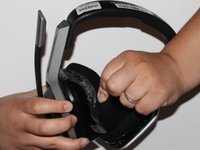
Place one hand on the hard side of the headset ear portion and on the cushion.
-
Lift the small portion on the edge of the cushion.
 crwdns2952109:0crwdne2952109:0
-
-
-
Slide the metal spudger underneath the lift part of the ear cushion.
-
Pull the ear cushion while wedging the spudge around the edge of the ear cushion.
-
-
-
-
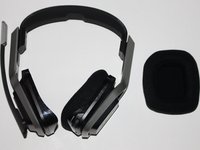
Remove the ear cushion from the headset.
-
-
-
-
-
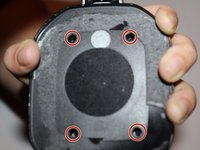
Place your hand on the opposite side of the speaker.
-
-
-
Remove the four 7mm screws with a Phillips #1 screwdriver.
-
-
-
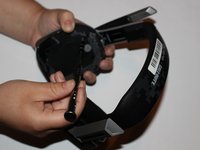
Lift the speaker area.
-
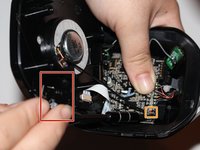
Disconnect the wires connected to the speaker.
-
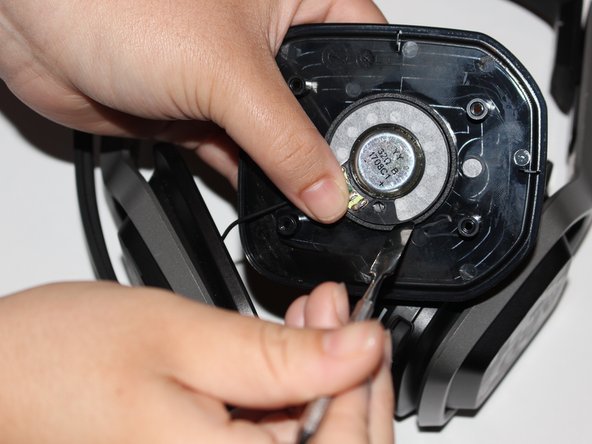
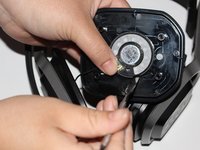
Wedge a spudger on the edge of the speaker and lift upwards to remove the speaker from the device.
-
-





To reassemble your device, follow these instructions in reverse order.
crwdns2935221:0crwdne2935221:0
crwdns2935229:03crwdne2935229:0

crwdns2935287:0crwdne2935287:0

University of Alabama, Team S1-G2, Bedsole Fall 2018 crwdns2935289:0University of Alabama, Team S1-G2, Bedsole Fall 2018crwdne2935289:0
UA-BEDSOLE-F18S1G2
crwdns2931471:04crwdne2931471:0
crwdns2935297:060crwdne2935297:0
