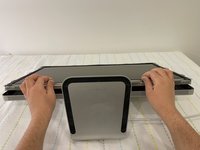
crwdns2933423:0crwdne2933423:0
crwdns2947577:0crwdnd2947577:0crwdne2947577:0

Apple LED Cinema Display 27" LED Panel Replacement

crwdns2869540:0crwdne2869540:0: 18K

crwdns2959988:0crwdne2959988:0

crwdns2959990:0crwdne2959990:0
10
crwdns2959992:0crwdne2959992:0
74
crwdns2959994:0crwdne2959994:0
342
crwdns2959996:0crwdne2959996:0
18,245
crwdns2955950:0crwdne2955950:0: 1

crwdns2960002:01crwdne2960002:0.

crwdns2959984:0crwdne2959984:0: 8

crwdns2959974:08crwdne2959974:0

crwdns2959986:0crwdne2959986:0: 0

crwdns2959958:0crwdne2959958:0

crwdns2955944:0crwdne2955944:0: 1 - 2 crwdns2931253:0crwdne2931253:0
crwdns2955970:0crwdne2955970:0: crwdns2937803:0crwdne2937803:0
Apple LED Cinema Display 27" LED Panel Replacement

crwdns2915892:0crwdne2915892:0

crwdns2959928:0crwdne2959928:0 ↓

Identifying Features

The Apple LED Cinema Display (27-inch) 2010 has a built in liquid crystal display with LED backlight that includes an iSight Camera with microphone and 2.1mm speaker system. It can support resolution up to 2560 x 1440 pixels. The all-in-one cable creates a station for portable computers, which also includes a universal MagSafe up to 85W, Mini Display port with audio support, and three self-powered USB 2.0 ports.

System Requirements

The LED Cinema Display (27-inch) works with Mac computers running Mac OS X 10.6.4 up to Mac OS 11.2 that have a Mini DisplayPort connector.

About this Guide

In this guide we will performing an LED panel replacement for the Apple Cinema Display (27-inch) in order to show the user on how to change the LED panel can be accomplished.

This guide is useful in cases of the LED panel malfunctioning; a few examples would be distorted video output or no video output from the panel, dead pixels, and/or physical damage.

crwdns2959930:0crwdne2959930:0

crwdns2943213:0crwdne2943213:0

crwdns2943215:0crwdne2943215:0

    1. Apple LED Cinema Display 27" LED Panel Replacement, LED panel: crwdns2935265:01crwdnd2935265:01crwdnd2935265:03crwdne2935265:0 Apple LED Cinema Display 27" LED Panel Replacement, LED panel: crwdns2935265:01crwdnd2935265:02crwdnd2935265:03crwdne2935265:0 Apple LED Cinema Display 27" LED Panel Replacement, LED panel: crwdns2935265:01crwdnd2935265:03crwdnd2935265:03crwdne2935265:0
      • Before beginning any work on your Mac: Unplug the computer and wait for 2 minutes in order for the power supply's capacitors to discharge.

      • Be very careful not to touch the capacitor leads or any exposed solder joints on the back of the power supply.

      • The all-in-one cable located underneath the power cable can NOT get disconnected from the rest of the enclosure.

      crwdns2952109:0crwdne2952109:0

      crwdns2917038:0crwdne2917038:0

    2. Apple LED Cinema Display 27" LED Panel Replacement: crwdns2935265:02crwdnd2935265:01crwdnd2935265:03crwdne2935265:0 Apple LED Cinema Display 27" LED Panel Replacement: crwdns2935265:02crwdnd2935265:02crwdnd2935265:03crwdne2935265:0 Apple LED Cinema Display 27" LED Panel Replacement: crwdns2935265:02crwdnd2935265:03crwdnd2935265:03crwdne2935265:0
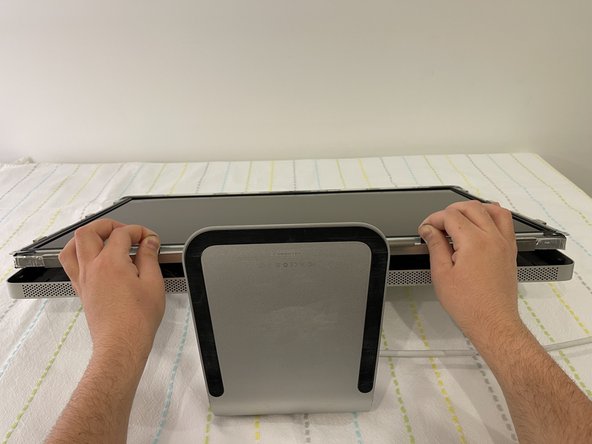
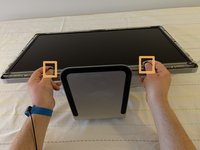
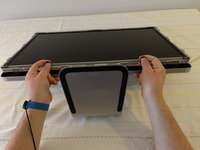
      • Glass panel can be removed in various ways:

      • Lay the unit on its back and press clean suction cups in opposite corners on the glass panel, or...

      • Lay the unit on its back and press clean suction cups on top.

      • Lift the glass panel up and off.

      crwdns2952109:0crwdne2952109:0

      crwdns2917038:0crwdne2917038:0

    3. Apple LED Cinema Display 27" LED Panel Replacement: crwdns2935265:03crwdnd2935265:01crwdnd2935265:03crwdne2935265:0 Apple LED Cinema Display 27" LED Panel Replacement: crwdns2935265:03crwdnd2935265:02crwdnd2935265:03crwdne2935265:0 Apple LED Cinema Display 27" LED Panel Replacement: crwdns2935265:03crwdnd2935265:03crwdnd2935265:03crwdne2935265:0
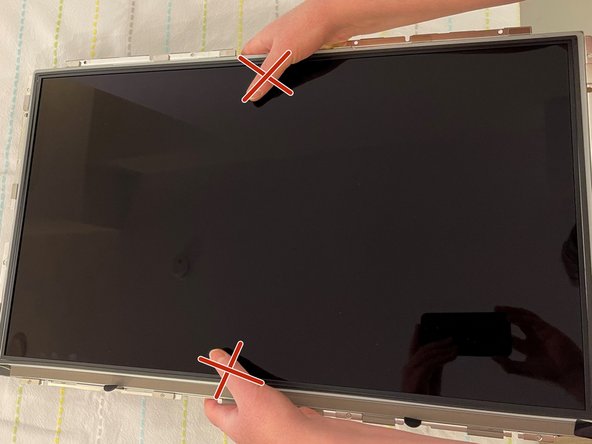
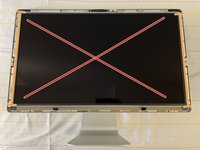
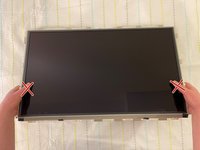
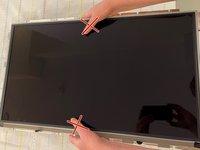
      • First Steps Remove the glass panel as shown on step 2.

      • Upon disassembly, handle the LED panel only from the metal railings on either side and avoid touching the panel as much as possible.

      • Do not press on the front surface of the LED panel when handling, as this could cause the pixels from the panel to malfunction and/or stop working.

      crwdns2952109:0crwdne2952109:0

      crwdns2917038:0crwdne2917038:0

    4. Apple LED Cinema Display 27" LED Panel Replacement: crwdns2935265:04crwdnd2935265:01crwdnd2935265:03crwdne2935265:0 Apple LED Cinema Display 27" LED Panel Replacement: crwdns2935265:04crwdnd2935265:02crwdnd2935265:03crwdne2935265:0 Apple LED Cinema Display 27" LED Panel Replacement: crwdns2935265:04crwdnd2935265:03crwdnd2935265:03crwdne2935265:0
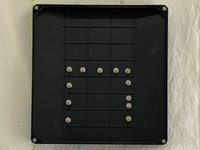
      • Remove the twelve, 10 mm Torx T10 screws around the border of the display frame.

      • Be sure not to overtighten the LED screws during reassembly, as it could cause light leakage after the unit is reassembled.

      crwdns2952109:0crwdne2952109:0

      crwdns2917038:0crwdne2917038:0

    5. Apple LED Cinema Display 27" LED Panel Replacement: crwdns2935265:05crwdnd2935265:01crwdnd2935265:03crwdne2935265:0 Apple LED Cinema Display 27" LED Panel Replacement: crwdns2935265:05crwdnd2935265:02crwdnd2935265:03crwdne2935265:0 Apple LED Cinema Display 27" LED Panel Replacement: crwdns2935265:05crwdnd2935265:03crwdnd2935265:03crwdne2935265:0
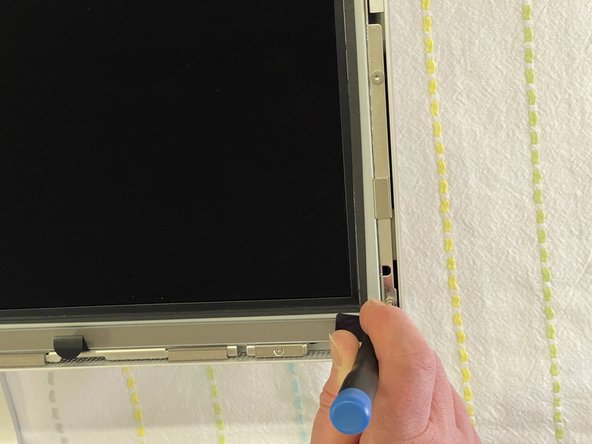
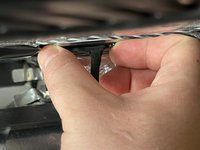
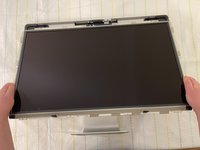
      • Use the black tabs to raise the bottom edge of the LCD a few inches to access the cables inside.

      • Tilt the display up no more than 4 inches (10 cm). Pulling the display too far could damage the cables or connectors.

      crwdns2952109:0crwdne2952109:0

      crwdns2917038:0crwdne2917038:0

    6. Apple LED Cinema Display 27" LED Panel Replacement: crwdns2935265:06crwdnd2935265:01crwdnd2935265:02crwdne2935265:0 Apple LED Cinema Display 27" LED Panel Replacement: crwdns2935265:06crwdnd2935265:02crwdnd2935265:02crwdne2935265:0
      • Avoid coming in close contact or touching any components of the Power Supply.

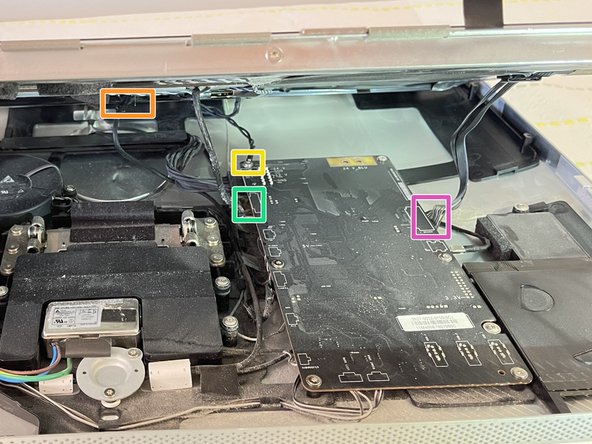
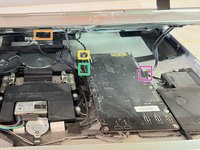
      • Looking into the gap under the LCD, disconnect four (4) cables:

      • DisplayPort

      • Function

      • Ground pin

      • LED backlight driver

      • Verify that all cables are firmly seated into connectors during reassembly. An insecure cable connection can cause image flicker.

      crwdns2952109:0crwdne2952109:0

      crwdns2917038:0crwdne2917038:0

    7. Apple LED Cinema Display 27" LED Panel Replacement: crwdns2935265:07crwdnd2935265:01crwdnd2935265:03crwdne2935265:0 Apple LED Cinema Display 27" LED Panel Replacement: crwdns2935265:07crwdnd2935265:02crwdnd2935265:03crwdne2935265:0 Apple LED Cinema Display 27" LED Panel Replacement: crwdns2935265:07crwdnd2935265:03crwdnd2935265:03crwdne2935265:0
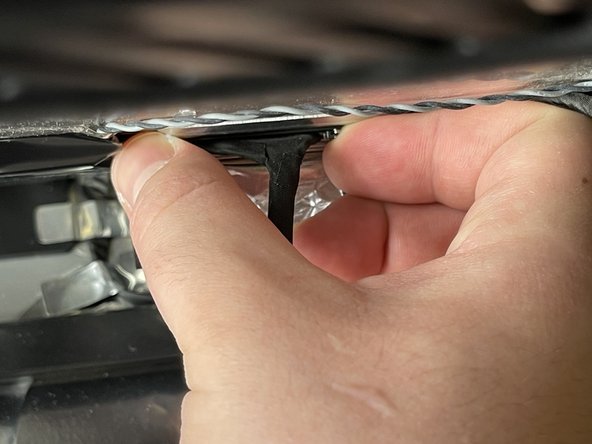
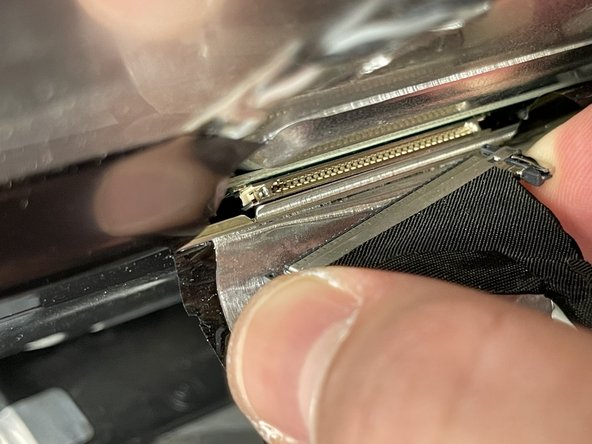
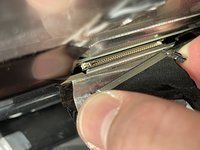
      • Peel back the mylar and foil tape on the DisplayPort cable on the back of the LED panel.

      • Squeeze the sides of connector and pull it out.

      • Make sure the 24 pin cable is correctly aligned with the LED panel upon reassembly.

      crwdns2952109:0crwdne2952109:0

      crwdns2917038:0crwdne2917038:0

    8. Apple LED Cinema Display 27" LED Panel Replacement: crwdns2935265:08crwdnd2935265:01crwdnd2935265:03crwdne2935265:0 Apple LED Cinema Display 27" LED Panel Replacement: crwdns2935265:08crwdnd2935265:02crwdnd2935265:03crwdne2935265:0 Apple LED Cinema Display 27" LED Panel Replacement: crwdns2935265:08crwdnd2935265:03crwdnd2935265:03crwdne2935265:0
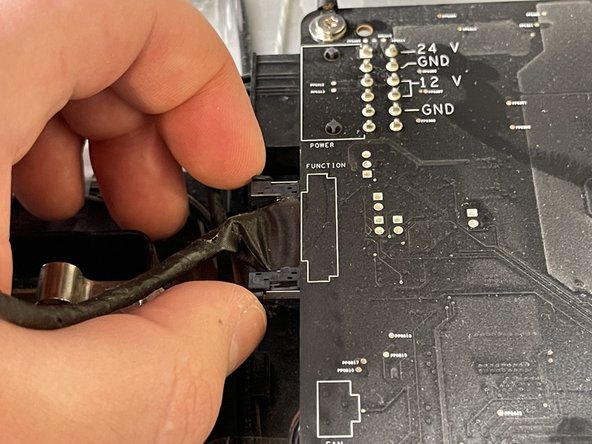
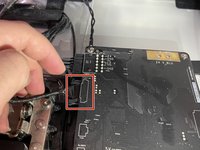
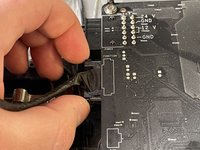
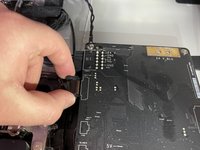
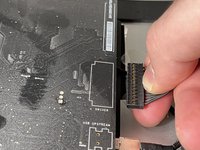
      • Squeeze the sides of the function cable connector on the top left edge of the logic board and pull it straight out.

      • Make sure to align the function cable correctly with the logic board during reassembly.

      crwdns2952109:0crwdne2952109:0

      crwdns2917038:0crwdne2917038:0

    9. Apple LED Cinema Display 27" LED Panel Replacement: crwdns2935265:09crwdnd2935265:01crwdnd2935265:02crwdne2935265:0 Apple LED Cinema Display 27" LED Panel Replacement: crwdns2935265:09crwdnd2935265:02crwdnd2935265:02crwdne2935265:0
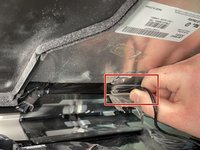
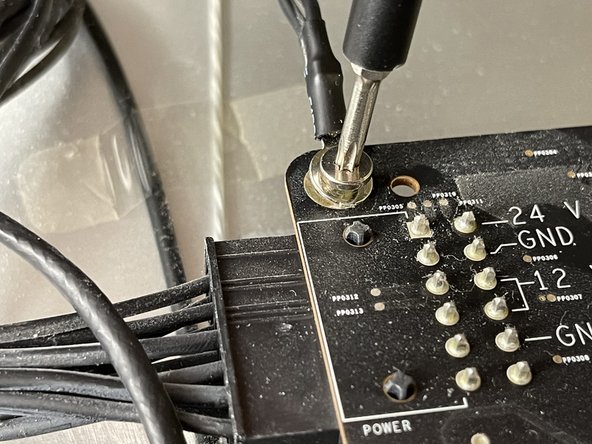
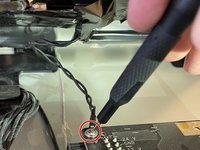
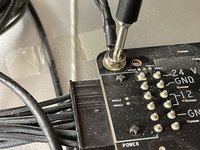
      • Close-up of the ground cable at top left of logic board. Remove the 10 mm Torx T10 screw from top left corner of logic board.

      • Disconnect the ground cable.

      • Avoid touching the double pins on the top left corner of the logic board with a screwdriver.

      crwdns2952109:0crwdne2952109:0

      crwdns2917038:0crwdne2917038:0

    10. Apple LED Cinema Display 27" LED Panel Replacement: crwdns2935265:010crwdnd2935265:01crwdnd2935265:03crwdne2935265:0 Apple LED Cinema Display 27" LED Panel Replacement: crwdns2935265:010crwdnd2935265:02crwdnd2935265:03crwdne2935265:0 Apple LED Cinema Display 27" LED Panel Replacement: crwdns2935265:010crwdnd2935265:03crwdnd2935265:03crwdne2935265:0
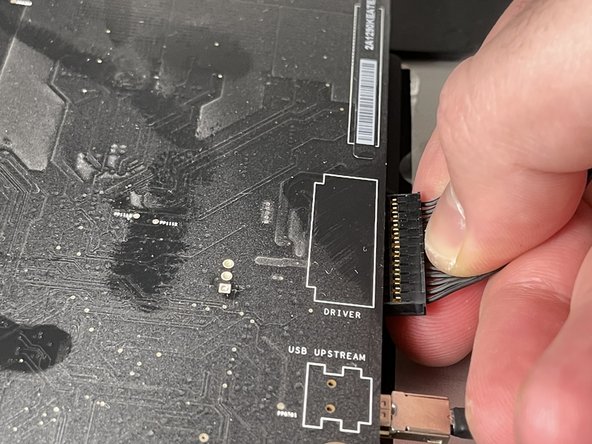
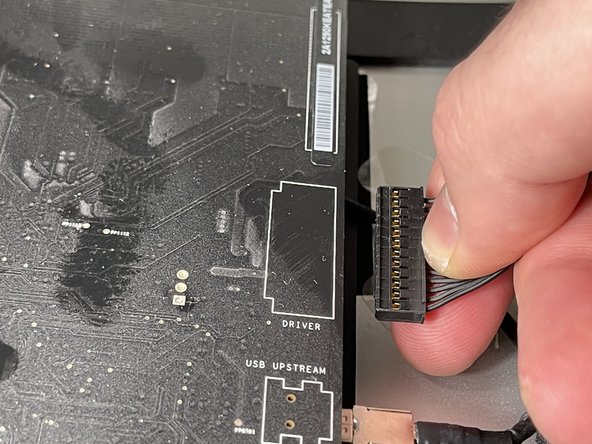
      • Pinch the LED backlight driver cable on the underside of the center right edge of the logic board and pull straight out.

      • Avoid putting force on the logic board to bend as deformation of a logic board can cause issues.

      crwdns2952109:0crwdne2952109:0

      crwdns2917038:0crwdne2917038:0

    11. Apple LED Cinema Display 27" LED Panel Replacement: crwdns2935265:011crwdnd2935265:01crwdnd2935265:03crwdne2935265:0 Apple LED Cinema Display 27" LED Panel Replacement: crwdns2935265:011crwdnd2935265:02crwdnd2935265:03crwdne2935265:0 Apple LED Cinema Display 27" LED Panel Replacement: crwdns2935265:011crwdnd2935265:03crwdnd2935265:03crwdne2935265:0
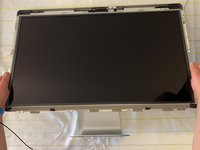
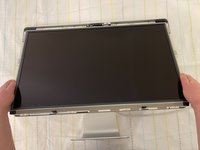
      • Handle the LCD panel by the edges and lift it upwards until it separates from the rest of the enclosure.

      • This guide can be followed in reserve in order to perform an installation and reassembly of the LED panel to the rest of the enclosure.

      crwdns2952109:0crwdne2952109:0

      crwdns2917038:0crwdne2917038:0

crwdns2915888:0crwdne2915888:0

In order to put everything back to its original place, we will need the new LCD panel and to follow the above steps in reverse.

crwdns2935221:0crwdne2935221:0

crwdns2935229:08crwdne2935229:0

crwdns2955734:0crwdne2955734:0

Iason Kotakis

crwdns2935283:001/10/21crwdne2935283:0

393 crwdns2915208:0crwdne2915208:0

crwdns2935295:0crwdne2935295:0

crwdns2935287:0crwdne2935287:0

York University, Team S1-G15, O'Regan Winter 2021 crwdns2935289:0York University, Team S1-G15, O'Regan Winter 2021crwdne2935289:0

YORK-O'REGAN-W21S1G15

crwdns2934841:01crwdne2934841:0

crwdns2935297:012crwdne2935297:0

crwdns2947412:00crwdne2947412:0

crwdns2917038:0crwdne2917038:0

crwdns2936625:0crwdne2936625:0:

crwdns2936751:024crwdne2936751:0 10

crwdns2936753:07crwdne2936753:0 74

crwdns2936753:030crwdne2936753:0 342

crwdns2959996:0crwdne2959996:0 18,245