
Anker 2.4G Wireless Mouse LED Replacement

crwdns2959932:0crwdnd2959932:0Colincrwdnd2959932:0crwdnd2959932:0crwdnd2959932:04crwdnd2959932:0crwdne2959932:0
crwdns2959936:0Yan 21, 2020crwdne2959936:0
crwdns2869540:0crwdne2869540:0: 3.8K
crwdns2959988:0crwdne2959988:0
- crwdns2959990:0crwdne2959990:0
- 3
- crwdns2959992:0crwdne2959992:0
- 20
- crwdns2959994:0crwdne2959994:0
- 96
- crwdns2959996:0crwdne2959996:0
- 3,823
crwdns2955950:0crwdne2955950:0: 0
crwdns2959998:0crwdne2959998:0
crwdns2960000:0crwdne2960000:0crwdns2959984:0crwdne2959984:0: 0 1
crwdns2959956:0crwdne2959956:0
crwdns2959968:01crwdne2959968:0
crwdns2959986:0crwdne2959986:0: 0 1
crwdns2959958:0crwdne2959958:0
crwdns2959976:01crwdne2959976:0
crwdns2915892:0crwdne2915892:0
crwdns2959928:0crwdne2959928:0 ↓This guide shows how to replace the LED on the Anker 2.4G Wireless Mouse. The mouse will stop working if the LED inside stops working. Instead of throwing out a mostly functioning product, simply replace the LED and get the mouse working again.
crwdns2959930:0crwdne2959930:0
crwdns2943213:0crwdne2943213:0
crwdns2943215:0crwdne2943215:0


-
-
-
Use a spudger to gently pry off the stickers to reveal the location of the four screws.
 crwdns2952109:0crwdne2952109:0
-
-
-
Remove the four screws to continue.
-
-
-
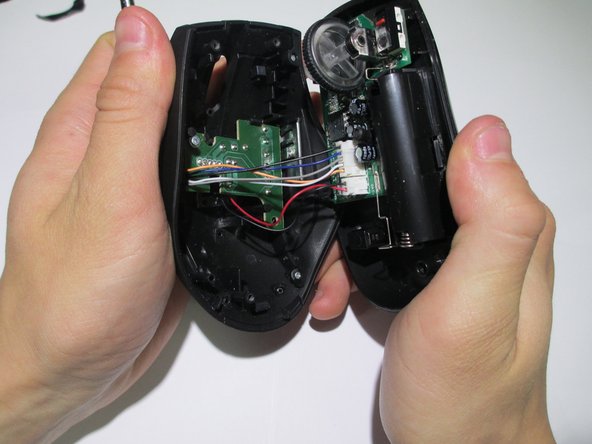
Pry the center of the mouse apart using a spudger to separate the upper and lower housing of the boards.
-
-
-
Remove the wires from the white crimp headers. This will separate the upper and lower housing units of the mouse.
-
-
-
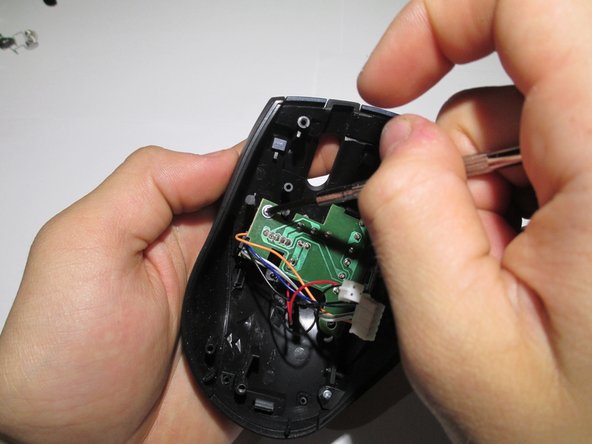
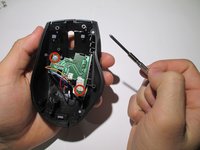
Take the upper housing of the mouse and remove the two screws that hold the board in place.
-
-
-
-
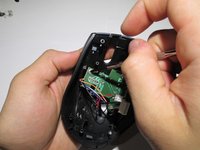
Gently remove the circuit board from the mouse.
-
-
-
To remove the LED, flip the board over and desolder the wires.
-
-






To reassemble your device, follow these instructions in reverse order.

crwdns2935287:0crwdne2935287:0

Cal Poly, Team 1-39, Maness Winter 2014 crwdns2935289:0Cal Poly, Team 1-39, Maness Winter 2014crwdne2935289:0
CPSU-MANESS-W14S1G39
crwdns2931471:04crwdne2931471:0
crwdns2935297:096crwdne2935297:0
