crwdns2933423:0crwdne2933423:0
crwdns2947577:0crwdnd2947577:0crwdne2947577:0

Android tablet Nobis NB09 Speaker Replacement

crwdns2942213:0crwdne2942213:0

  1. Android tablet Nobis NB09 Speaker Replacement, Back Cover: crwdns2935265:01crwdnd2935265:01crwdnd2935265:01crwdne2935265:0
    • Remove the two 00 Phillips screws located in the right hand side of the tablet.

    crwdns2952109:0crwdne2952109:0
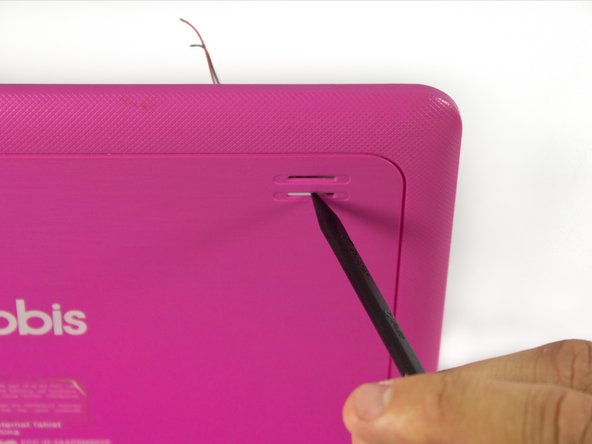
  2. Android tablet Nobis NB09 Speaker Replacement: crwdns2935265:02crwdnd2935265:01crwdnd2935265:03crwdne2935265:0 Android tablet Nobis NB09 Speaker Replacement: crwdns2935265:02crwdnd2935265:02crwdnd2935265:03crwdne2935265:0 Android tablet Nobis NB09 Speaker Replacement: crwdns2935265:02crwdnd2935265:03crwdnd2935265:03crwdne2935265:0
    • Use plastic opening tools to loosen and pry off the back plate (pink piece).

    • When removing the cover, be careful not to pull too hard as there are wires connected to the motherboard attached to the back cover.

    crwdns2952109:0crwdne2952109:0
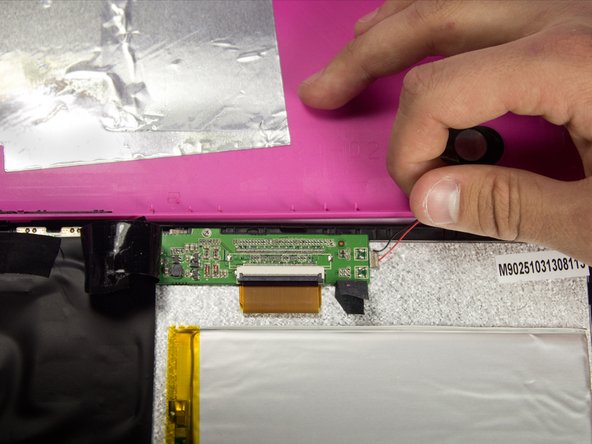
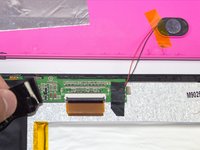
  3. Android tablet Nobis NB09 Speaker Replacement, Speaker: crwdns2935265:03crwdnd2935265:01crwdnd2935265:02crwdne2935265:0 Android tablet Nobis NB09 Speaker Replacement, Speaker: crwdns2935265:03crwdnd2935265:02crwdnd2935265:02crwdne2935265:0
    • It is recommended that a grounding bracelet be used in order to avoid damage to the device's circuits through ESD (Electro-Static Discharge).

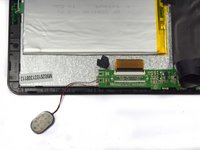
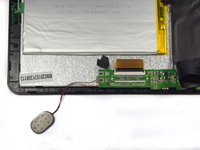
    • The speaker is located on the top left hand side of the tablet.

    • Remove the electrical tape covering the connections to expose the wires.

    crwdns2952109:0crwdne2952109:0
  4. Android tablet Nobis NB09 Speaker Replacement: crwdns2935265:04crwdnd2935265:01crwdnd2935265:01crwdne2935265:0
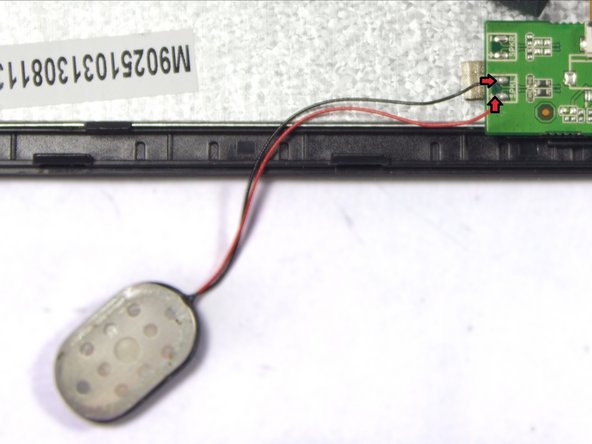
    • Disconnect the faulty speaker by desoldering the two wire connections.

    • Make sure to not damage the motherboard.

    crwdns2952109:0crwdne2952109:0
  5. Android tablet Nobis NB09 Speaker Replacement: crwdns2935265:05crwdnd2935265:01crwdnd2935265:01crwdne2935265:0
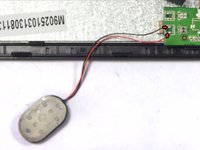
    • Remove the tape holding the speaker in its socket.

    crwdns2952109:0crwdne2952109:0
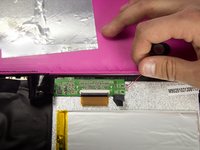
  6. Android tablet Nobis NB09 Speaker Replacement: crwdns2935265:06crwdnd2935265:01crwdnd2935265:02crwdne2935265:0 Android tablet Nobis NB09 Speaker Replacement: crwdns2935265:06crwdnd2935265:02crwdnd2935265:02crwdne2935265:0
    • Remove the speaker from its socket. Placing the speaker to the side of your device will give you more freedom.

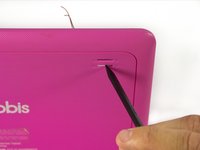
    • Gently pushing the speaker from the back side of the cover with a pointy edge of spudger tool will make this step easier.

    crwdns2952109:0crwdne2952109:0
  7. Android tablet Nobis NB09 Speaker Replacement: crwdns2935265:07crwdnd2935265:01crwdnd2935265:02crwdne2935265:0 Android tablet Nobis NB09 Speaker Replacement: crwdns2935265:07crwdnd2935265:02crwdnd2935265:02crwdne2935265:0
    • Use a soldering iron to extract excess solder using a desoldering braid.

    • Solder the speakers wires back to the motherboard.

    • Review the iFixit soldering guide for help with soldering.

    • Connect red wire to the positive terminal marked "+", and the black wire to the negative terminal marked "-".

    crwdns2952109:0crwdne2952109:0
crwdns2915888:0crwdne2915888:0

To reassemble your device, follow these instructions in reverse order. Do not forget to put electrical tape back in place.

crwdns2935229:02crwdne2935229:0

Sergey Kasyanov

crwdns2935283:003/26/15crwdne2935283:0

237 crwdns2915208:0crwdne2915208:0

crwdns2935297:02crwdne2935297:0

crwdns2935287:0crwdne2935287:0

UMass Dartmouth, Team 7-1, Cichon Spring 2015 crwdns2935289:0UMass Dartmouth, Team 7-1, Cichon Spring 2015crwdne2935289:0

UMASSD-CICHON-S15S7G1

crwdns2931471:04crwdne2931471:0

crwdns2935297:012crwdne2935297:0

crwdns2947412:00crwdne2947412:0

crwdns2917038:0crwdne2917038:0

crwdns2936625:0crwdne2936625:0:

crwdns2936751:024crwdne2936751:0 2

crwdns2936753:07crwdne2936753:0 11

crwdns2936753:030crwdne2936753:0 37

crwdns2942667:0crwdne2942667:0 742