crwdns2915892:0crwdne2915892:0
Before you begin, make sure the device is off. You will need to use the screen replacement guide as a prerequisite.
crwdns2942213:0crwdne2942213:0
-
-
-
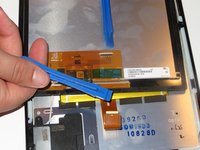
Use a plastic opening tool to pry the screen up in the right hand corner.
 crwdns2952109:0crwdne2952109:0
-
-
-
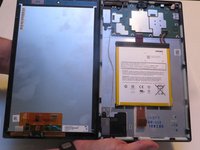
Lift the screen and digitizer from the case.
-
-
-
Disconnect the ribbon connector from the digitizer side using your hands or the plastic opening tool.
-
-
-
-
Remove the screen and digitizer from the case completely.
-
-
-
-
-
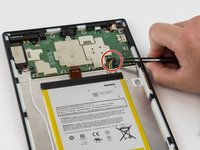
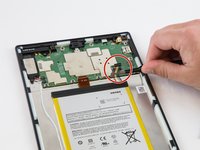
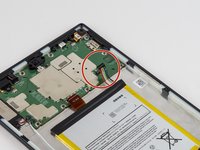
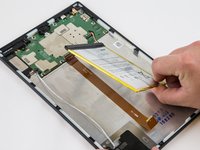
Locate the power cable that links the battery to the motherboard.
-
Carefully unplug the battery power cable to disconnect the battery from the motherboard.
-
-
-
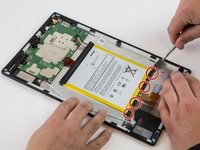
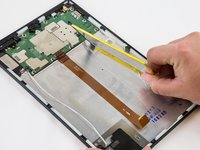
Begin by locating the double sided pull tape locations.
-
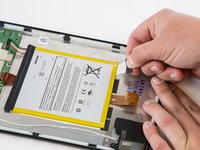
Pull the black soft tabs to release the tape's adhesion.
-
Do this to all 4 tabs until the battery is completely free of adhesion to the device's backing.
-
-
-
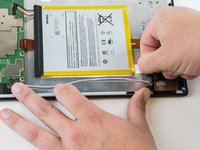
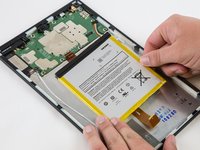
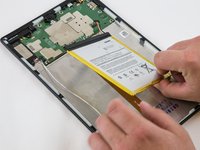
After the battery is totally free of any adhesion, simply lift the battery from the case.
-
-
-
Inspect battery for any leakage.
-
-










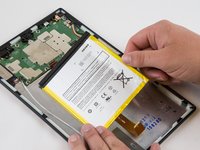
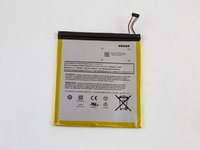
To reassemble your device, follow these instructions in reverse order.
crwdns2935221:0crwdne2935221:0
crwdns2935229:011crwdne2935229:0

crwdns2935287:0crwdne2935287:0

USF Tampa, Team 16-6, Blackwell Winter 2016 crwdns2935289:0USF Tampa, Team 16-6, Blackwell Winter 2016crwdne2935289:0
USFT-BLACKWELL-W16S16G6
crwdns2931471:03crwdne2931471:0
crwdns2935297:0120crwdne2935297:0
crwdns2947412:09crwdne2947412:0
why is there so much empty space next to the battery?
echow2001 - crwdns2934203:0crwdne2934203:0 crwdns2950251:0crwdne2950251:0
Big screen, little processor. The screen dictates the space, that’s why the battery has to be secured with adhesive.
ctgblue - crwdns2934203:0crwdne2934203:0 crwdns2950251:0crwdne2950251:0
I’m confused. If it’s a battery replacement issue, why is the battery not listed on the parts list? Is that not necessary once you take the old one out? Where do I get a new battery to replace the one this is teaching me to remove? O.o
tyger.night - crwdns2934203:0crwdne2934203:0 crwdns2950251:0crwdne2950251:0
You’ll have to google one. Amazon does not offer one. They want to sell you a new Kindle instead.
I am buying one with the plastic tools (ebay), even if they suck, they should get through this process once.
ctgblue - crwdns2934203:0crwdne2934203:0 crwdns2950251:0crwdne2950251:0
How do you know if ita battery or charging port? Mine dont do anything whe. Its
Tech Reviews - crwdns2934203:0crwdne2934203:0 crwdns2950251:0crwdne2950251:0
