crwdns2933423:0crwdne2933423:0
crwdns2947577:0crwdnd2947577:0crwdne2947577:0

Amazon Fire 5th Generation Speaker Replacement

crwdns2942213:0crwdne2942213:0

    1. Amazon Fire 5th Generation Speaker Replacement, Speaker: crwdns2935265:01crwdnd2935265:01crwdnd2935265:02crwdne2935265:0 Amazon Fire 5th Generation Speaker Replacement, Speaker: crwdns2935265:01crwdnd2935265:02crwdnd2935265:02crwdne2935265:0
      • Ensure that your device is turned off.

      • Remove any micro-SD card that may be installed in the Fire. Failure to do so could damage the micro-SD card itself or the micro-SD card reader on the Fire.

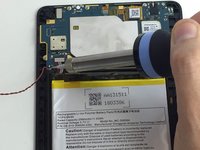
      • While holding the device firmly, wedge the iFixit Opening Tool into the crease along the outer edge of the device (as shown in the image).

      • Slowly, grind the iFixit Opening Tool into the crease along the outer edges of the device until the entire back cover loosens.

      • Then, remove the back cover from the device.

      crwdns2952109:0crwdne2952109:0

      crwdns2917038:0crwdne2917038:0

    2. Amazon Fire 5th Generation Speaker Replacement: crwdns2935265:02crwdnd2935265:01crwdnd2935265:02crwdne2935265:0 Amazon Fire 5th Generation Speaker Replacement: crwdns2935265:02crwdnd2935265:02crwdnd2935265:02crwdne2935265:0
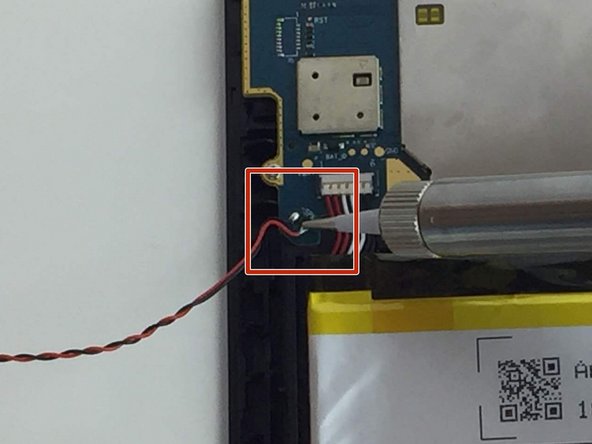
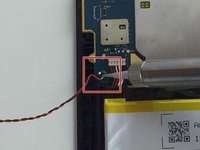
      • Pry the speaker from the case using the iFixit Opening Tool.

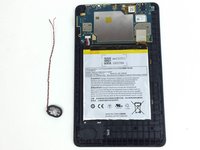
      • Lift the speaker up from the device to remove the speaker wires from their groove in the case.

      • Be careful not to pull the speaker wires from the motherboard.

      crwdns2952109:0crwdne2952109:0

      crwdns2917038:0crwdne2917038:0

    3. Amazon Fire 5th Generation Speaker Replacement: crwdns2935265:03crwdnd2935265:01crwdnd2935265:03crwdne2935265:0 Amazon Fire 5th Generation Speaker Replacement: crwdns2935265:03crwdnd2935265:02crwdnd2935265:03crwdne2935265:0 Amazon Fire 5th Generation Speaker Replacement: crwdns2935265:03crwdnd2935265:03crwdnd2935265:03crwdne2935265:0
      crwdns2952109:0crwdne2952109:0

      crwdns2917038:0crwdne2917038:0

crwdns2915888:0crwdne2915888:0

To reassemble your device, follow these instructions in reverse order.

crwdns2935221:0crwdne2935221:0

crwdns2935227:0crwdne2935227:0

Amber Bunch

crwdns2935283:002/10/16crwdne2935283:0

1.405 crwdns2915208:0crwdne2915208:0

crwdns2935297:03crwdne2935297:0

crwdns2935287:0crwdne2935287:0

USF Tampa, Team 1-2, Nance Spring 2016 crwdns2935289:0USF Tampa, Team 1-2, Nance Spring 2016crwdne2935289:0

USFT-NANCE-S16S1G2

crwdns2931471:03crwdne2931471:0

crwdns2935297:060crwdne2935297:0

crwdns2947412:00crwdne2947412:0

crwdns2917038:0crwdne2917038:0

crwdns2936625:0crwdne2936625:0:

crwdns2936751:024crwdne2936751:0 4

crwdns2936753:07crwdne2936753:0 21

crwdns2936753:030crwdne2936753:0 50

crwdns2942667:0crwdne2942667:0 1,830