crwdns2933423:0crwdne2933423:0
crwdns2947577:0crwdnd2947577:0crwdne2947577:0

Amazon Echo Show 5-Megapixel Camera Replacement

crwdns2942213:0crwdne2942213:0

    1. Amazon Echo Show 5-Megapixel Camera  Replacement, Camera: crwdns2935265:01crwdnd2935265:01crwdnd2935265:02crwdne2935265:0 Amazon Echo Show 5-Megapixel Camera  Replacement, Camera: crwdns2935265:01crwdnd2935265:02crwdnd2935265:02crwdne2935265:0
      • Use the plastic opening tool to gently lift the plastic protector from the screen.

      crwdns2952109:0crwdne2952109:0

      crwdns2917038:0crwdne2917038:0

    2. Amazon Echo Show 5-Megapixel Camera  Replacement: crwdns2935265:02crwdnd2935265:01crwdnd2935265:02crwdne2935265:0 Amazon Echo Show 5-Megapixel Camera  Replacement: crwdns2935265:02crwdnd2935265:02crwdnd2935265:02crwdne2935265:0
      • After the protector has been removed, use your hands to gently remove the taped-in rubber foot from device.

      crwdns2952109:0crwdne2952109:0

      crwdns2917038:0crwdne2917038:0

    3. Amazon Echo Show 5-Megapixel Camera  Replacement: crwdns2935265:03crwdnd2935265:01crwdnd2935265:01crwdne2935265:0
      • Carefully peel off the bottom pad to expose the fastening screws.

      • Remove three silver 1.4 T5 Torx screws on the top row.

      • Remove one green 1mm T5 Torx screw in the middle.

      • Remove a black 1.5mm T5 screw.

      • Remove three green 1mm T5 screws from the bottom row.

      crwdns2952109:0crwdne2952109:0

      crwdns2917038:0crwdne2917038:0

    4. Amazon Echo Show 5-Megapixel Camera  Replacement: crwdns2935265:04crwdnd2935265:01crwdnd2935265:03crwdne2935265:0 Amazon Echo Show 5-Megapixel Camera  Replacement: crwdns2935265:04crwdnd2935265:02crwdnd2935265:03crwdne2935265:0 Amazon Echo Show 5-Megapixel Camera  Replacement: crwdns2935265:04crwdnd2935265:03crwdnd2935265:03crwdne2935265:0
      crwdns2935267:0crwdne2935267:0
      Tweezers
      $4.99
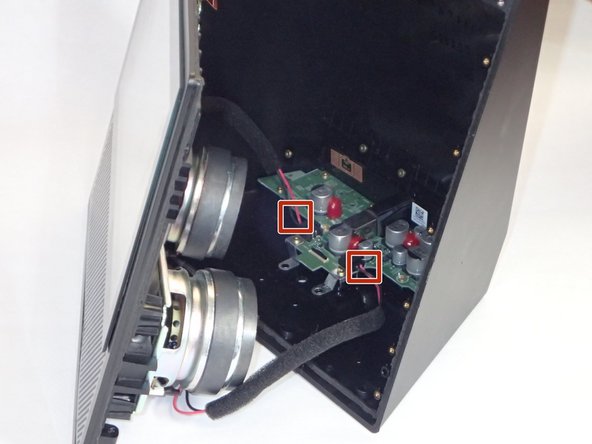
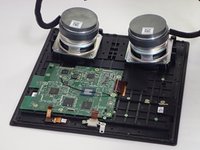
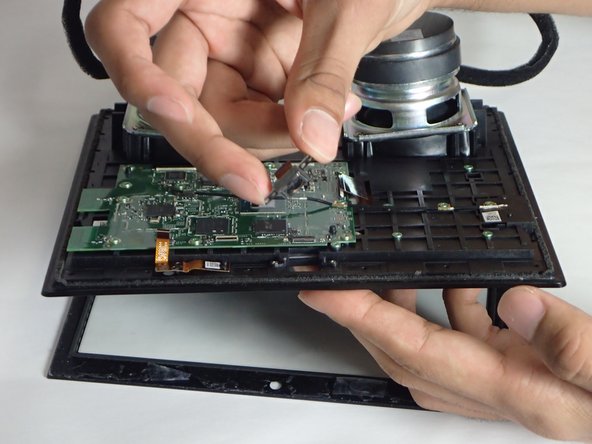
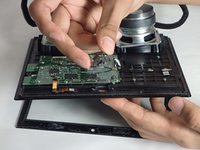
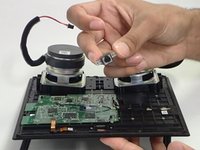
      • After the screws are removed, grip the front panel and separate the front from the back. This will expose the inside of the device.

      • Make sure to ground yourself against a metal object nearby (ex. a metal chair, a door frame) before you touch any circuitry. An accidental static discharge can permanently damage a circuitboard.

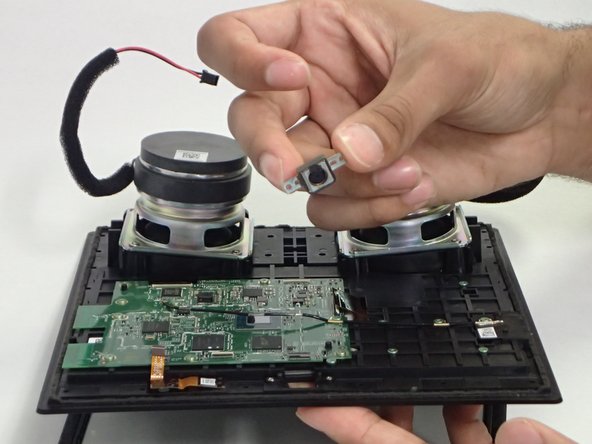
      • Use tweezers or your hands to carefully disconnect the red wires connecting the speakers to the power supply board.

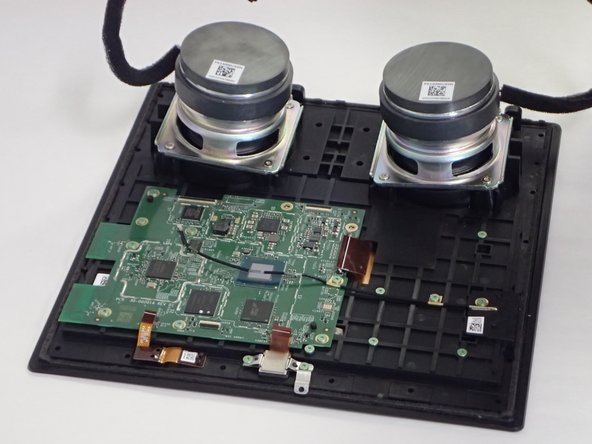
      • Lay the front section flat, with the screen down.

      crwdns2952109:0crwdne2952109:0

      crwdns2917038:0crwdne2917038:0

    5. Amazon Echo Show 5-Megapixel Camera  Replacement: crwdns2935265:05crwdnd2935265:01crwdnd2935265:03crwdne2935265:0 Amazon Echo Show 5-Megapixel Camera  Replacement: crwdns2935265:05crwdnd2935265:02crwdnd2935265:03crwdne2935265:0 Amazon Echo Show 5-Megapixel Camera  Replacement: crwdns2935265:05crwdnd2935265:03crwdnd2935265:03crwdne2935265:0
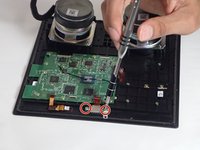
      • Remove two 1mm T5 Torx screws.

      • Once the screws have been removed, you can easily remove the camera from the device.

      crwdns2952109:0crwdne2952109:0

      crwdns2917038:0crwdne2917038:0

crwdns2915888:0crwdne2915888:0

To reassemble your device, follow these instructions in reverse order.

crwdns2935221:0crwdne2935221:0

Christina Simone

crwdns2935283:010/24/18crwdne2935283:0

576 crwdns2915208:0crwdne2915208:0

crwdns2935297:04crwdne2935297:0

crwdns2935287:0crwdne2935287:0

University of South Florida St. Petersburg, Team S1-G3, Stowe Fall 2018 crwdns2935289:0University of South Florida St. Petersburg, Team S1-G3, Stowe Fall 2018crwdne2935289:0

USFSP-STOWE-F18S1G3

crwdns2931471:04crwdne2931471:0

crwdns2935297:072crwdne2935297:0

crwdns2947410:01crwdne2947410:0

Can not reset amazon echo show model MW46WB tried everything any suggestions

Skippy Gessler - crwdns2934203:0crwdne2934203:0 crwdns2950251:0crwdne2950251:0

crwdns2917038:0crwdne2917038:0

crwdns2936625:0crwdne2936625:0:

crwdns2936751:024crwdne2936751:0 1

crwdns2936753:07crwdne2936753:0 13

crwdns2936753:030crwdne2936753:0 48

crwdns2942667:0crwdne2942667:0 2,627