
AlphaSmart Pro Keyboard Replacement

crwdns2959932:0crwdnd2959932:0Ulysses Ramirezcrwdnd2959932:0crwdnd2959932:0crwdnd2959932:02crwdnd2959932:0crwdne2959932:0
crwdns2959936:0Sun 9, 2015crwdne2959936:0
crwdns2869540:0crwdne2869540:0: 1.5K
crwdns2959988:0crwdne2959988:0
- crwdns2959990:0crwdne2959990:0
- 5
- crwdns2959992:0crwdne2959992:0
- 16
- crwdns2959994:0crwdne2959994:0
- 88
- crwdns2959996:0crwdne2959996:0
- 1,498
crwdns2955950:0crwdne2955950:0: 0
crwdns2959998:0crwdne2959998:0
crwdns2960000:0crwdne2960000:0crwdns2959984:0crwdne2959984:0: 1 2
crwdns2959972:01crwdne2959972:0
crwdns2959970:02crwdne2959970:0
crwdns2959986:0crwdne2959986:0: 0 1
crwdns2959958:0crwdne2959958:0
crwdns2959976:01crwdne2959976:0
crwdns2915892:0crwdne2915892:0
crwdns2959928:0crwdne2959928:0 ↓Defective keyboard? This guide will allow you to replace your entire keyboard in a snap!
crwdns2959930:0crwdne2959930:0
crwdns2943215:0crwdne2943215:0
-
Spudger4.9


-
-
-
Remove all eight 1 cm Phillips head screws from the back panel of the AlphaSmart Pro with the Phillips #00 Screwdriver.
-
Carefully separate the front panel from the back panel.
 crwdns2952109:0crwdne2952109:0
-
-
-
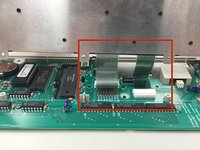
To remove the ribbon cable, use the spudger to lift each side of the connector from the socket.
-
Gently pull up on the connector to completely remove the connector from the socket.
-
Remove front panel from the motherboard.
-
-
-
-
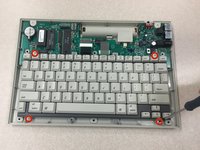
Use the Phillips #00 Screwdriver to remove the four 1 cm screws from each corner of the keyboard.
-
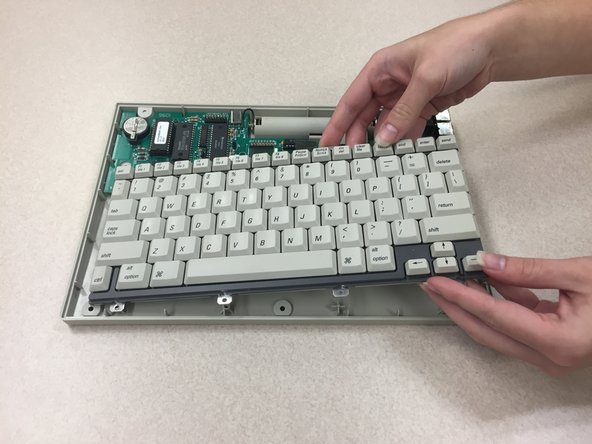
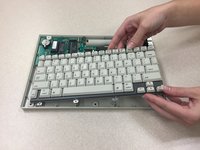
Gently lift the keyboard from the rear panel.
-
-
-
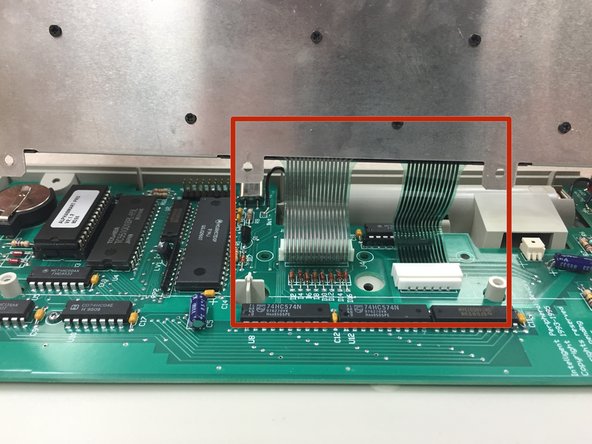
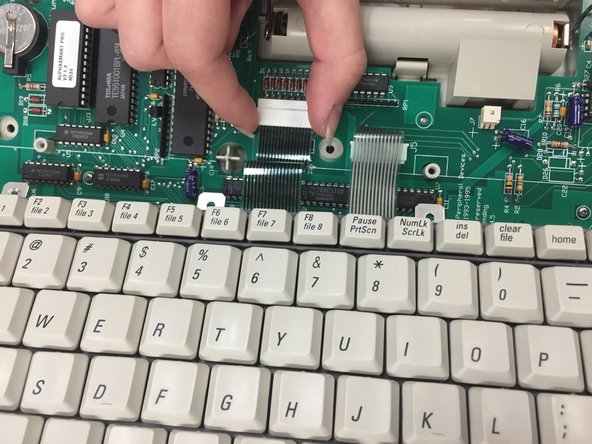
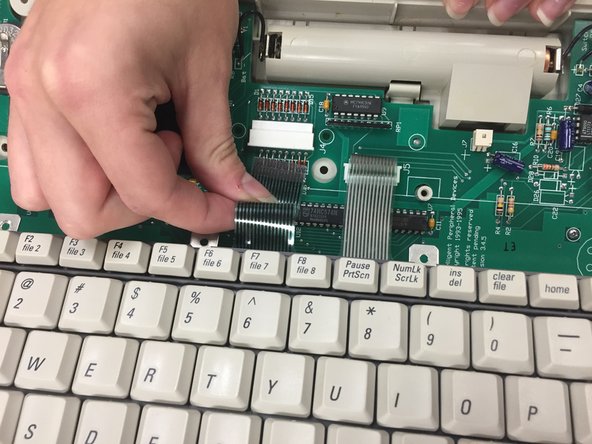
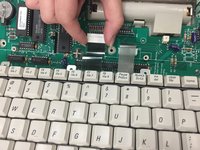
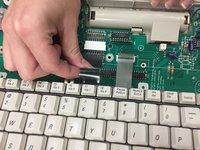
To remove the ribbon cable, gently pull the connector in the direction of the ribbon cable.
-
Pull the ribbon cable to remove it from the connector.
-
Repeat the exact steps above for the other ribbon cable.
-
-
-
Remove keyboard from motherboard.
-
-




To reassemble your device, follow these instructions in reverse order.
crwdns2935221:0crwdne2935221:0
crwdns2935227:0crwdne2935227:0

crwdns2935287:0crwdne2935287:0

Clemson, Team 1-1, Benson Fall 2014 crwdns2935289:0Clemson, Team 1-1, Benson Fall 2014crwdne2935289:0
CLEM-BENSON-F14S1G1
crwdns2931471:04crwdne2931471:0
crwdns2935297:096crwdne2935297:0
