crwdns2933423:0crwdne2933423:0
crwdns2947577:0crwdnd2947577:0crwdne2947577:0

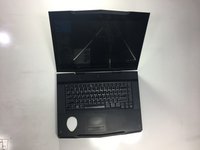
Alienware M15x GPU Replacement

crwdns2942213:0crwdne2942213:0

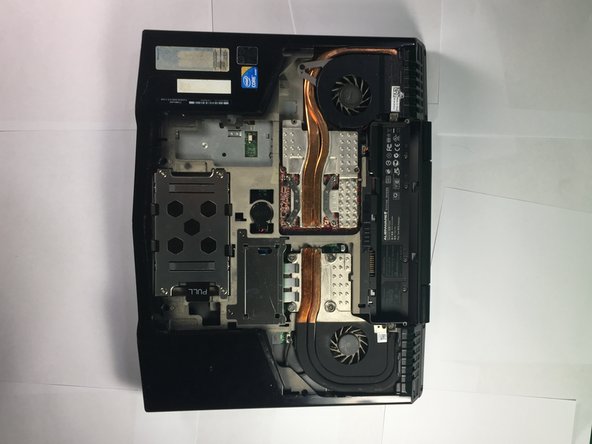
    1. Alienware M15x GPU Replacement, GPU: crwdns2935265:01crwdnd2935265:01crwdnd2935265:01crwdne2935265:0
      • Turn the laptop over so that the bottom is facing upward.

      crwdns2952109:0crwdne2952109:0

      crwdns2917038:0crwdne2917038:0

    2. Alienware M15x GPU Replacement: crwdns2935265:02crwdnd2935265:01crwdnd2935265:01crwdne2935265:0
      • Release the battery latch and flip the battery out.

      crwdns2952109:0crwdne2952109:0

      crwdns2917038:0crwdne2917038:0

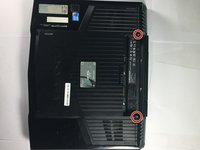
    3. Alienware M15x GPU Replacement: crwdns2935265:03crwdnd2935265:01crwdnd2935265:02crwdne2935265:0 Alienware M15x GPU Replacement: crwdns2935265:03crwdnd2935265:02crwdnd2935265:02crwdne2935265:0
      • Remove the two 4mm screws using a Phillips #1 screwdriver.

      • Remove the compartment door by sliding it away from the battery.

      crwdns2952109:0crwdne2952109:0

      crwdns2917038:0crwdne2917038:0

    4. Alienware M15x GPU Replacement: crwdns2935265:04crwdnd2935265:01crwdnd2935265:01crwdne2935265:0
      • Remove the four 4mm screws with the Phillips #1 screwdriver.

      crwdns2952109:0crwdne2952109:0

      crwdns2917038:0crwdne2917038:0

    5. Alienware M15x GPU Replacement: crwdns2935265:05crwdnd2935265:01crwdnd2935265:01crwdne2935265:0
      • Position the laptop vertically so that the hinge is facing up and the laptop is slightly open toward the ground

      • The laptop position should resemble an upside-down V shape.

      • Locate the panel and pry open using a plastic opening tool.

      crwdns2952109:0crwdne2952109:0

      crwdns2917038:0crwdne2917038:0

    6. Alienware M15x GPU Replacement: crwdns2935265:06crwdnd2935265:01crwdnd2935265:03crwdne2935265:0 Alienware M15x GPU Replacement: crwdns2935265:06crwdnd2935265:02crwdnd2935265:03crwdne2935265:0 Alienware M15x GPU Replacement: crwdns2935265:06crwdnd2935265:03crwdnd2935265:03crwdne2935265:0
      crwdns2935267:0crwdne2935267:0
      Tweezers
      $4.99
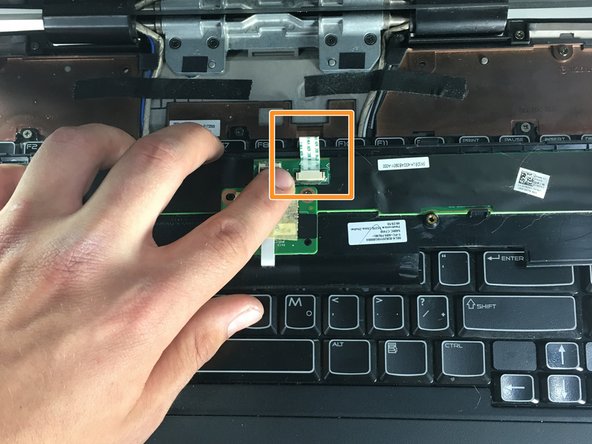
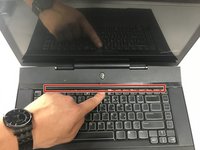
      • Position the laptop normally, with the bottom on the ground and the screen flipped up towards you.

      • Lift the power button panel using the plastic opening tool.

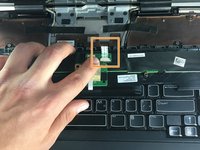
      • Disconnect the ribbon cable by using tweezers to unclip the two small black clips. Remove power button panel.

      crwdns2952109:0crwdne2952109:0

      crwdns2917038:0crwdne2917038:0

    7. Alienware M15x GPU Replacement: crwdns2935265:07crwdnd2935265:01crwdnd2935265:01crwdne2935265:0
      • Remove the two 4mm screws with a Phillips #1 screwdriver.

      crwdns2952109:0crwdne2952109:0

      crwdns2917038:0crwdne2917038:0

    8. Alienware M15x GPU Replacement: crwdns2935265:08crwdnd2935265:01crwdnd2935265:02crwdne2935265:0 Alienware M15x GPU Replacement: crwdns2935265:08crwdnd2935265:02crwdnd2935265:02crwdne2935265:0
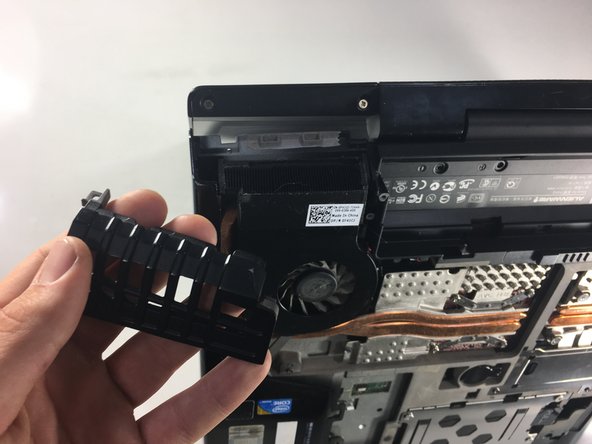
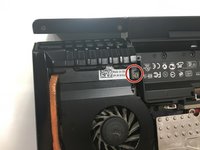
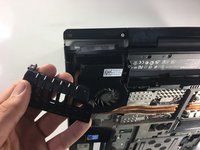
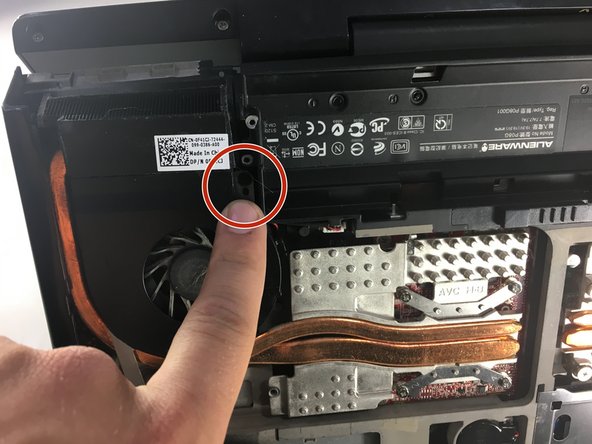
      • Use a Phillips #1 screwdriver to remove the 4mm screw from the exhaust port cover.

      • Remove the exhaust port cover entirely.

      crwdns2952109:0crwdne2952109:0

      crwdns2917038:0crwdne2917038:0

    9. Alienware M15x GPU Replacement: crwdns2935265:09crwdnd2935265:01crwdnd2935265:03crwdne2935265:0 Alienware M15x GPU Replacement: crwdns2935265:09crwdnd2935265:02crwdnd2935265:03crwdne2935265:0 Alienware M15x GPU Replacement: crwdns2935265:09crwdnd2935265:03crwdnd2935265:03crwdne2935265:0
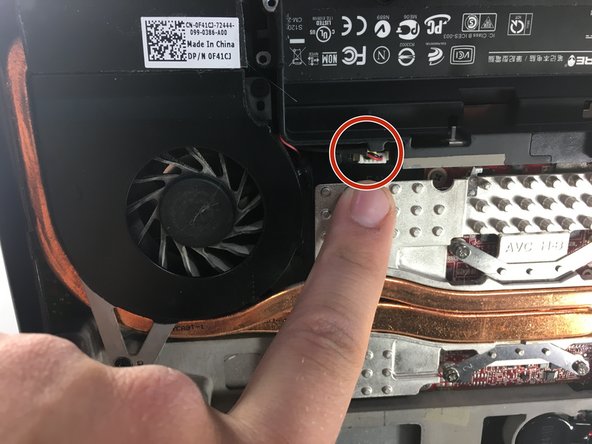
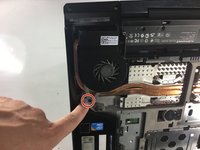
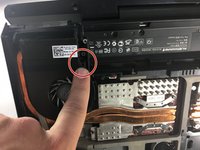
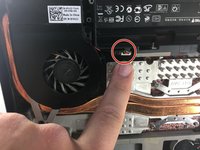
      • Use a Phillips #0 screwdriver to remove the two 3mm screws holding the fan in place, then unclip the electrical connection using tweezers.

      crwdns2952109:0crwdne2952109:0

      crwdns2917038:0crwdne2917038:0

    10. Alienware M15x GPU Replacement: crwdns2935265:010crwdnd2935265:01crwdnd2935265:01crwdne2935265:0
      • Remove the heat sink by loosening the 4 screws with a Phillips #0 screwdriver.

      crwdns2952109:0crwdne2952109:0

      crwdns2917038:0crwdne2917038:0

    11. Alienware M15x GPU Replacement: crwdns2935265:011crwdnd2935265:01crwdnd2935265:01crwdne2935265:0
      • Use a Phillips #0 screwdriver to remove the two screws.

      • Remove the GPU from the laptop.

      • When replacing the GPU, it is important to reapply thermal paste in a small line along the length of the chip.

      crwdns2952109:0crwdne2952109:0

      crwdns2917038:0crwdne2917038:0

crwdns2915888:0crwdne2915888:0

To reassemble your device, follow these instructions in reverse order.

crwdns2935221:0crwdne2935221:0

Tomas Kronmark

crwdns2935283:001/22/18crwdne2935283:0

193 crwdns2915208:0crwdne2915208:0

crwdns2935295:0crwdne2935295:0

crwdns2935287:0crwdne2935287:0

Cal Poly, Team S11-G3, Banghart Winter 2018 crwdns2935289:0Cal Poly, Team S11-G3, Banghart Winter 2018crwdne2935289:0

CPSU-BANGHART-W18S11G3

crwdns2931471:05crwdne2931471:0

crwdns2935297:060crwdne2935297:0

crwdns2947412:00crwdne2947412:0

crwdns2917038:0crwdne2917038:0

crwdns2936625:0crwdne2936625:0:

crwdns2936751:024crwdne2936751:0 1

crwdns2936753:07crwdne2936753:0 9

crwdns2936753:030crwdne2936753:0 49

crwdns2942667:0crwdne2942667:0 2,369