crwdns2933423:0crwdne2933423:0
crwdns2947577:0crwdnd2947577:0crwdne2947577:0

ASUS X552LAV-BBI5N08 Fan Replacement

crwdns2942213:0crwdne2942213:0

    1. ASUS X552LAV-BBI5N08 Fan Replacement, Battery: crwdns2935265:01crwdnd2935265:01crwdnd2935265:01crwdne2935265:0
      • Battery is not showed in pictures.

      • Flip the laptop face down.

      crwdns2952109:0crwdne2952109:0

      crwdns2917038:0crwdne2917038:0

    2. ASUS X552LAV-BBI5N08 Fan Replacement: crwdns2935265:02crwdnd2935265:01crwdnd2935265:03crwdne2935265:0 ASUS X552LAV-BBI5N08 Fan Replacement: crwdns2935265:02crwdnd2935265:02crwdnd2935265:03crwdne2935265:0 ASUS X552LAV-BBI5N08 Fan Replacement: crwdns2935265:02crwdnd2935265:03crwdnd2935265:03crwdne2935265:0
      • Slide the right button to the left.

      • Hold the left button to the right.

      • While you hold the left button in position, slide the battery out by pushing it away from you.

      crwdns2952109:0crwdne2952109:0

      crwdns2917038:0crwdne2917038:0

    1. ASUS X552LAV-BBI5N08 Fan Replacement, Fan: crwdns2935265:03crwdnd2935265:01crwdnd2935265:01crwdne2935265:0
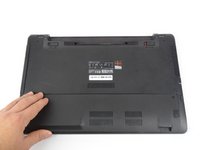
      • Locate the bottom panel. It is at the opposite end of the battery.

      • Remove the two 12mm screws at the bottom panel with a Tri-wing Y1 screwdriver.

      crwdns2952109:0crwdne2952109:0

      crwdns2917038:0crwdne2917038:0

    2. ASUS X552LAV-BBI5N08 Fan Replacement: crwdns2935265:04crwdnd2935265:01crwdnd2935265:03crwdne2935265:0 ASUS X552LAV-BBI5N08 Fan Replacement: crwdns2935265:04crwdnd2935265:02crwdnd2935265:03crwdne2935265:0 ASUS X552LAV-BBI5N08 Fan Replacement: crwdns2935265:04crwdnd2935265:03crwdnd2935265:03crwdne2935265:0
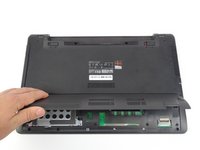
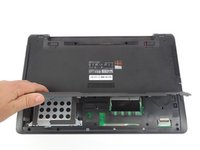
      • Remove bottom panel by lifting it up.

      crwdns2952109:0crwdne2952109:0

      crwdns2917038:0crwdne2917038:0

    3. ASUS X552LAV-BBI5N08 Fan Replacement: crwdns2935265:05crwdnd2935265:01crwdnd2935265:03crwdne2935265:0 ASUS X552LAV-BBI5N08 Fan Replacement: crwdns2935265:05crwdnd2935265:02crwdnd2935265:03crwdne2935265:0 ASUS X552LAV-BBI5N08 Fan Replacement: crwdns2935265:05crwdnd2935265:03crwdnd2935265:03crwdne2935265:0
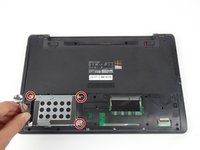
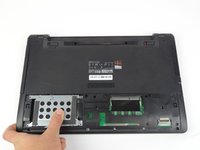
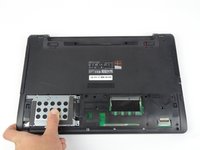
      • Remove the four 5.5mm screws located on the hard drive case using a Tri-wing Y1 screwdriver.

      • Slide the hard drive out to the left.

      crwdns2952109:0crwdne2952109:0

      crwdns2917038:0crwdne2917038:0

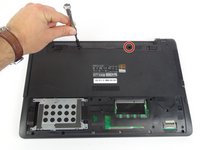
    4. ASUS X552LAV-BBI5N08 Fan Replacement: crwdns2935265:06crwdnd2935265:01crwdnd2935265:03crwdne2935265:0 ASUS X552LAV-BBI5N08 Fan Replacement: crwdns2935265:06crwdnd2935265:02crwdnd2935265:03crwdne2935265:0 ASUS X552LAV-BBI5N08 Fan Replacement: crwdns2935265:06crwdnd2935265:03crwdnd2935265:03crwdne2935265:0
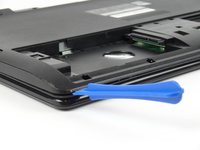
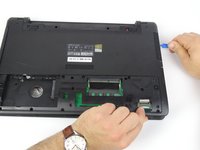
      • Use opening tool to split keyboard from base of the laptop.

      • Make sure to start from one end and go around the edges.

      • Use Tri-wing Y1 screwdriver to remove two 12mm screws from battery area.

      crwdns2952109:0crwdne2952109:0

      crwdns2917038:0crwdne2917038:0

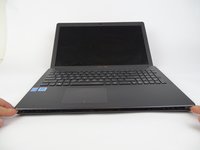
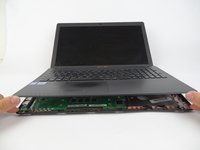
    5. ASUS X552LAV-BBI5N08 Fan Replacement: crwdns2935265:07crwdnd2935265:01crwdnd2935265:03crwdne2935265:0 ASUS X552LAV-BBI5N08 Fan Replacement: crwdns2935265:07crwdnd2935265:02crwdnd2935265:03crwdne2935265:0 ASUS X552LAV-BBI5N08 Fan Replacement: crwdns2935265:07crwdnd2935265:03crwdnd2935265:03crwdne2935265:0
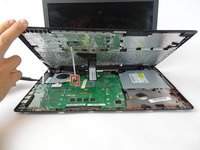
      • Flip laptop to sit on its bottom.

      • Lift keyboard up by the front edge

      crwdns2952109:0crwdne2952109:0

      crwdns2917038:0crwdne2917038:0

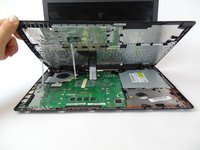
    6. ASUS X552LAV-BBI5N08 Fan Replacement: crwdns2935265:08crwdnd2935265:01crwdnd2935265:03crwdne2935265:0 ASUS X552LAV-BBI5N08 Fan Replacement: crwdns2935265:08crwdnd2935265:02crwdnd2935265:03crwdne2935265:0 ASUS X552LAV-BBI5N08 Fan Replacement: crwdns2935265:08crwdnd2935265:03crwdnd2935265:03crwdne2935265:0
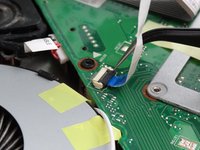
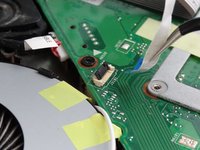
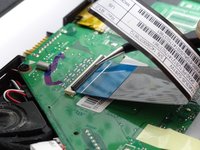
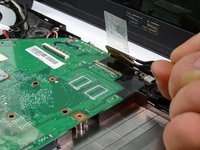
      • Flip up the small locking flap for the two ZIF connectors.

      • Unplug connectors that are keeping keyboard connected

      crwdns2952109:0crwdne2952109:0

      crwdns2917038:0crwdne2917038:0

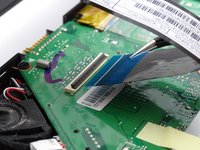
    7. ASUS X552LAV-BBI5N08 Fan Replacement: crwdns2935265:09crwdnd2935265:01crwdnd2935265:03crwdne2935265:0 ASUS X552LAV-BBI5N08 Fan Replacement: crwdns2935265:09crwdnd2935265:02crwdnd2935265:03crwdne2935265:0 ASUS X552LAV-BBI5N08 Fan Replacement: crwdns2935265:09crwdnd2935265:03crwdnd2935265:03crwdne2935265:0
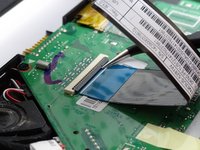
      • Flip up the locking flap for the ZIF connector.

      • Unplug the connector that is keeping the keyboard connected.

      crwdns2952109:0crwdne2952109:0

      crwdns2917038:0crwdne2917038:0

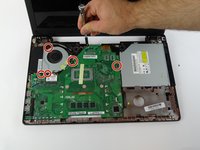
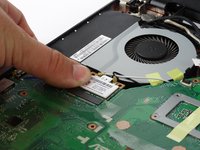
    8. ASUS X552LAV-BBI5N08 Fan Replacement: crwdns2935265:010crwdnd2935265:01crwdnd2935265:03crwdne2935265:0 ASUS X552LAV-BBI5N08 Fan Replacement: crwdns2935265:010crwdnd2935265:02crwdnd2935265:03crwdne2935265:0 ASUS X552LAV-BBI5N08 Fan Replacement: crwdns2935265:010crwdnd2935265:03crwdnd2935265:03crwdne2935265:0
      • Remove keyboard from laptop.

      • Remove the five 4mm screws (with a Tri-wing Y1 screwdriver) that are both connecting the fan and motherboard.

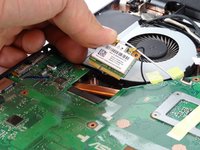
      • Pull out WiFi from below the cooling fan by lifting the edge nearest to the fan and sliding it towards the fan.

      crwdns2952109:0crwdne2952109:0

      crwdns2917038:0crwdne2917038:0

    9. ASUS X552LAV-BBI5N08 Fan Replacement: crwdns2935265:011crwdnd2935265:01crwdnd2935265:03crwdne2935265:0 ASUS X552LAV-BBI5N08 Fan Replacement: crwdns2935265:011crwdnd2935265:02crwdnd2935265:03crwdne2935265:0 ASUS X552LAV-BBI5N08 Fan Replacement: crwdns2935265:011crwdnd2935265:03crwdnd2935265:03crwdne2935265:0
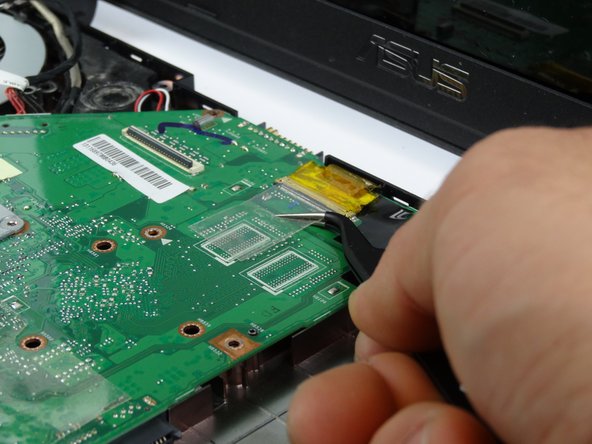
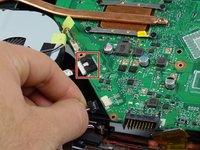
      • Lift yellow ZIF connector from the top of the motherboard to remove the connector.

      • Lift up motherboard from bottom edge towards the screen.

      crwdns2952109:0crwdne2952109:0

      crwdns2917038:0crwdne2917038:0

    10. ASUS X552LAV-BBI5N08 Fan Replacement: crwdns2935265:012crwdnd2935265:01crwdnd2935265:02crwdne2935265:0 ASUS X552LAV-BBI5N08 Fan Replacement: crwdns2935265:012crwdnd2935265:02crwdnd2935265:02crwdne2935265:0
      • Unplug the two bundled cable connector from pin sockets below the fan.

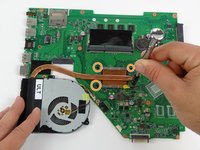
      • Remove the motherboard and place on a flat surface.

      • Remove four 4mm screws with a Tri-wing Y1 screwdriver from the CPU.

      crwdns2952109:0crwdne2952109:0

      crwdns2917038:0crwdne2917038:0

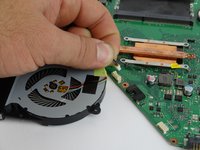
    11. ASUS X552LAV-BBI5N08 Fan Replacement: crwdns2935265:013crwdnd2935265:01crwdnd2935265:02crwdne2935265:0 ASUS X552LAV-BBI5N08 Fan Replacement: crwdns2935265:013crwdnd2935265:02crwdnd2935265:02crwdne2935265:0
      • Disconnect bundled cable connector from the motherboard

      • Remove fan part from the motherboard.

      crwdns2952109:0crwdne2952109:0

      crwdns2917038:0crwdne2917038:0

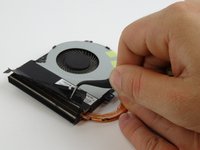
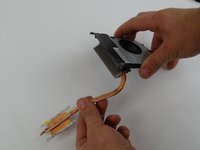
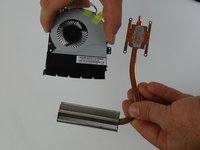
    12. ASUS X552LAV-BBI5N08 Fan Replacement: crwdns2935265:014crwdnd2935265:01crwdnd2935265:03crwdne2935265:0 ASUS X552LAV-BBI5N08 Fan Replacement: crwdns2935265:014crwdnd2935265:02crwdnd2935265:03crwdne2935265:0 ASUS X552LAV-BBI5N08 Fan Replacement: crwdns2935265:014crwdnd2935265:03crwdnd2935265:03crwdne2935265:0
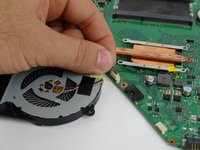
      • Remove the black tape from the top of the fan radiator.

      • Remove radiator by tilting it down and pulling it out from the fan.

      crwdns2952109:0crwdne2952109:0

      crwdns2917038:0crwdne2917038:0

crwdns2915888:0crwdne2915888:0

To reassemble your device, follow these instructions in reverse order.

crwdns2935221:0crwdne2935221:0

Jason Vo

crwdns2935283:002/15/18crwdne2935283:0

891 crwdns2915208:0crwdne2915208:0

crwdns2935297:05crwdne2935297:0

crwdns2935287:0crwdne2935287:0

USF Tampa, Team S17-G1, Boczar Spring 2018 crwdns2935289:0USF Tampa, Team S17-G1, Boczar Spring 2018crwdne2935289:0

USFT-BOCZAR-S18S17G1

crwdns2931471:04crwdne2931471:0

crwdns2935297:060crwdne2935297:0

crwdns2947412:00crwdne2947412:0

crwdns2917038:0crwdne2917038:0

crwdns2936625:0crwdne2936625:0:

crwdns2936751:024crwdne2936751:0 1

crwdns2936753:07crwdne2936753:0 9

crwdns2936753:030crwdne2936753:0 31

crwdns2942667:0crwdne2942667:0 900