crwdns2933423:0crwdne2933423:0
crwdns2947577:0crwdnd2947577:0crwdne2947577:0

ASUS VivoBook Flip TP501U RAM Replacement

crwdns2942213:0crwdne2942213:0

    1. ASUS VivoBook Flip TP501U RAM Replacement, Keyboard Panel: crwdns2935265:01crwdnd2935265:01crwdnd2935265:02crwdne2935265:0 ASUS VivoBook Flip TP501U RAM Replacement, Keyboard Panel: crwdns2935265:01crwdnd2935265:02crwdnd2935265:02crwdne2935265:0
      • Open the laptop until it is flat and lay it screen down.

      • Remove eight 9.6mm Phillips #00 screws from the bottom of the laptop.

      • Remove two 4.8mm Phillips from the corners of the device.

      crwdns2952109:0crwdne2952109:0

      crwdns2917038:0crwdne2917038:0

    2. ASUS VivoBook Flip TP501U RAM Replacement: crwdns2935265:02crwdnd2935265:01crwdnd2935265:01crwdne2935265:0
      • Turn the device face up.

      • Use the plastic Opening Pick to separate the keyboard panel from the chassis that was just unscrewed.

      • Pull the panel away from the chassis CAREFULLY, as there are ribbon cables attached between the keyboard and internal electronics.

      crwdns2952109:0crwdne2952109:0

      crwdns2917038:0crwdne2917038:0

    3. ASUS VivoBook Flip TP501U RAM Replacement: crwdns2935265:03crwdnd2935265:01crwdnd2935265:01crwdne2935265:0
      • With the keyboard panel pulled up, detach the two ribbon cables from the motherboard using the blue tabs on the cables.

      • Remove the keyboard panel completely.

      crwdns2952109:0crwdne2952109:0

      crwdns2917038:0crwdne2917038:0

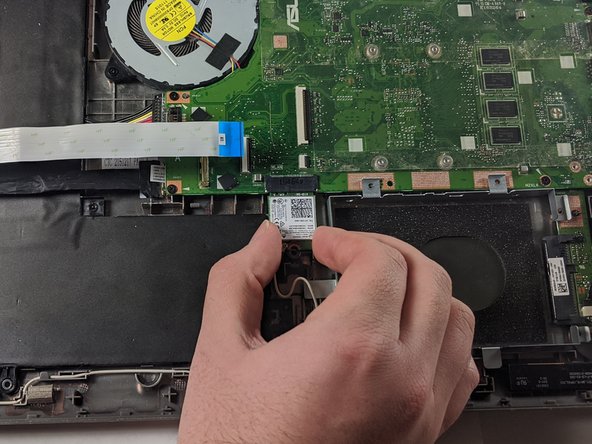
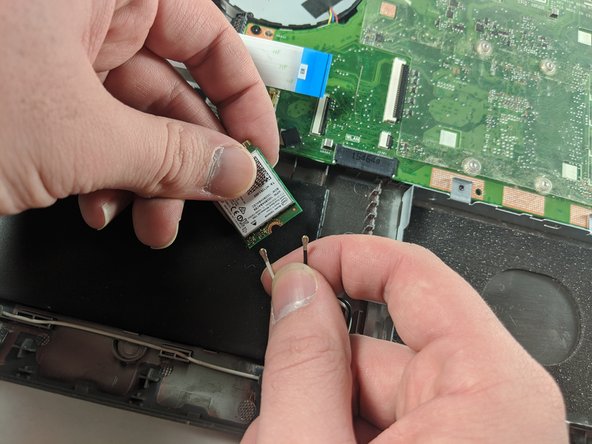
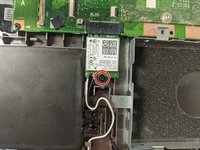
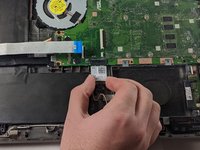
    1. ASUS VivoBook Flip TP501U RAM Replacement, WiFi Card: crwdns2935265:04crwdnd2935265:01crwdnd2935265:03crwdne2935265:0 ASUS VivoBook Flip TP501U RAM Replacement, WiFi Card: crwdns2935265:04crwdnd2935265:02crwdnd2935265:03crwdne2935265:0 ASUS VivoBook Flip TP501U RAM Replacement, WiFi Card: crwdns2935265:04crwdnd2935265:03crwdnd2935265:03crwdne2935265:0
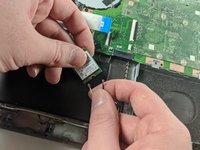
      • Locate and remove the single 3.17 mm screw holding in the WiFi card suing a Phillips #00 driver.

      • Disconnect the card from the motherboard by pulling down on the card.

      • Unplug the two black and white wires from the bottom of the card. They should pop off.

      crwdns2952109:0crwdne2952109:0

      crwdns2917038:0crwdne2917038:0

    1. ASUS VivoBook Flip TP501U RAM Replacement, RAM: crwdns2935265:05crwdnd2935265:01crwdnd2935265:02crwdne2935265:0 ASUS VivoBook Flip TP501U RAM Replacement, RAM: crwdns2935265:05crwdnd2935265:02crwdnd2935265:02crwdne2935265:0
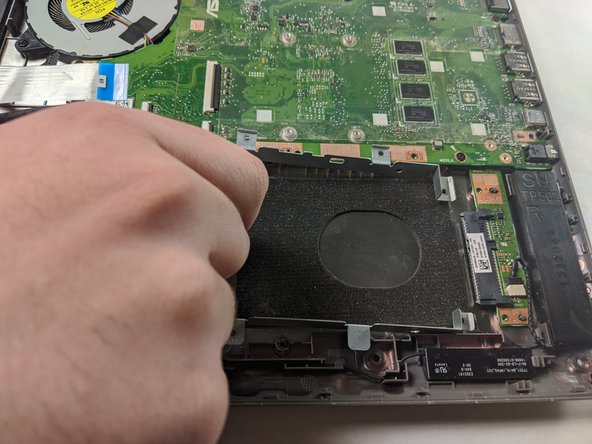
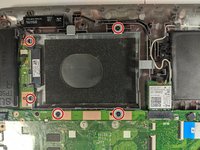
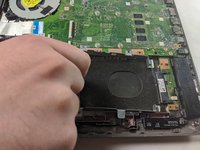
      • Unscrew the five 4.8mm Phillips #00 screws holding in the hard drive mounting bracket.

      • Slide the mounting bracket towards the battery to disconnect the hard drive from the motherboard.

      crwdns2952109:0crwdne2952109:0

      crwdns2917038:0crwdne2917038:0

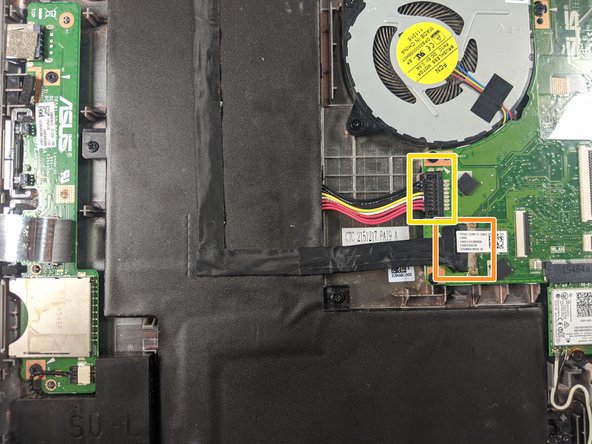
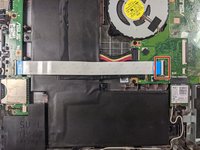
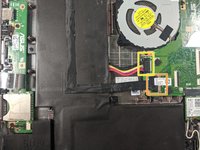
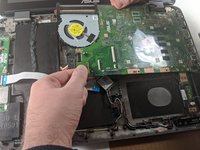
    2. ASUS VivoBook Flip TP501U RAM Replacement: crwdns2935265:06crwdnd2935265:01crwdnd2935265:03crwdne2935265:0 ASUS VivoBook Flip TP501U RAM Replacement: crwdns2935265:06crwdnd2935265:02crwdnd2935265:03crwdne2935265:0 ASUS VivoBook Flip TP501U RAM Replacement: crwdns2935265:06crwdnd2935265:03crwdnd2935265:03crwdne2935265:0
      • Detach the white ribbon cable.

      • Detach the black ribbon cable.

      • Disconnect the battery from the motherboard.

      • Disconnect the motherboard power cable.

      crwdns2952109:0crwdne2952109:0

      crwdns2917038:0crwdne2917038:0

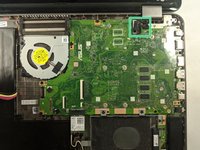
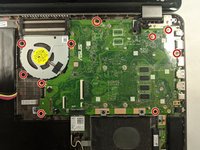
    3. ASUS VivoBook Flip TP501U RAM Replacement: crwdns2935265:07crwdnd2935265:01crwdnd2935265:02crwdne2935265:0 ASUS VivoBook Flip TP501U RAM Replacement: crwdns2935265:07crwdnd2935265:02crwdnd2935265:02crwdne2935265:0
      • Remove the ten 4.8mm Phillips #00 screws.

      • There will be one more wire still attaching the motherboard to the chassis. Do not disconnect it, but just remove the motherboard from the case.

      crwdns2952109:0crwdne2952109:0

      crwdns2917038:0crwdne2917038:0

    4. ASUS VivoBook Flip TP501U RAM Replacement: crwdns2935265:08crwdnd2935265:01crwdnd2935265:01crwdne2935265:0
      • Flip over the motherboard to see the underside.

      • Depress the clips keeping the RAM in place and remove the current RAM stick.

      crwdns2952109:0crwdne2952109:0

      crwdns2917038:0crwdne2917038:0

crwdns2915888:0crwdne2915888:0

To reassemble your device, follow these instructions in reverse order.

crwdns2935221:0crwdne2935221:0

crwdns2935227:0crwdne2935227:0

Evan Grilley

crwdns2935283:001/14/20crwdne2935283:0

239 crwdns2915208:0crwdne2915208:0

crwdns2935297:02crwdne2935297:0

crwdns2935287:0crwdne2935287:0

Embry-Riddle Aeronautical University, Team S1-G1, Cromer Twal Spring 2020 crwdns2935289:0Embry-Riddle Aeronautical University, Team S1-G1, Cromer Twal Spring 2020crwdne2935289:0

ERAU-CROMER TWAL-S20S1G1

crwdns2931471:04crwdne2931471:0

crwdns2935297:072crwdne2935297:0

crwdns2947410:01crwdne2947410:0

does this laptop support ddr4 ram? i have looked everywhere and it doesnt give me a clear answer.

Julius Inta (juliuswhat) - crwdns2934203:0crwdne2934203:0 crwdns2950251:0crwdne2950251:0

crwdns2917038:0crwdne2917038:0

crwdns2936625:0crwdne2936625:0:

crwdns2936751:024crwdne2936751:0 6

crwdns2936753:07crwdne2936753:0 20

crwdns2936753:030crwdne2936753:0 49

crwdns2942667:0crwdne2942667:0 2,217