
APS Tech 101629 External Casing Replacement

crwdns2959932:0crwdnd2959932:0Patrick Meyercrwdnd2959932:0crwdnd2959932:0crwdnd2959932:07crwdnd2959932:0crwdne2959932:0
crwdns2959936:0Kul 18, 2021crwdne2959936:0
crwdns2869540:0crwdne2869540:0: 1384
crwdns2959988:0crwdne2959988:0
- crwdns2959990:0crwdne2959990:0
- 2
- crwdns2959992:0crwdne2959992:0
- 25
- crwdns2959994:0crwdne2959994:0
- 88
- crwdns2959996:0crwdne2959996:0
- 1,384
crwdns2955950:0crwdne2955950:0: 0
crwdns2959998:0crwdne2959998:0
crwdns2960000:0crwdne2960000:0crwdns2959984:0crwdne2959984:0: 1 2
crwdns2959972:01crwdne2959972:0
crwdns2959970:02crwdne2959970:0
crwdns2959986:0crwdne2959986:0: 1 2
crwdns2959980:01crwdne2959980:0
crwdns2959978:02crwdne2959978:0
crwdns2915892:0crwdne2915892:0
crwdns2959928:0crwdne2959928:0 ↓This is one of the easier disassembly guides for this device. The case is easily removed, but will void any still existing warranty on the device. Removing the case is necessary to get at any internal component.
crwdns2959930:0crwdne2959930:0
crwdns2943215:0crwdne2943215:0


-
-
-
Pry all four of the plastic feet off the bottom of the enclosure using the iPod opening tool.
 crwdns2952109:0crwdne2952109:0
-
-
-
Unscrew the four screws previously covered by the feet with a Phillips #1 screwdriver.
-
-
-
-
Flip the device right side up.
-
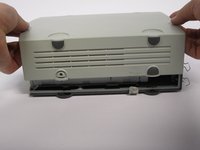
Gently slide the casing upwards and off the hard drive.
-
-
-
Flip device upside down again.
-
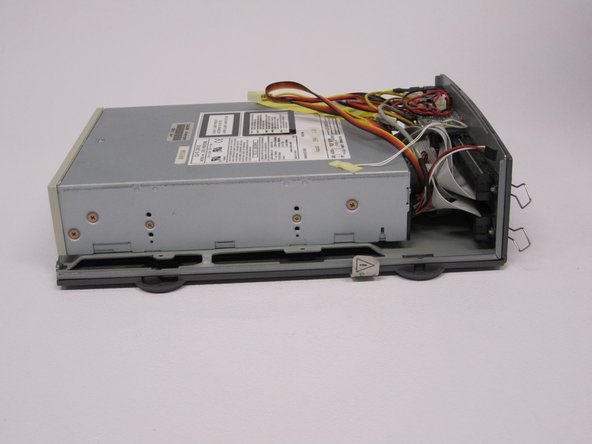
Gently pry the bottom gray casing away from the device.
-
-
-
Rotate so the back of the device is facing you.
-
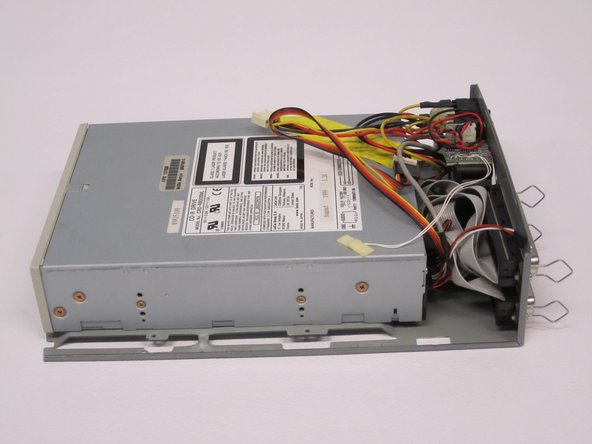
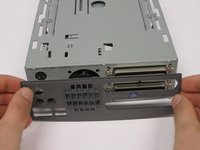
Gently pry the back casing away.
-
When the back casing is removed, the fan will become loose.
-
-




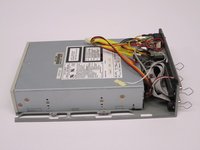
To reassemble your device, follow these instructions in reverse order.
crwdns2935221:0crwdne2935221:0
crwdns2935227:0crwdne2935227:0

crwdns2935287:0crwdne2935287:0

Cal Poly, Team 24-60, Amido Spring 2011 crwdns2935289:0Cal Poly, Team 24-60, Amido Spring 2011crwdne2935289:0
CPSU-AMIDO-S11S24G60
crwdns2931471:05crwdne2931471:0
crwdns2935297:072crwdne2935297:0
