crwdns2933423:0crwdne2933423:0
crwdns2947577:0crwdnd2947577:0crwdne2947577:0

4Sight 9 Digitizer Replacement

crwdns2869540:0crwdne2869540:0: 1,9 B

crwdns2959988:0crwdne2959988:0

crwdns2959990:0crwdne2959990:0
2
crwdns2959992:0crwdne2959992:0
22
crwdns2959994:0crwdne2959994:0
101
crwdns2959996:0crwdne2959996:0
1.851
crwdns2955950:0crwdne2955950:0: 1

crwdns2960002:01crwdne2960002:0.

crwdns2959984:0crwdne2959984:0: 4

crwdns2959974:04crwdne2959974:0

crwdns2959986:0crwdne2959986:0: 0

crwdns2959958:0crwdne2959958:0

crwdns2955944:0crwdne2955944:0: 15 - 20 crwdns2931279:0crwdne2931279:0
crwdns2955970:0crwdne2955970:0: crwdns2937803:0crwdne2937803:0
crwdns2869446:0crwdne2869446:0

crwdns2869447:0crwdne2869447:0

4Sight 9 Digitizer Replacement

crwdns2959930:0crwdne2959930:0

crwdns2943215:0crwdne2943215:0

crwdns2915892:0crwdne2915892:0

crwdns2959928:0crwdne2959928:0 ↓

Anticipate this process to take 15 to 20 minutes. Be sure to have a cleared out area. You will need several different tools including a plastic prying tool, 1mm screwdriver and heating pad. This process is fairly difficult.

    1. 4Sight 9 Digitizer Replacement, Cover: crwdns2935265:01crwdnd2935265:01crwdnd2935265:02crwdne2935265:0 4Sight 9 Digitizer Replacement, Cover: crwdns2935265:01crwdnd2935265:02crwdnd2935265:02crwdne2935265:0
      • Place the tablet on its side so that the two screws are facing upward.

      • Remove two 1 mm screws from the left side of the tablet using a Phillips #00 screwdriver.

      crwdns2952109:0crwdne2952109:0

      crwdns2917038:0crwdne2917038:0

    2. 4Sight 9 Digitizer Replacement: crwdns2935265:02crwdnd2935265:01crwdnd2935265:01crwdne2935265:0
      • Pry the case away from the device slowly by sliding a plastic opening tool along the device.

      • Once loosened, use your hands to separate the case from the device.

      crwdns2952109:0crwdne2952109:0

      crwdns2917038:0crwdne2917038:0

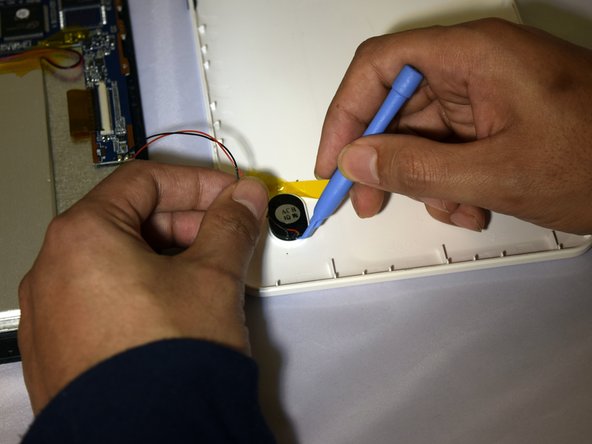
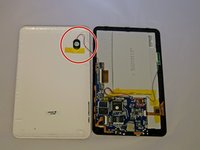
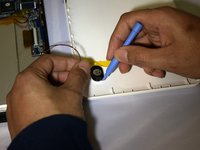
    3. 4Sight 9 Digitizer Replacement: crwdns2935265:03crwdnd2935265:01crwdnd2935265:02crwdne2935265:0 4Sight 9 Digitizer Replacement: crwdns2935265:03crwdnd2935265:02crwdnd2935265:02crwdne2935265:0
      • Hold the positive and negative wires as close as possible to the speaker.

      • Use an opening tool and fingers to simultaneously lift the speaker from the cover.

      crwdns2952109:0crwdne2952109:0

      crwdns2917038:0crwdne2917038:0

    1. 4Sight 9 Digitizer Replacement, Motherboard: crwdns2935265:04crwdnd2935265:01crwdnd2935265:01crwdne2935265:0
      • Use soldering gun to remove the positive and negative wires connecting the battery to the circuit board.

      • For a complete guide on how to solder, click here.

      crwdns2952109:0crwdne2952109:0

      crwdns2917038:0crwdne2917038:0

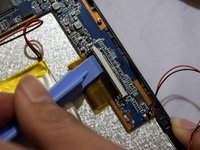
    2. 4Sight 9 Digitizer Replacement: crwdns2935265:05crwdnd2935265:01crwdnd2935265:02crwdne2935265:0 4Sight 9 Digitizer Replacement: crwdns2935265:05crwdnd2935265:02crwdnd2935265:02crwdne2935265:0
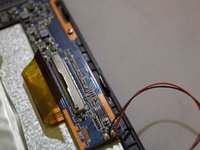
      • Grip the ribbon located at the far end of the circuit board with a plastic spudger tool.

      • Put pressure on the connector until the clasp comes undone.

      • Gently pull up on electrical ribbon until it disconnects from circuit board.

      crwdns2952109:0crwdne2952109:0

      crwdns2917038:0crwdne2917038:0

    3. 4Sight 9 Digitizer Replacement: crwdns2935265:06crwdnd2935265:01crwdnd2935265:02crwdne2935265:0 4Sight 9 Digitizer Replacement: crwdns2935265:06crwdnd2935265:02crwdnd2935265:02crwdne2935265:0
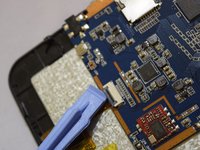
      • Remove the second electrical ribbon from the motherboard.

      • Use the technique for the previous ribbon.

      crwdns2952109:0crwdne2952109:0

      crwdns2917038:0crwdne2917038:0

    4. 4Sight 9 Digitizer Replacement: crwdns2935265:07crwdnd2935265:01crwdnd2935265:01crwdne2935265:0
      • Using #00 Phillips Screwdriver, remove the four 1mm screws holding the circuit board to the device.

      crwdns2952109:0crwdne2952109:0

      crwdns2917038:0crwdne2917038:0

    5. 4Sight 9 Digitizer Replacement: crwdns2935265:08crwdnd2935265:01crwdnd2935265:02crwdne2935265:0 4Sight 9 Digitizer Replacement: crwdns2935265:08crwdnd2935265:02crwdnd2935265:02crwdne2935265:0
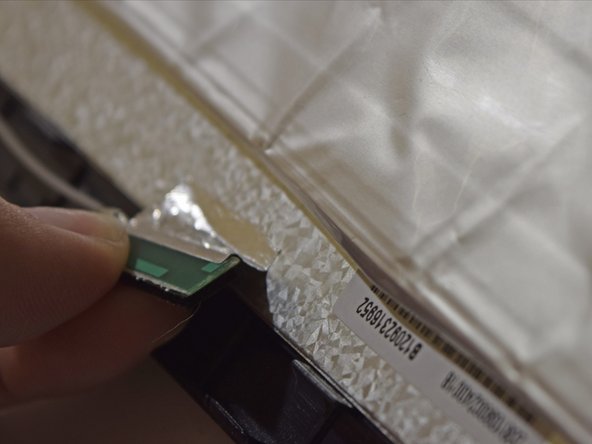
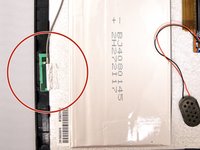
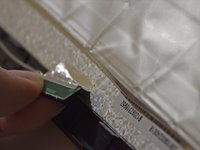
      • With fingers, grip the green Wi-Fi connector.

      • Gently pull up on connector to remove tape holding the connector in place.

      crwdns2952109:0crwdne2952109:0

      crwdns2917038:0crwdne2917038:0

    6. 4Sight 9 Digitizer Replacement: crwdns2935265:09crwdnd2935265:01crwdnd2935265:01crwdne2935265:0
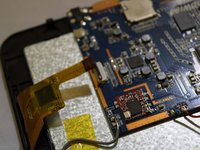
      • Using your fingers, gently lift the motherboard.

      crwdns2952109:0crwdne2952109:0

      crwdns2917038:0crwdne2917038:0

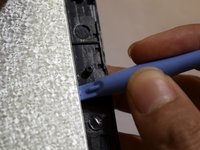
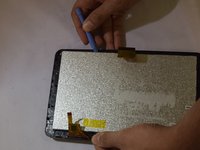
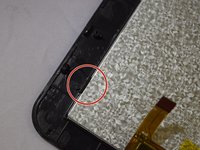
    1. 4Sight 9 Digitizer Replacement, Digitizer: crwdns2935265:010crwdnd2935265:01crwdnd2935265:03crwdne2935265:0 4Sight 9 Digitizer Replacement, Digitizer: crwdns2935265:010crwdnd2935265:02crwdnd2935265:03crwdne2935265:0 4Sight 9 Digitizer Replacement, Digitizer: crwdns2935265:010crwdnd2935265:03crwdnd2935265:03crwdne2935265:0
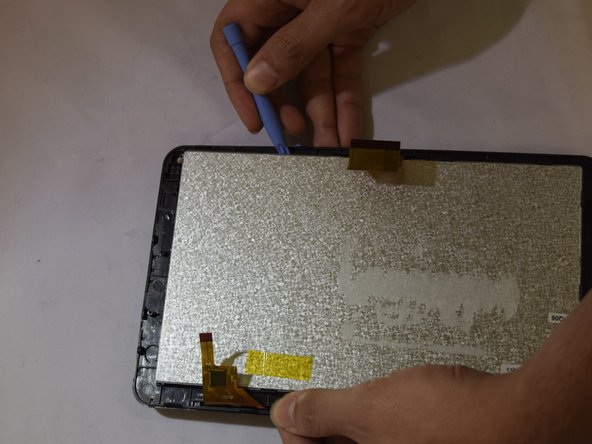
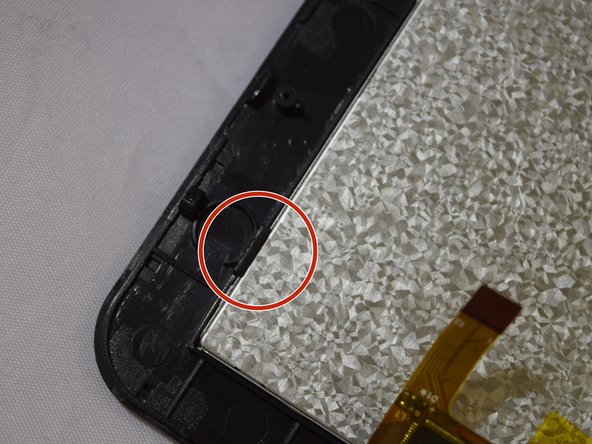
      • Insert plastic prying tool under screen and exert pressure, pulling upward.

      • Repeat this strep around each corner of screen until it pops off.

      crwdns2952109:0crwdne2952109:0

      crwdns2917038:0crwdne2917038:0

    2. 4Sight 9 Digitizer Replacement: crwdns2935265:011crwdnd2935265:01crwdnd2935265:01crwdne2935265:0
      • Place heating pad on glass frame in order to loosen adhesive for 3 to 5 minutes.

      crwdns2952109:0crwdne2952109:0

      crwdns2917038:0crwdne2917038:0

    3. 4Sight 9 Digitizer Replacement: crwdns2935265:012crwdnd2935265:01crwdnd2935265:01crwdne2935265:0
      • Use fingers to gently pull digitizer off of device.

      crwdns2952109:0crwdne2952109:0

      crwdns2917038:0crwdne2917038:0

crwdns2915888:0crwdne2915888:0

To reassemble your device, follow these instructions in reverse order.

crwdns2935221:0crwdne2935221:0

crwdns2935229:04crwdne2935229:0

crwdns2862417:0crwdne2862417:0

crwdns2935293:0crwdne2935293:0

Hali Ramirez

crwdns2935283:004/07/15crwdne2935283:0

657 crwdns2915208:0crwdne2915208:0

crwdns2935297:04crwdne2935297:0

crwdns2935287:0crwdne2935287:0

Eastern Washington University, Team 1-2, Plummer Spring 2015 crwdns2935289:0Eastern Washington University, Team 1-2, Plummer Spring 2015crwdne2935289:0

EWU-PLUMMER-S15S1G2

crwdns2931471:04crwdne2931471:0

crwdns2935297:072crwdne2935297:0

crwdns2947412:00crwdne2947412:0

crwdns2917038:0crwdne2917038:0

crwdns2936625:0crwdne2936625:0:

crwdns2936751:024crwdne2936751:0 2

crwdns2936753:07crwdne2936753:0 22

crwdns2936753:030crwdne2936753:0 101

crwdns2959996:0crwdne2959996:0 1,851