
4Sight 9 Battery Replacement

crwdns2959932:0crwdnd2959932:0Jack Applegatecrwdnd2959932:0crwdnd2959932:0crwdne2959932:0
crwdns2959936:0Kho 23, 2015crwdne2959936:0
crwdns2869540:0crwdne2869540:0: 2,5 k
crwdns2959988:0crwdne2959988:0
- crwdns2959990:0crwdne2959990:0
- 2
- crwdns2959992:0crwdne2959992:0
- 25
- crwdns2959994:0crwdne2959994:0
- 89
- crwdns2959996:0crwdne2959996:0
- 2 517
crwdns2955950:0crwdne2955950:0: 0
crwdns2959998:0crwdne2959998:0
crwdns2960000:0crwdne2960000:0crwdns2959984:0crwdne2959984:0: 7 8
crwdns2959974:07crwdne2959974:0
crwdns2959970:08crwdne2959970:0
crwdns2959986:0crwdne2959986:0: 0 1
crwdns2959958:0crwdne2959958:0
crwdns2959976:01crwdne2959976:0
crwdns2869446:0crwdne2869446:0
crwdns2869447:0crwdne2869447:0
crwdns2959930:0crwdne2959930:0
crwdns2943215:0crwdne2943215:0


crwdns2915892:0crwdne2915892:0
crwdns2959928:0crwdne2959928:0 ↓Use this guide to replace the battery on the 4Sight 9
-
-
-
Place the tablet on its side so that the two screws are facing upward.
-
Remove two 1 mm screws from the left side of the tablet using a Phillips #00 screwdriver.
 crwdns2952109:0crwdne2952109:0
-
-
-
Pry the case away from the device slowly by sliding a plastic opening tool along the device.
-
Once loosened, use your hands to separate the case from the device.
-
-
-
-
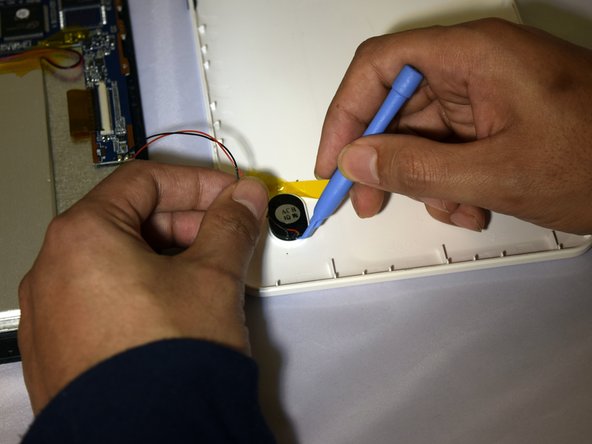
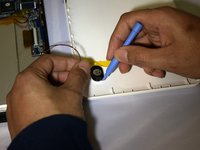
Hold the positive and negative wires as close as possible to the speaker.
-
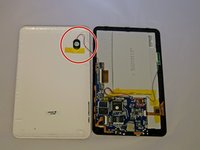
Use an opening tool and fingers to simultaneously lift the speaker from the cover.
-
-
-
-
-
Use soldering gun to remove the positive and negative wires connecting the battery to the circuit board.
-
-
-
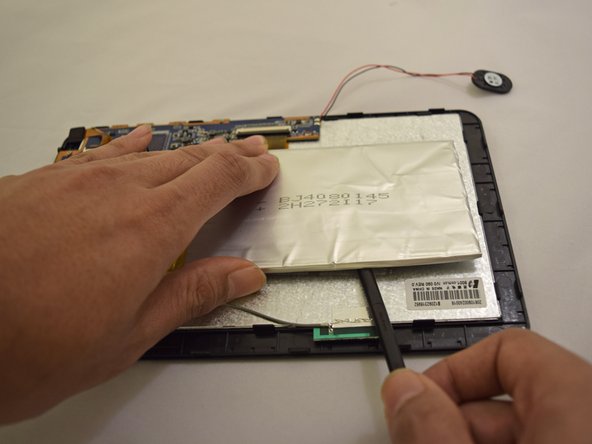
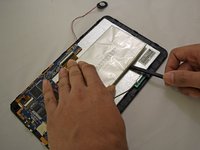
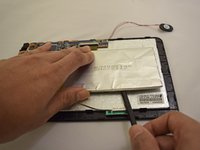
Insert plastic prying tool under upper-hand corner of battery and slide back and forth.
-
Once loosened, insert plastic prying tool under lower-hand corner and repeat sliding action.
-
-




To reassemble your device, follow these instructions in reverse order.
crwdns2935221:0crwdne2935221:0
crwdns2935229:07crwdne2935229:0

crwdns2935287:0crwdne2935287:0

Eastern Washington University, Team 1-2, Plummer Spring 2015 crwdns2935289:0Eastern Washington University, Team 1-2, Plummer Spring 2015crwdne2935289:0
EWU-PLUMMER-S15S1G2
crwdns2931471:04crwdne2931471:0
crwdns2935297:072crwdne2935297:0
