
3DO FZ-1 Disassembly Guide

crwdns2959934:0crwdnd2959934:0Ben Ecclescrwdnd2959934:0crwdnd2959934:0crwdnd2959934:0crwdne2959934:0
crwdns2959936:0Huk 4, 2017crwdne2959936:0
crwdns2869540:0crwdne2869540:0: 9.9K
crwdns2959988:0crwdne2959988:0
- crwdns2959990:0crwdne2959990:0
- 4
- crwdns2959992:0crwdne2959992:0
- 51
- crwdns2959994:0crwdne2959994:0
- 205
- crwdns2959996:0crwdne2959996:0
- 9,936
crwdns2955950:0crwdne2955950:0: 2
crwdns2960008:02crwdne2960008:0
crwdns2960000:0crwdne2960000:0crwdns2959984:0crwdne2959984:0: 8 9
crwdns2959974:08crwdne2959974:0
crwdns2959970:09crwdne2959970:0
crwdns2959986:0crwdne2959986:0: 2 3
crwdns2959982:02crwdne2959982:0
crwdns2959978:03crwdne2959978:0
crwdns2944444:0crwdne2944444:0
crwdns2944446:0crwdne2944446:0
crwdns2915892:0crwdne2915892:0
crwdns2959928:0crwdne2959928:0 ↓Today we are going to take apart the Panasonic version of the FZ-1 R.E.A.L 3DO Interactive Multiplayer home video game console. Originally released in 1993, the 3DO was known as an early adopter of CD-Drive games, and for the ability to display photos and play music.
crwdns2959930:0crwdne2959930:0
crwdns2943215:0crwdne2943215:0
-
-
-
Spudger4.9
-
-


-
-
-
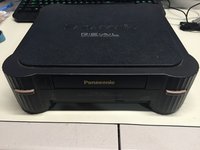
Here we have the front view of the FZ-1 3DO.
-
Note the ports on the back of the unit. The FZ-1 comes with RF, S-Video, and Composite Outputs, as well as a expansion port on the back of the unit.
-
A larger 2nd expansion slot can be found on the right side of the unit.
 crwdns2952109:0crwdne2952109:0
-
-
-
Flip the unit over, so that the bottom side of the case is facing up towards you, exposing the four screws casing screws.
-
Remove the four #2 Phillips Screws from the casing.
-
After the screws are removed, flip the unit back over while holding the top and bottom pieces of the case together.
-
-
-
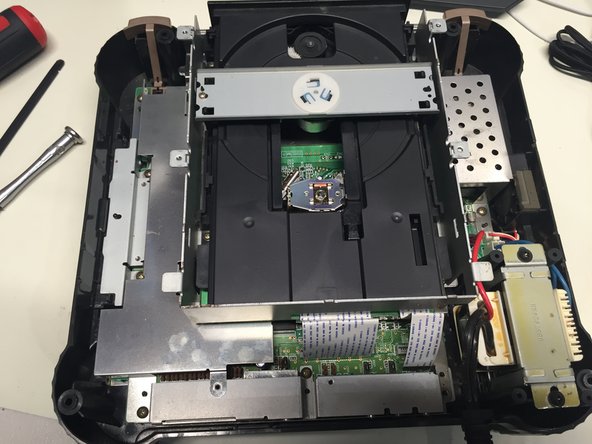
Remove the top portion of the case to expose the internal components.
-
-
-
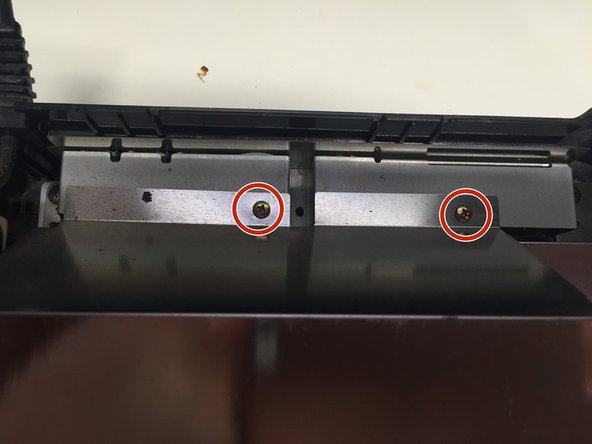
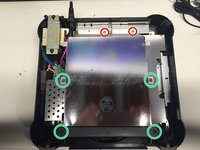
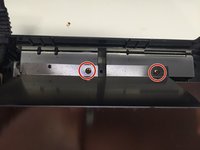
Remove the 2 #1 Phillips Screws from the back of the Disc Drive Shield.
-
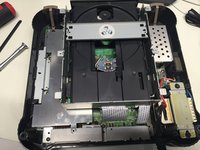
Using a Spudger, carefully pry up the four metal tabs to remove the disc drive cover.
-
Remove the 4 #2 Phillips Screws.
-
Remove the disc drive shield, and the two bars you just unscrewed.
-
-
-
-
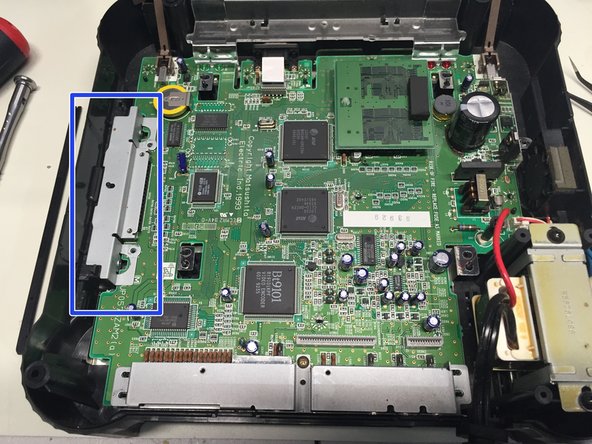
Remove the 5 #1 Phillips Screws holding the CD Drive to the motherboard.
-
Carefully unplug the two ribbon cables connecting the CD drive to the motherboard.
-
You can now safely remove the CD drive from the case.
-
-
-
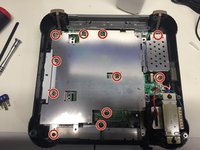
Remove the 11 #1 Phillips Screws connecting the metal shield to the motherboard.
-
Remove the metal shield.
-
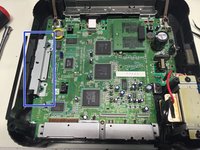
Remove the metal cover from the expansion port.
-
-
-
Remove the #1 Phillips Screw from back port cover, and then remove the cover.
-
-
-
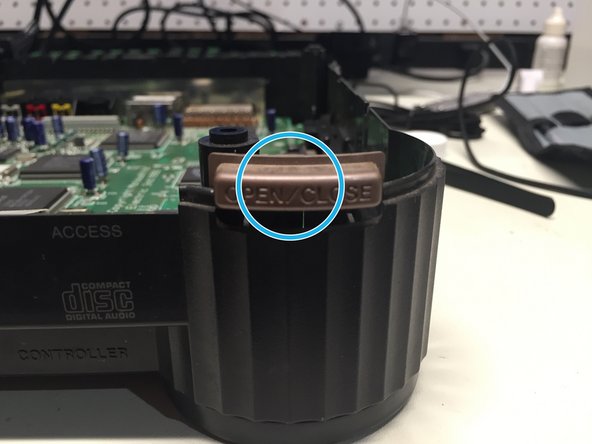
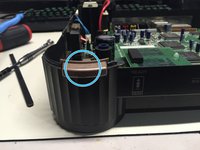
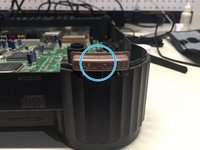
Remove the plastic cover, power and eject buttons found at the front end of the unit.
-
-
-
Unplug the power and fan cables from the motherboard.
-
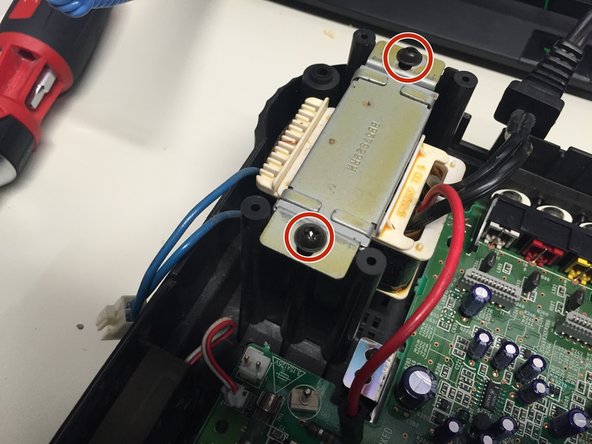
Remove the 2 #2 Phillips Screws holding the power supply to the case.
-
Remove the power supply and fan from the case.
-
-
-
Unplug the ribbon cable connecting the motherboard to the controller port board.
-
Remove the controller board and motherboard.
-
-
-
Remove the metal shield at the bottom of the case. Mission complete!
-
-










To reassemble your device, follow these instructions in reverse order.
crwdns2935221:0crwdne2935221:0
crwdns2935229:08crwdne2935229:0

crwdns2947412:02crwdne2947412:0
Can you tell me what size the screws are? I need to order a replacement set for my FZ-1
Richard Poll - crwdns2934203:0crwdne2934203:0 crwdns2950251:0crwdne2950251:0
I thought I couldn't fix this old appliance in my house. Until I came across this site! Thank you. :)
Jellyna Studio - crwdns2934203:0crwdne2934203:0 crwdns2950251:0crwdne2950251:0
