Battery
|
crwdns2933315:04crwdne2933315:0 crwdns2934263:05crwdne2934263:0 |
iPod in mac format, want to retreive files , only have PC |
|
crwdns2933313:01crwdne2933313:0 crwdns2934263:04crwdne2934263:0 |
can't remember code |
|
crwdns2933315:02crwdne2933315:0 crwdns2934263:02crwdne2934263:0 |
Battery, or software issue? |
|
crwdns2933313:01crwdne2933313:0 crwdns2934263:00crwdne2934263:0 |
would like a "white skin" cover for nano |
A1137 1GB, A1137 2GB, A1137 4GB
Track down a number of hardware problems using the iPod Nano 1st Generation Troubleshooting Guide.
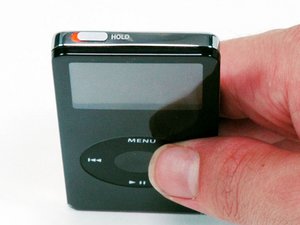
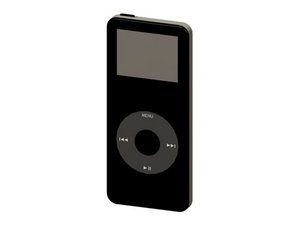
Designed to replace the iPod mini, the first generation iPod nano was offered with either a black or white plastic front case. It came in 1, 2, and 4 GB versions with all sporting a standard color display.
They tend to look very similar, and it's important to know which one you have before ordering any replacement parts. Check your iPod against the details in this section. If they don't match, find your model under iPod Nano and check the Identification section on its page.
crwdns2936751:024crwdne2936751:0 27
crwdns2936753:07crwdne2936753:0 163
crwdns2936753:030crwdne2936753:0 671
crwdns2959996:0crwdne2959996:0 186,283