





PRAM Battery

|
crwdns2933315:03crwdne2933315:0 crwdns2934263:01crwdne2934263:0 |
top row number keys won't work |
|
crwdns2933315:05crwdne2933315:0 crwdns2934263:00crwdne2934263:0 |
How to test battery and power adapter using multimeter? |
|
crwdns2933315:03crwdne2933315:0 crwdns2934263:01crwdne2934263:0 |
Vertical line on screen (possibly stuck pixels?): likely causes? |
|
crwdns2933313:01crwdne2933313:0 crwdns2934263:01crwdne2934263:0 |
Pin layout for PowerBook charger needed |
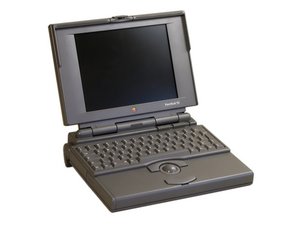
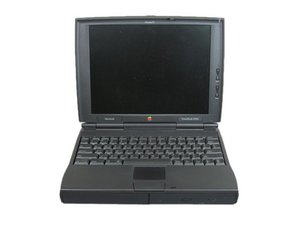
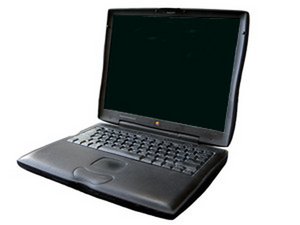
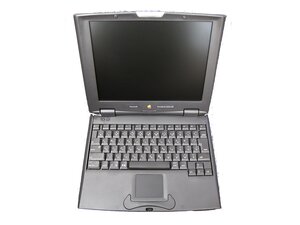
Determining which model of the PowerBook you have can be a challenge. The same model numbers can have a variety of processor configurations. Even if you think you know which one you have, open the page for your model in this category and check its Identification section before you order parts.
The PowerBook line originated in 1991 and was manufactured through 2006. However, the first PowerBook G3 was released in 1998, dubbed the Wallstreet. The model was the last Mac based on Old World ROM architecture. The subsequent updates to the G3 line—Lombard and Pismo—included now-standard features such as USB ports, FireWire ports, the New World ROM architecture, a standard DVD-ROM drive, as well as the inclusion of the Airport wireless card.
The PowerBook G4 replaced the G3 series in 2001, with the first model being a titanium-skinned laptop. All laptops of the PowerBook G4 line included a PowerPC G4 processor, spanning speeds from 400 MHz to 1.67 GHz. Later iterations of the G4 PowerBook switched to aluminum enclosures instead of titanium, and introduced more commonly-used components such as the AirPort Extreme card, SuperDrive, and Bluetooth capability. The Aluminum PowerBooks came in 12", 15", and 17" sizes.
MCE MobileStor PowerBook Internal Hard Drive with Installation Kit Guide for 3400 and G3
MCE MobileStor PowerBook 1400 Internal Hard Drive with Installation Kit Guide
MCE PowerBook G4 Internal Hard Drive Upgrade with Installation Kit Guide
MCE PowerBooks Internal Hard Drive Upgrade with Installation Kit Guide
Macintosh Computers Vol. I: Compact & Portable Computers Service Guide
PowerBook G4 (Gigabit Ethernet) Service Source
PowerBook 3400c / PowerBook G3 Service Source
VisionTek Memory Module Installation Instructions for Apple PowerBook 150, 210–280c
PowerBook G4 17-inch User's Guide
PowerBook G4 15-inch User's Guide
PowerBook G4 17-inch Getting Started
PowerBook G4 15-inch Getting Started
PowerBook G4 12-inch Getting Started
Apple Powerbook G4 Getting Started User Guide
PowerBook G4 Getting Started Manual
PowerBook G3 Series User Manual
Getting Started With Your PowerBook G4
PowerBook Duo Dock and Duo Dock Plus User's Guide
Apple Powerbook Duo Users Guide
PowerBook Duo Dock and Duo Dock II User's Guide
Apple PowerBook Duo Dock, Dock II and Dock Plus Service Source
PowerBook G4 17-inch User's Guide
PowerBook Duo 250 Developer Note
Apple Macintosh PowerBook G3 Series Specifications
Apple Macintosh PowerBook 140 and 170 Developer Note
PowerBook G4 15-inch User's Guide
Macintosh PowerBook 180c Developer Note
Macintosh PowerBook 2400c Computer Developer Note
Apple Macintosh PowerBook 165c Developer Note
PowerBook G4 15-tum Användarhandbok
Apple Macintosh PowerBook 550c Japan-Only Service Source
Macintosh PowerBook 160 and 180 Developer Note
crwdns2936751:024crwdne2936751:0 14
crwdns2936753:07crwdne2936753:0 105
crwdns2936753:030crwdne2936753:0 533
crwdns2959996:0crwdne2959996:0 636,473