|
crwdns2933313:01crwdne2933313:0 crwdns2934263:00crwdne2934263:0 |
Water damage of LogitechK710 keyboard |
crwdns2916646:0crwdne2916646:0
Background
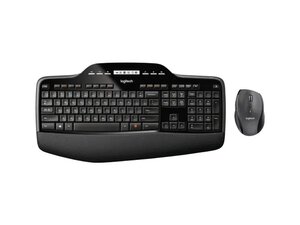
The Logitech Wireless Desktop MK710 is a full-size keyboard and contoured right-handed mouse combo designed for comfort and productivity. The keyboard includes an integrated LCD display, number pad, and palm rest, while the mouse offers precision tracking, programmable buttons and hyper-fast scrolling. The combo is a wireless desktop solution that pairs via a USB receiver and is built from durable materials for long-term everyday use. It targets office and home users who want a comfortable, full-featured wireless set.
Identification
The Logitech Wireless Desktop MK710 can be identified by the model number (M/N M-R0073). The model label is on the underside of the keyboard and on the mouse base; the USB receiver's model/serial markings are printed on the receiver housing. This label lists the model (M/N), part (P/N), and serial (S/N) numbers.
Specifications
- Product Name: MK710 Performance Wireless Keyboard and Mouse Combo
- Model / SKU / MPN: 920-002416 (MPN: 920-002416)
- Form Factor: Full-size keyboard with number pad + contoured right-handed mouse (combo)
- Connectivity: Wireless USB receiver (2.4 GHz; Unifying-compatible noted in support materials; exact receiver model not listed on product page)
- Keyboard Features: Full-size layout with integrated LCD display, number pad, and palm rest
- Key Switch Type: Membrane / scissor-style key mechanism (manufacturer not specified on product page)
- Mouse Features: Contoured ergonomic shape, programmable buttons, precision tracking and hyper-fast scroll
- In the Box: Keyboard, mouse, USB receiver (exact receiver model/part number not specified on product page)
- Software / Firmware: Logi Options+ recommended for device configuration; legacy Logitech utilities (Logitech Unifying, SetPoint, Firmware Update Tool) are deprecated per support documentation
- Product ID / URL: productID: mk710-desktop-keyboard-mouse — https://www.logitech.com/en-us/shop/p/mk...
Troubleshooting
Common repair-relevant faults include dead/weak batteries (device unresponsive), wireless connectivity/dropouts (receiver or pairing issues), and mouse scroll or button failures. Diagnose by swapping fresh batteries, moving or replugging the USB receiver (or testing on another PC), checking the keyboard/mouse power switches, and verifying configuration in Logi Options+; replace the receiver or battery compartment components if hardware faults are confirmed.
For additional troubleshooting help, visit: Visit https://support.logi.com for product support, downloads, and contact options; Logi Options+ is recommended for configuration.
Additional Information
Warranty Info
See Logitech warranty pages for region-specific warranty terms; check your purchase documentation or support site for claim filing.
Logitech Wireless Desktop MK710 Getting Started Guide
Logitech Wireless Desktop MK710 Getting Started Guide
Logitech Wireless Desktop MK710 Getting Started Guide
Logitech Wireless Desktop MK710 Getting Started Guide