crwdns2944766:0crwdne2944766:0
crwdns2918718:0crwdne2918718:0crwdns2935091:0crwdnd2935091:0crwdne2935091:0
Background
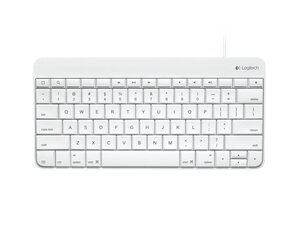
The Logitech Wired KBD for iPad is a plug-and-play wired keyboard designed specifically for iPad models, available with either a Lightning or 30-pin connector. It features a durable, spill-resistant design and a robust housing intended for everyday mobile use. Key features include dedicated iOS/media keys, an integrated short cable for direct connection, and a lightweight profile for portability. The keyboard offers consistent tactile feel via low-profile scissor-style membrane switches.
Identification
The Logitech Wired KBD for iPad can be identified by the model number (M/N Y-B0006). The model label is on the underside of the keyboard. This label lists the model (M/N), part (P/N), and serial (S/N) numbers.
Specifications
- Form Factor: Compact wired keyboard designed for iPad
- Connection Type: Wired Lightning connector (also available in 30-pin variant)
- Cable Length: 1.3 feet (0.4 meters)
- Key Switch Type: Membrane scissor switches (manufacturer not specified)
- Special Keys: iOS keys, Caps Lock, FN, media control keys
- Indicator Lights: None
- Dimensions (W×D×H): 140 mm × 288 mm × 21 mm (5.5 in × 11.33 in × 0.82 in)
- Weight: 344 g (12.1 oz)
- Model / SKU / MPN: 920-006341
- Package Contents: Keyboard and user documentation
- Compatibility: iPad 4th generation, iPad mini (support page notes availability for Lightning or 30‑pin connectors)
- Durability: Spill-resistant design; durable housing (material not specified)
Troubleshooting
Most common repair-relevant faults are a damaged/inoperative Lightning cable or connector, non-responsive keys from debris or contact wear, and liquid-induced corrosion. Diagnose by testing the keyboard on a known-good iPad to isolate host vs keyboard, visually inspect and continuity-test the cable/connector, and remove keycaps to check/clean the switch contacts.
For additional troubleshooting help, visit: Visit Logitech Support (support.logi.com) and the product support article for downloads and contact options.
Additional Information
Warranty Info
See Logitech warranty page for region-specific limited hardware warranty details; warranty varies by region.

