crwdns2944766:0crwdne2944766:0
crwdns2918718:0crwdne2918718:0crwdns2935091:0crwdnd2935091:0crwdne2935091:0
Background
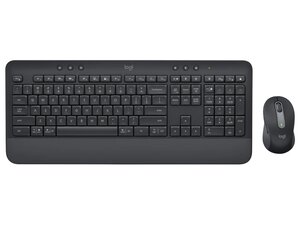
The Signature MK650 for Business is a wireless keyboard-and-mouse combo aimed at office and enterprise use, combining a full-size low-profile keyboard with a compact, ergonomic mouse. The set emphasizes quiet, comfortable typing with short-travel keys and a cushioned palm rest for prolonged use. The housings are built from durable ABS plastic with reinforced keycaps and a spill-resistant design to withstand daily office wear. Key features include multi-device Bluetooth and Logi Bolt wireless connectivity, business-grade security, and compatibility with Logi Options+ for customization.
Identification
The Logitech Signature MK650 for Business can be identified by the model number (M/N CU0021). The model label is on the underside of each unit. This label lists the model (M/N), part (P/N), and serial (S/N) numbers.
Specifications
- Form Factor: Full-size low-profile keyboard with numeric keypad + compact wireless mouse (combo)
- Components: Keyboard (Signature MK650), Mouse (Signature M650), USB wireless receiver (Logi Bolt or Unifying depending on region)
- Switch Type: Low-profile scissor (membrane) switches; short-travel keys for quiet typing
- Key Switch Manufacturer / Model: Not specified by Logitech support documentation (manufacturer/model not disclosed)
- Keycap Material: Durable ABS plastic keycaps; reinforced legends (per product marketing)
- Connectivity: Bluetooth Low Energy (multi-device) and Logi Bolt USB receiver (2.4 GHz)
- Power: User-replaceable batteries (keyboard and mouse); exact cell types and runtimes not specified in Logitech support article
- Compatibility / Software: Supported by Logi Options+ for customization; works with Windows, macOS, and common Linux distributions (basic HID functions)
- Durability / Design: Spill-resistant key design and robust ABS plastic housing intended for office use
- Security / Enterprise: Designed for business deployments with support for Logi Bolt (enterprise-grade wireless security); firmware and management via Logitech enterprise tools where available
Troubleshooting
Common repair-relevant faults include power/battery failure, intermittent wireless connectivity, and stuck or non-responsive keys. Diagnose by swapping fresh batteries, testing both Bluetooth and receiver connections (re-pairing as needed), inspecting/removing keycaps to check for debris or damaged scissor mechanisms, and verifying the receiver on another USB port or system.
For additional troubleshooting help, visit: Refer to Logitech Support (https://support.logi.com) for product registration, driver/software (Logi Options+), and contact options.
Additional Information
Warranty Info
Warranty terms vary by region; check Logitech Warranty Information on the support site for coverage and claim procedures.

