crwdns2944766:0crwdne2944766:0
crwdns2918718:0crwdne2918718:0crwdns2935091:0crwdnd2935091:0crwdne2935091:0
Background
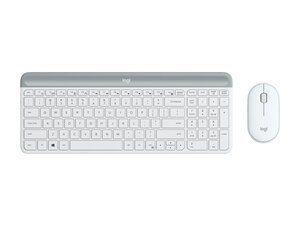
The SLIM COMBO (Signature Slim Combo for Business) is a keyboard folio accessory designed as a productivity solution for compatible tablets. It is constructed from durable materials to protect the tablet and provide a stable typing surface and multi-angle stand. Key features include a detachable keyboard module and protective folio with an integrated stand. Official support documentation for this business SKU contains limited technical details and spare-part downloads.
Identification
The Logitech SLIM COMBO includes Keyboard (M/N Y-B0011) and Charging case. Model labels are located as follows — Keyboard: on model and markings are typically on the underside of the keyboard module; Charging Case: on identification prints are inside the folio or on the inner housing. Each component carries its own model (M/N) and serial (S/N) identifiers.
Specifications
- Form Factor: Detachable keyboard folio (keyboard module + protective case)
- Compatibility: Designed for select tablet models (specific compatible model numbers are not listed on the referenced support page)
- Switch Type: Scissor (membrane) switches — exact key switch manufacturer/model not listed on the support page
- Connectivity: Bluetooth and/or Smart Connector depending on SKU; exact wireless receiver/model numbers are not provided in the support content
- Battery: Bluetooth SKU contains an internal rechargeable battery (capacity not specified); Smart Connector variants draw power from the tablet (no battery)
- Materials: Constructed with durable materials for protection and longevity; specific material composition not specified on the support page
- Included Components: Keyboard module and protective folio/case — manufacturer model numbers and spare-part listings are not available on the provided support page
- Dimensions & Weight: Not specified on the provided support page
- Regulatory / Certifications: Regulatory details referenced on Logitech support; specific certification numbers are not listed in the scraped content
- Spare Parts Availability: Support page indicates no spare parts or downloads available for this product
Troubleshooting
Common repair-relevant faults include unresponsive keys, Bluetooth connectivity or pairing failures, and damaged folio/hinge or connector ribbons. Diagnose by verifying battery level or Smart Connector contact, attempting Bluetooth re-pairing, inspecting connector ribbons and flex cables for damage, and testing the keyboard module on a known-good compatible tablet. Replace the keyboard module, flex cable, or battery if visual inspection and basic diagnostics indicate failure.
For additional troubleshooting help, visit: See support.logi.com for product support and contact options; the referenced support page for Signature Slim Combo for Business contains limited resources.
Additional Information
Warranty Info
Warranty information is available through Logitech's warranty pages; the support content references checking Logitech's warranty for claim filing.

