
Battery
crwdns2935091:0crwdnd2935091:0crwdne2935091:0
crwdns2935065:0crwdne2935065:0
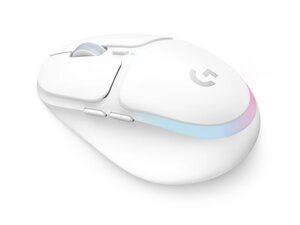
The G705 Wireless Gaming Mouse is a Logitech LIGHTSPEED wireless gaming mouse designed for low-latency performance and multi-device compatibility via Bluetooth. It features three-zone RGB LIGHTSYNC lighting, six programmable buttons, and a USB-C rechargeable lithium-ion battery offering up to 40 hours of battery life with lighting enabled. The mouse ships with a LIGHTSPEED wireless receiver and an extender data/charging cable for flexible USB placement. The design uses durable plastics and reinforced internal components intended for prolonged gaming use.
The Logitech G705 Wireless Gaming Mouse includes Mouse (M/N MR0093) and USB receiver (M/N CU0021). Model labels are located as follows — Mouse: on the underside product label; USB Receiver: printed on the flat face or side of the receiver housing near the USB plug. Each component carries its own model (M/N) and serial (S/N) identifiers.
Common repair-relevant faults include loss of wireless connectivity, battery not charging, and failing or noisy buttons/scroll wheel. Diagnose connectivity by checking the power switch under the mouse, re-pairing or reseating the LIGHTSPEED receiver, testing Bluetooth mode, and verifying cable/USB-C port function; diagnose battery issues by testing with known-good USB-C cable and measuring charge current. For mechanical button or scroll problems, inspect internal switch connections and the scroll encoder after removing the shell.
For additional troubleshooting help, visit: Visit Logitech Support (support.logi.com) for drivers, G HUB software, and contact options.
Warranty details are provided on the Logitech website; check your region-specific Logitech warranty page for terms and claim procedures.
crwdns2936751:024crwdne2936751:0 3
crwdns2936753:07crwdne2936753:0 24
crwdns2936753:030crwdne2936753:0 100
crwdns2959996:0crwdne2959996:0 663


