Battery
|
crwdns2933315:04crwdne2933315:0 crwdns2934263:04crwdne2934263:0 |
Why my laptop batterie does not work? |
|
crwdns2933315:04crwdne2933315:0 crwdns2934263:01crwdne2934263:0 |
Why is my laptop overheating? |
|
crwdns2933313:01crwdne2933313:0 crwdns2934263:00crwdne2934263:0 |
Is upgrade to m2 ngff ssd possible? |
|
crwdns2933315:02crwdne2933315:0 crwdns2934263:01crwdne2934263:0 |
change keyboard from French? |
If you have any problems with your device, check out our helpful troubleshooting guide!
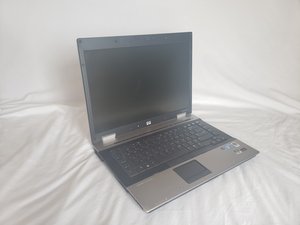
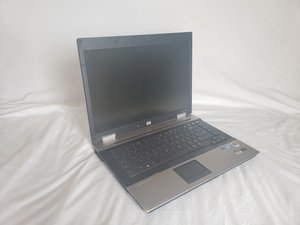
The HP EliteBook 8530w was released along with a line of other HP laptops on August 11, 2008. It was the mobile workstation of the time, hoping to bridge the gap between a laptop and a workstation. It came with powerful hardware that was found in desktop computers, which was uncommon at the time. It can be identified by it’s silver casing and large amount of ports on the external sides of the computer. Opening it up you will see the telltale phrase “MobileWorkstation” at the bottom left of the keyboard. There is also a sticker on the bottom of the laptop showing the model name, serial number, warranty number, and product number.
HP EliteBook 8530w Mobile Workstation Brochure
Centro Business Technology Solutions Catálogo de Productos 2009
HP EliteBook 8730w Mobile Workstation Accessories
HP EliteBook 8530p Notebook PC and 8530w Mobile Workstation Maintenance and Service Guide
HP EliteBook 8530W Product End-of-Life Disassembly Instructions
HP EliteBook 8530p Notebook PC and 8530w Mobile Workstation Maintenance and Service Guide
crwdns2936751:024crwdne2936751:0 0
crwdns2936753:07crwdne2936753:0 10
crwdns2936753:030crwdne2936753:0 58
crwdns2959996:0crwdne2959996:0 35,339