Base Cover

This wiki does not have a summary. Help improve this page by writing one!
|
crwdns2933315:05crwdne2933315:0 crwdns2934263:02crwdne2934263:0 |
How do I unlock a BIOS password on Dell Precision M4500? |
|
crwdns2933307:0crwdne2933307:0 crwdns2934263:00crwdne2934263:0 |
How can I force bios downgrade at startup? |
crwdns2935065:0crwdne2935065:0
The Dell Precision M4500 was introduced in early 2010 as a high-performance mobile workstation designed for engineers and design professionals creating CAD, 3D modeling, graphic design and video editing. It is part of the Dell Precision line known for being long-lasting and durable – often lasting 5-10 years with proper maintenance and upgrades.
The price at time of release started at $1549 for a base model and went upwards of $2500 for high-end configurations. The 6.0 lb, M4500 was released as a more portable option to the powerful M6500 with a 17” screen that weighed in at 8.5lbs.
Now, refurbished Dell Precision M4500 laptops can be found by resellers for as low as $100 to $200. Certified refurbished models can be found for $339 with a one year warranty. The cost of a refurbished unit is dependent on the processor and storage upgrades made.
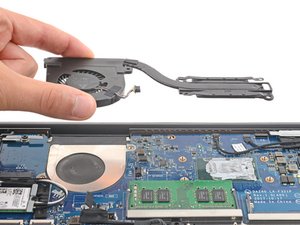
The M4500 was initially faulted for its boxy, even “ugly” design, but these robust qualities are what keeps it relevant in the refurbished market. New users often complained that the laptop had an inadequate cooling van and the vents collected too much dust. No doubt the heavy demands placed on the machine – performing high-powered tasks often outside of the controlled environment of an office building – contributed to the cooling and venting issues. ******
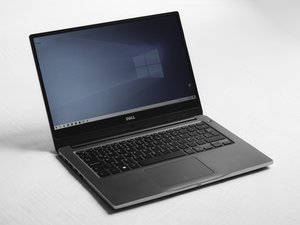
The Dell Precision M4500 is utilitarian and designed for durability instead of aesthetics. It has a brushed metal top and matte black plastic base and interior. Its blocky design is about 1.15” thick and it weighs over 6 lbs. The top of the case has indented horizontal lines and the “Dell” name appears on the side of the lid in the middle and in the interior below the screen in the center. It has a HD+ sRGB LED 15.6-inch screen, a full-size keyboard with no number pad, trackpoint and an optional fingerprint reader.
The laptop measures approximately 14.7 x 10.0 x 1.15 inches and weighs starting at about 6.0 pounds, with a rear and side-vented cooling design. For ports, it includes four USB 2.0 ports, VGA, DisplayPort, RJ-45 Ethernet, audio jacks, eSATA, and a 4-pin IEEE 1394 (FireWire) port, along with an 8-in-1 card reader and ExpressCard slot. The power connector is located along the back edge of the system. The model number, service tag, and other identifying information are printed on a label on the underside of the laptop.
Processor: Intel Core i5 and Core i7 (dual-core) or Intel Core i7 Quad-Core / Extreme Edition (varied by configuration)
Operating System: Windows Vista Business, Windows 7 Professional or Ultimate, Windows XP Professional (via downgrade rights), or Red Hat Linux (varied by configuration)
Display: 15.6-inch LED display — HD (1366 x 768), HD+ (1600 x 900), or Full HD (1920 x 1080)
Memory: DDR3 dual-channel RAM, up to 8GB (1066 or 1333 MHz)
Storage: HDD up to 500GB (7200 RPM), encrypted 250GB HDD, or SSD up to 256GB
Optical Drive: DVD-ROM, DVD±RW, or Blu-ray (optional)
Graphics: NVIDIA Quadro FX 880M or Quadro FX 1800M with 1GB dedicated memory
Connectitivity: Wi-Fi 802.11a/b/g/n, optional mobile broadband with GPS, Bluetooth 2.1
Security: TPM 1.2, optional fingerprint reader, smart card reader, cable lock slot
Multimedia: Integrated stereo speakers, optional dual-array microphone, optional 3MP webcam
Card Slots: 8-in-1 media card reader and ExpressCard/34 slot
Ports: 4 × USB 2.0, VGA, DisplayPort, RJ-45 Ethernet, audio jacks, eSATA, IEEE 1394 (FireWire)
Dimensions: Approximately 14.7” × 10.0” × 1.15” (374 × 253 × 29–36 mm)
Weight: Starting at about 6.0 lbs (2.73 kg)
Battery: 6-cell or 9-cell lithium-ion battery
Power Adapter: 130W AC adapter
Dell Precision M4500 Technical Specifications
Dell Precision Mobile Workspace M4500 Service Manual
Dell Precision Mobile Workspace M4500 Product Sheet
Dell Precision Mobile Workspace M4500 Manual
Ace Magazine Dell Precision M4500 Review
Community
crwdns2931471:045crwdne2931471:0
crwdns2935297:012.277crwdne2935297:0
crwdns2936751:024crwdne2936751:0 2
crwdns2936753:07crwdne2936753:0 4
crwdns2936753:030crwdne2936753:0 48
crwdns2942667:0crwdne2942667:0 1,569