




|
crwdns2933313:01crwdne2933313:0 crwdns2934263:00crwdne2934263:0 |
5v and 12v power source seach |
|
crwdns2933307:0crwdne2933307:0 crwdns2934263:00crwdne2934263:0 |
Why is my laptop losing DC power when I play a game? |
Background
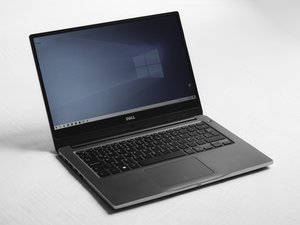
The Dell Precision 7730 is a 17.3-inch mobile workstation laptop released in 2018 as part of Dell’s Precision 7000-series. It is designed for high-performance professional workloads such as CAD design, 3D modeling, rendering, engineering applications, and video production. Unlike standard consumer laptops, this model supports workstation-class processors, professional graphics cards, multiple storage drives, and large memory capacity.
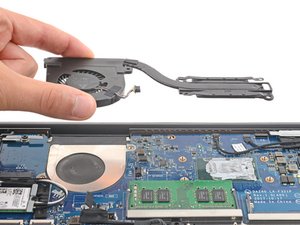
The Precision 7730 was available with Intel Core i5, i7, i9, and Xeon processors, along with NVIDIA Quadro or AMD Radeon Pro graphics options. It supports up to four RAM modules and multiple internal SSDs, and many internal components are user-replaceable, including storage drives, memory, battery, keyboard, and cooling fans.
This model replaced the Dell Precision 7720 and was later succeeded by the Precision 7740. Common issues reported over time include battery wear, thermal buildup from dust, fan noise, and occasional keyboard or storage drive failures, which are commonly addressed through cleaning, repair, or component replacement.
Identification
The Dell Precision 7730 can be identified by:
- 17.3-inch display size
- “Precision” branding on the laptop chassis
- Model number listed on the bottom label and BIOS screen
- Dell service tag label on the underside of the device
- Part of Dell’s Precision 7000-series mobile workstation line
- Colour: Dark grey/black palm rest with silver/grey metallic finish on sides and rear
Users can confirm the exact model using Dell’s service tag lookup.
Technical Specifications
Dimensions and Weight
Height: Front 1.03 inches (26.15 mm), Rear 1.19 inches (30.3 mm)
- Width: 16.31 inches (414.20 mm)
- Depth: 10.78 inches (273.7 mm)
- Weight: Starting at 6.81 lbs (3.09 kg)
Processor (CPU)
- Intel Core i5: 8300H, 8400H (vPro)
- Intel Core i7: 8750H, 8850H (vPro)
- Intel Core i9: 8950HK
- Intel Xeon: E-2176M, E-2186M (vPro)
Memory (RAM)
- Slots: 4 SODIMM slots
- Capacity: Minimum 8 GB, Maximum 64 GB
- Type: DDR4 SDRAM (ECC supported with Xeon; Non-ECC supported)
- Speeds: 2400 MHz, 2666 MHz, 2933 MHz
Storage
- M.2 SSDs: Up to four M.2 2280 drives, SATA or PCIe 4x4 NVMe, up to 2 TB each
- Hard Drive: One 2.5-inch HDD (up to 2 TB) supported only with 4-cell battery
Graphics (Video)
- Integrated: Intel UHD Graphics 630 or P630
- Discrete (NVIDIA): Quadro P3200 (6 GB), P4200 (8 GB), P5200 (16 GB)
- Discrete (Radeon): Radeon Pro WX 4150 (4 GB), WX 7100 (8 GB)
Battery and Power
- Options: 64 WHr (4-cell) or 97 WHr (6-cell) Lithium-ion with ExpressCharge
- Power Adapter: 240 W AC
Ports and Connectivity
- Thunderbolt: 2 × Thunderbolt 3 Type-C ports
- USB: 3 × USB 3.1 Gen 1 with PowerShare
- Video Out: 1 × HDMI 2.0, 1 × Mini DisplayPort 1.4
- Network: 1 × RJ-45 Ethernet, Wi-Fi 802.11n/ac, Bluetooth
- Card Readers: SD 4.0, Smartcard reader
- Audio: Headset port, noise-reduction array microphones
Upgradeable Parts
- Memory: All 4 RAM slots accessible (2 under keyboard, 2 under base)
- Storage: Multiple M.2 slots (Slots 3, 4, 5, 6) for SSD expansion
- Battery: Accessible via bottom release latch
Source: Dell Precision 7730 Service Manual
Additional Information
Link to Dell Precision 7730 Service Manual

