




|
crwdns2933313:01crwdne2933313:0 crwdns2934263:02crwdne2934263:0 |
Can I replace intel board with amd board? |
|
crwdns2933307:0crwdne2933307:0 crwdns2934263:00crwdne2934263:0 |
Dell 5559 laptop is not charging when it is below 50% battery level. |
crwdns2916646:0crwdne2916646:0
Background
The Dell Inspiron 5559 is a mid-range laptop that was available internationally, and released in the mid/late 2010s as part of the Inspiron 5000 series lineup, which consists of other mid-range laptop models. Its selling price ranged from 500 USD to 800 USD, depending on the configuration. It was one of the earliest laptops in the Inspiron lineup to feature the 6th-generation Intel Core processor. Its predecessor on the other hand, the Dell Inspiron 5558, featured the 5th-generation Intel Core processor.
The intended user group consists of students and office workers, as the laptop provides enough overall performance for office purposes and school work. One of the most common issues users have with this laptop is overheating. Components that were known to fail, depending on the user, include USB ports, the audio jack, and the battery. But there haven’t been any manufacturer recalls, and there aren’t any widespread complaints online about the laptop in general. Besides being reviewed by some tech sites, the Inspiron 5559 hasn’t seen much coverage in the mainstream news.
Dell hasn’t disclosed the number of units sold or manufactured regarding the Inspiron 5559, and It was discontinued in the early 2020s. On Amazon, it’s listed as “Currently Unavailable”, with no estimated date on when it will be available again, indicating that it’s been phased out. The model that came directly after was the Dell Inspiron 5566, which introduced the 7th generation Intel Core processor.
Identification
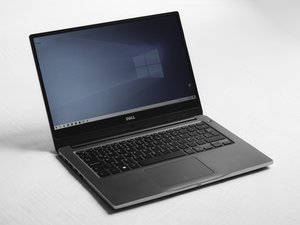
The Dell Inspiron 5559 is a silver laptop with rounded corners. The Dell logo can be found on top. There is a round power button located above the right side of the keyboard and the touch pad is slightly off center to the left.
There is a disk drive on the right side as well as two USB ports and a headset port. A third USB port is on the left side along with some other ports such as the power adapter port.
An alphanumeric Service Tag can be found on the bottom of the laptop. This can be entered into the Dell Support Website to confirm the model number. The service tag can also be found in the BIOS settings when using the laptop.
Technical Specifications
Externals:
- Dimensions: 14.96 x 10.25 x 0.94in
- Weight: 2.30kg
- External Ports: One RJ45 port, two USB 2.0 ports, one USB 3.0 port, one HDMI port, one headset port
Processor Types:
- 6th generation Intel Core i3/i5/i7
- Intel Pentium
- Intel Celeron
Memory:
- Memory Type: Dual‑channel DDR3L
- Memory Speed: 1600 MHz
- Min Memory Configuration: 2 GB
- Max Memory Configuration: 16 GB
Audio:
- Audio Controller: Realtek ALC3234 with Waves MaxxAudio
- Average Speaker Output: 2 W
Storage:
- Hard Drive: One 2.5‑inch drive
- Optical Drive: One 9.5 mm DVD +/‑ RW drive
Battery:
- Battery Type: 4 cell “smart” lithium ion (40 WHr) or 4 cell “smart” lithium ion (47 WHr)
Graphics:
- Display Size: 15.6in diagonal
- Integrated Graphics: Intel HD Graphics 520 or Intel HD Graphics 510
Source: Inspiron 15 5559 Specifications
Additional Information

crwdns2935287:0crwdne2935287:0

RampUP America, Inc. crwdns2935289:0RampUP America, Inc.crwdne2935289:0
Community
crwdns2931471:045crwdne2931471:0
crwdns2935297:012,235crwdne2935297:0
